Published on
You pay for the premium plan, you are in the middle of an important job and Claude locks your chat: limit reached. It happens to almost everyone, and almost always it doesn't depend on how many messages you sent, but on how many tokens you used.
This guide collects the 7+1 tricks to master tokens in Claude: eight simple habits, each with a concrete example, to work for longer while using fewer tokens.
Download the handoutPrintable PDF version of this lesson, with exercise and glossary.
Download the handout as PDFGoal
Understand what uses up tokens in Claude and apply eight practical tricks to work longer, without sudden blocks and with less waste.
What you will be able to do
- Explain why the tenth message of a chat costs far more than the first.
- Reset a long chat with a summary (the “chat reset”) and use /compact in Claude Code.
- Fix a mistake with the pencil instead of sending a new message.
- Exploit the 5-hour sessions and protect Prompt Caching.
- Use Projects, plugins and models (Haiku, Sonnet, Opus) on purpose.
- Write short, concise prompts without losing precision.
Contents
- Why Claude Locks Your Chat
- Trick 1: Reset the Context with a Summary
- Trick 2: Rewrite History Instead of Correcting It
- Trick 3: Start the Session Early to Get Two
- Trick 4: Protect Prompt Caching
- Trick 5: Use Projects for the Documents You Always Need
- Trick 6: Disable the Plugins You Don't Use
- Trick 7: Choose the Right Model for the Task
- Bonus Trick: Write Short, Concise Prompts
- The One-Page Checklist
- Hands-on exercise
- Questions that come up in class
- Glossary
- Further reading
1. Why Claude Locks Your Chat
The block doesn't depend on the messages you send: it depends on how many tokens you use.
The model doesn't count how many messages you send, it counts how much text it has to read and write. The unit of measure is the token, and one token is a little less than a word.

Work for longer while using fewer tokens.

1.1 The tenth message costs more than the first
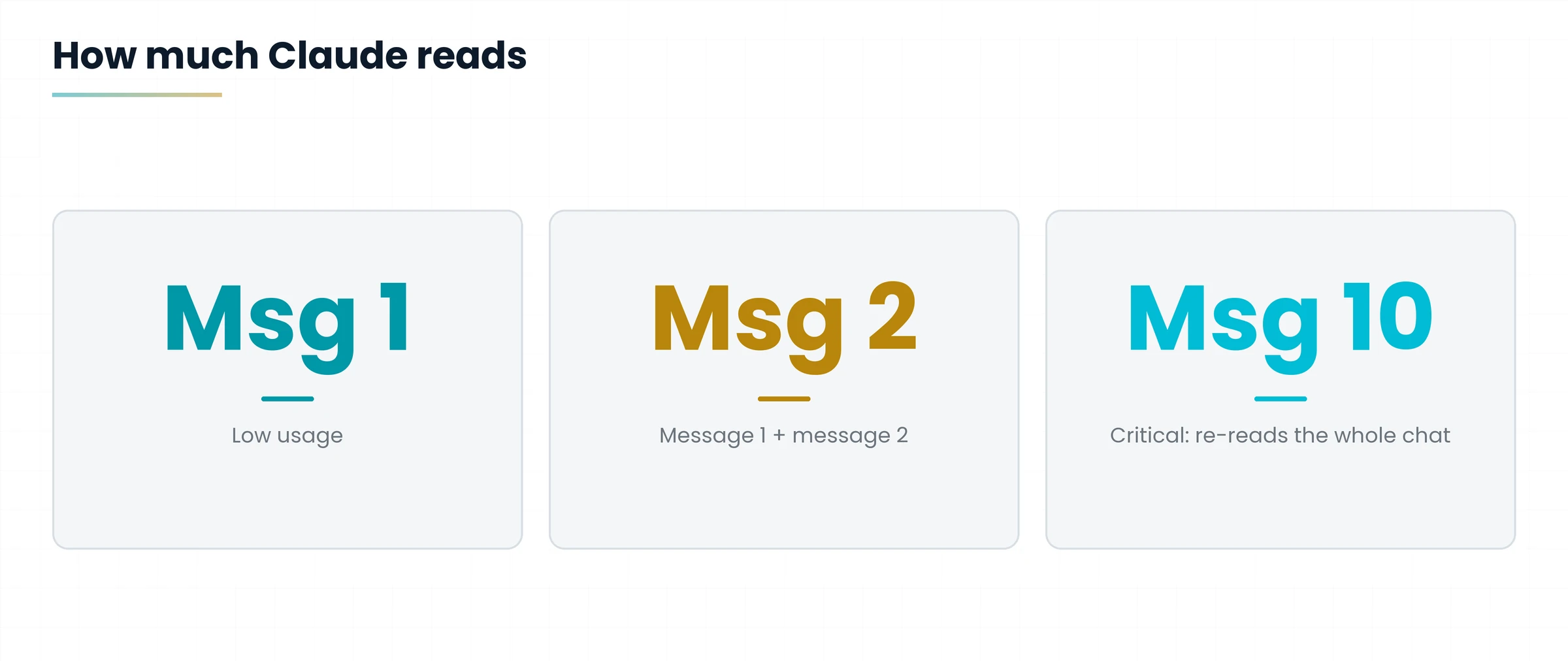
Claude never reads only your last sentence. To answer, it re-reads the whole conversation from the start. The further you go in the chat, the more tokens you use just to make it re-read the past.

| Message | What Claude re-reads | Consumption |
|---|---|---|
| Message 1 | Only message 1 | Low |
| Message 2 | Message 1 + message 2 | Higher |
| Message 5 | All messages from 1 to 5 | High |
| Message 10 | All messages from 1 to 10 | Critical |
You are preparing a commercial offer and ask questions one after another in the same chat: headline, prices, terms, tone, corrections.
At the tenth message Claude must also re-read all the drafts and corrections of the previous nine. Your question is short, but the cost is not.
The longer the chat, the more each new message costs. The eight tricks below are meant to break this spiral.
2. Trick 1: Reset the Context with a Summary
After 10-15 messages consumption becomes critical: it is time to leave the chat and restart clean.

The chat reset zeroes the weight of the conversation without losing the work done: you carry only a summary, not the whole history.
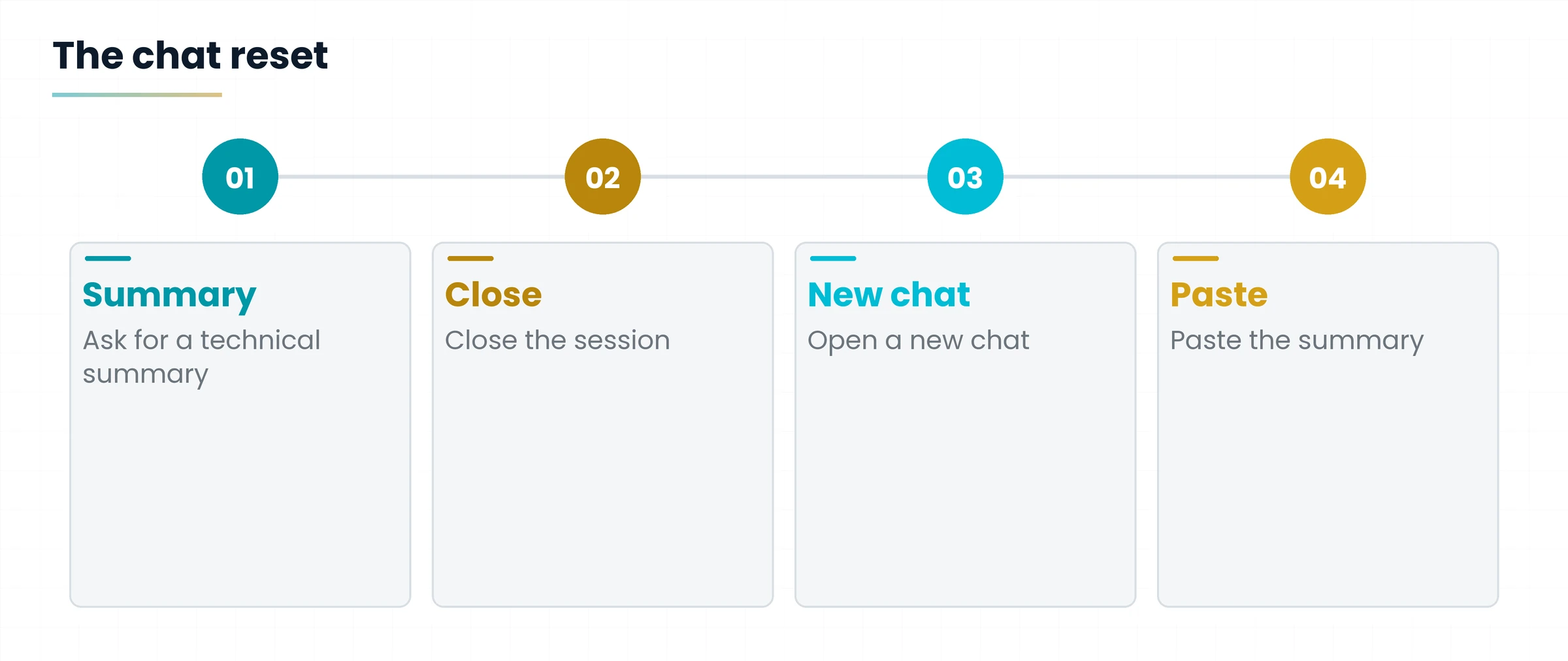
- Ask Claude for a technical, detailed summary of the whole chat.
- Close the current session.
- Open a new chat and paste the summary: the context is restored at almost no cost.

To the long chat you write: “Summarize the whole conversation in a technical, detailed way: goal, decisions made, key data, open points.”
In the new chat you paste the summary and go on with the next question: “Starting from here, write the draft of point 3.”
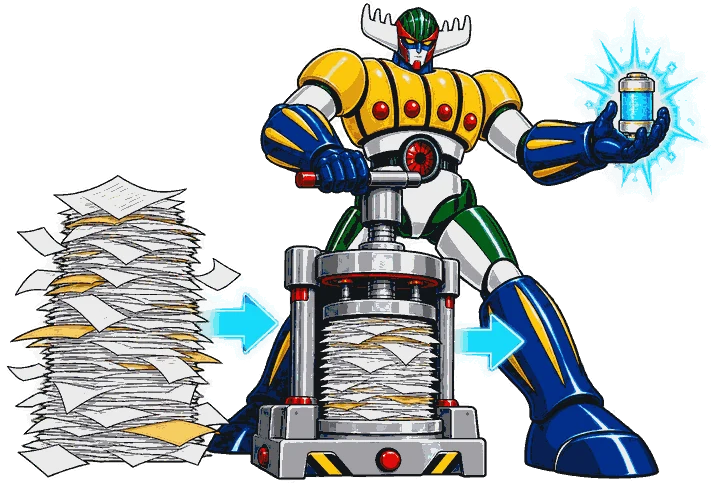
The /compact function performs this operation automatically, by default.
3. Trick 2: Rewrite History Instead of Correcting It
When Claude gets it wrong, don't answer “no, I wanted something else”: edit the original prompt with the pencil.
3.1 The mistake to avoid
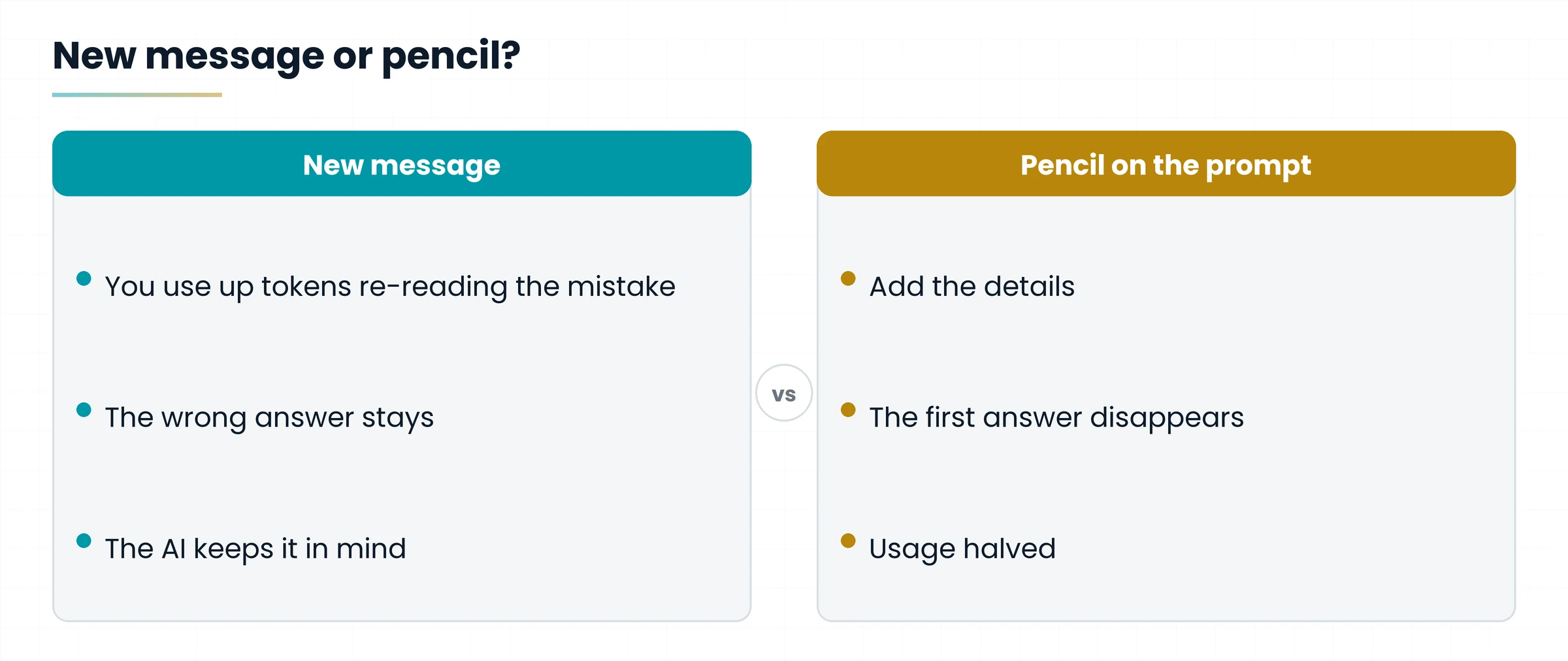
Sending a new message like “No, that's not what I meant, I wanted X” makes you use up tokens to have it re-read the mistake. On top of that you pollute the chat's memory: the wrong answer stays there and the AI will keep it in mind.
3.2 The right way
Click the pencil icon on your original prompt, add the missing details and overwrite. Claude deletes the first answer and generates a new one: clean context, token consumption halved.

Original prompt: “Write an email to chase a payment.” Claude replies with a very formal text.
Wrong: writing “No, friendlier and shorter” → the formal email stays in the chat and is re-read at every message.
Right: pencil on the original prompt → “Write an email to chase a payment, friendly tone, 5 lines at most.” → the old answer disappears.

4. Trick 3: Start the Session Early to Get Two
Every work session has a maximum token limit and lasts exactly 5 hours from the first message you send.
4.1 Basic and advanced approach
- Basic approach: you start working at 09:00, the session expires at 14:00. You used a single useful session.
- Advanced approach: you set up an automation (for example with Make or Co-work) that sends a simple “Hi” at 06:00. The first session starts earlier and the following ones shift accordingly.

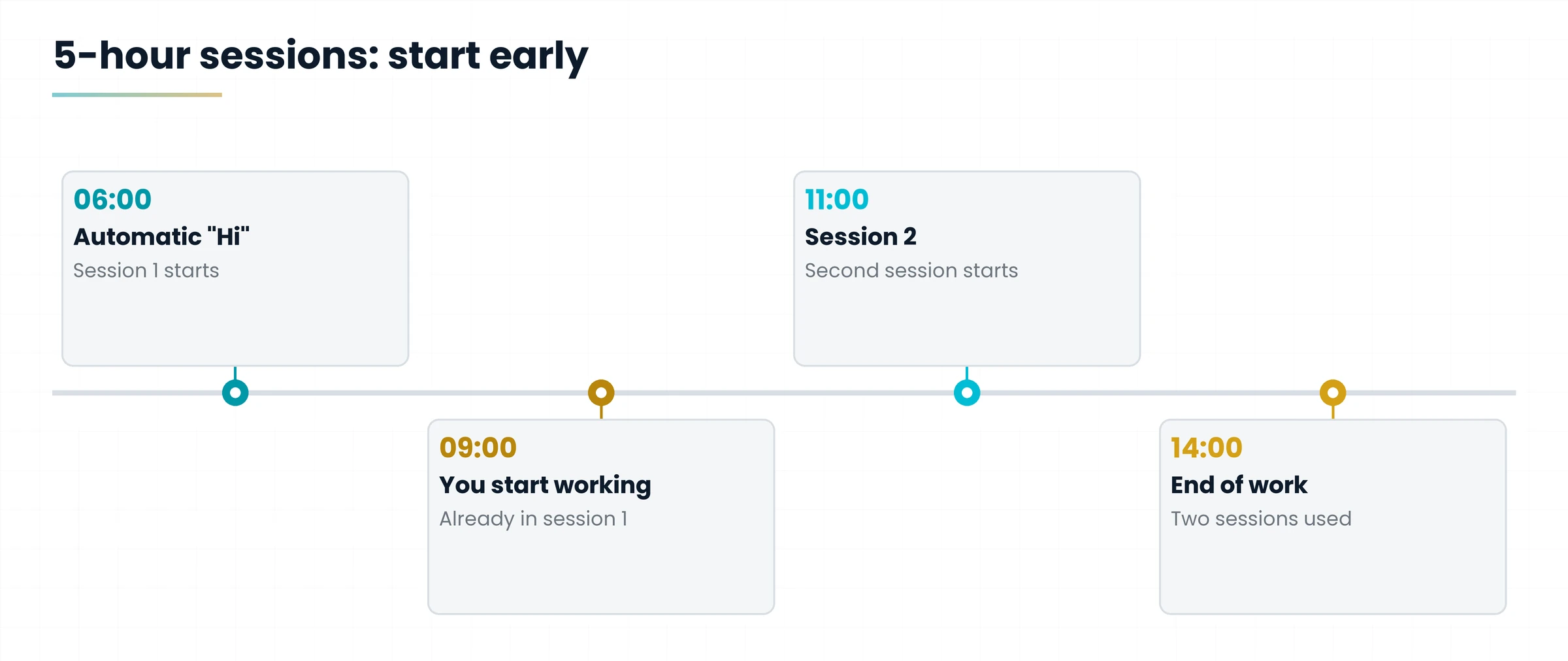
You work from 09:00 to 14:00. With the 06:00 start, session 1 covers 06:00 to 11:00 and session 2 starts at 11:00: within your working hours you get two sessions of tokens instead of one.
You double the daily tokens available for the same working hours, but you do not change the weekly cap.
5. Trick 4: Protect Prompt Caching
Claude doesn't literally re-read everything every time: it uses Prompt Caching to keep parts of the recent chat in memory.
- The system: Prompt Caching stores in memory the parts of the conversation already processed. Activation is automatic.
- The advantage: it saves you a lot of tokens on information already processed.
- The risk: the cache is fragile and temporary. It needs a continuous workflow.

5.1 The actions that reset the cache
If you do any of these, the cache resets: Claude will have to re-read the whole chat from scratch and you will use up tokens instantly.
- Long pauses between one message and the next.
- Switching model mid-chat (for example from Sonnet to Opus).
- Changing the Effort level requested from the system.
- Connecting or disconnecting plugins or MCP servers.

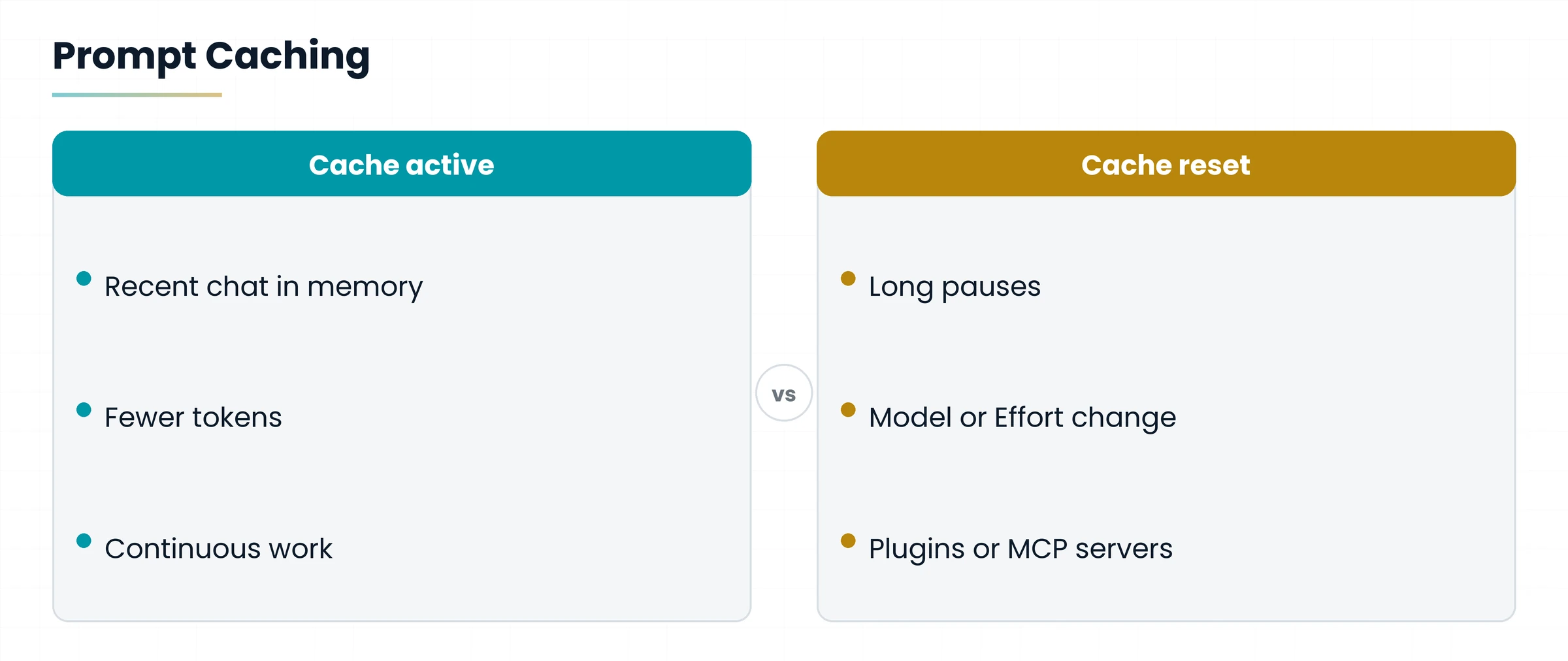
You have a long chat about an analysis. You go to lunch, come back after a long time and at the second message you switch from Sonnet to Opus.
You reset the cache twice in one go: Claude re-reads everything from scratch. Better: choose model and settings before you start and work in continuous blocks.

6. Trick 5: Use Projects for the Documents You Always Need
Loading the same file in every chat uses up tokens for nothing: recurring documents belong in Projects.
- Standard procedure (to avoid): manually uploading the same PDF in every single chat.
- Recommended procedure: load recurring documents and guidelines in the Projects feature.
- The advantage: files in Projects stay stably in cache. Querying them costs only a tiny fraction of the tokens compared with temporary manual uploading.

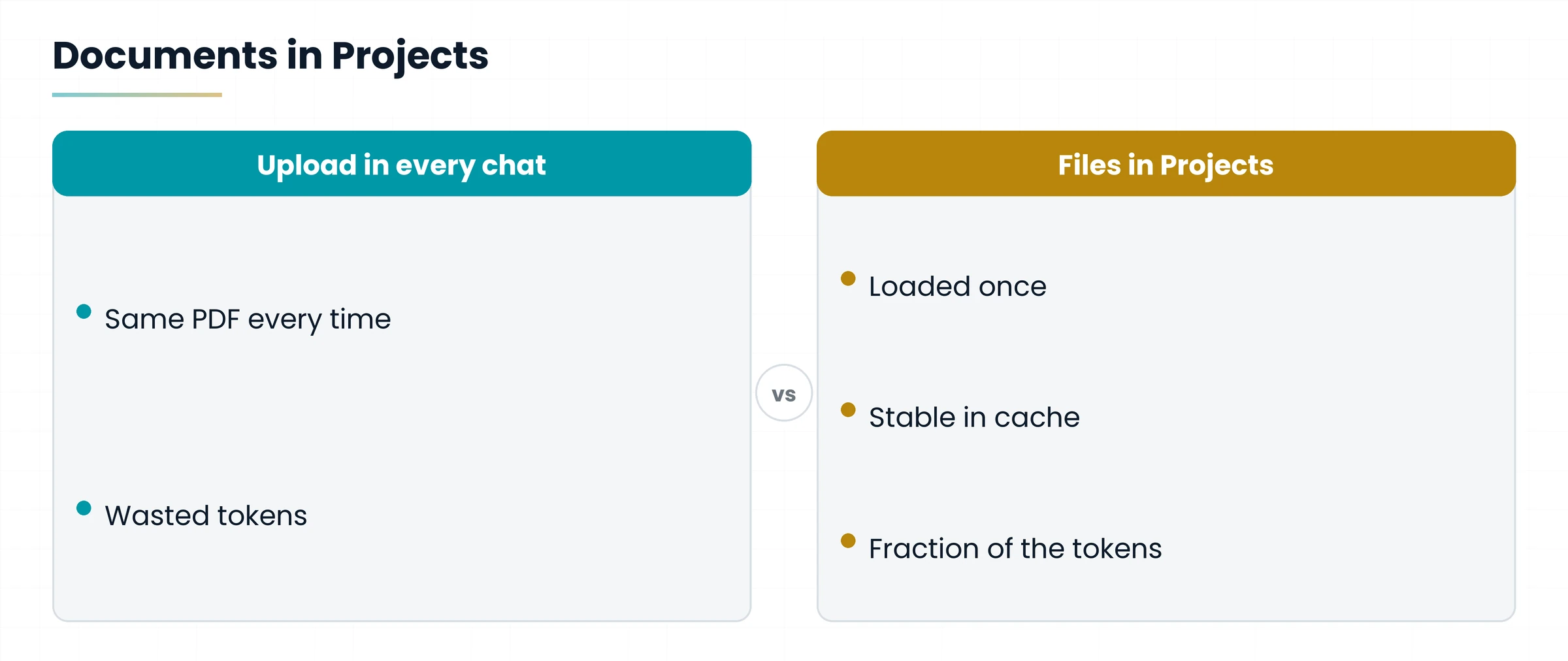
Every week you prepare quotes and always need the same price list in PDF, plus the company style guidelines.
Instead of re-uploading them in every chat, create them once in the “Quotes” Project and open all new conversations there.

7. Trick 6: Disable the Plugins You Don't Use
Every active tool loads invisible instructions into the chat context, even when you are not using it.
The classic mistake is keeping all plugins and MCP servers on by default, “just in case”. In reality every tool switched on uses up precious tokens in the background, completely for nothing.
Disable everything that is not strictly needed for the work you are doing.

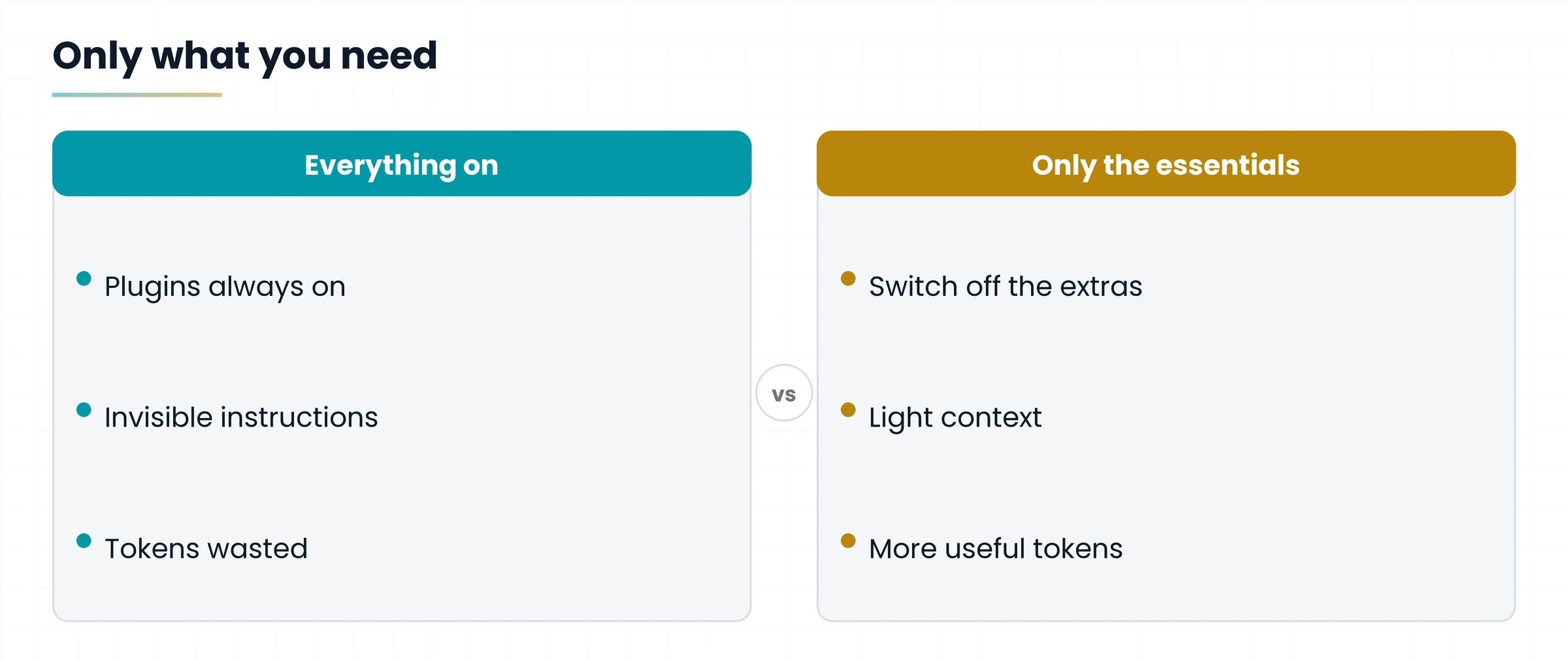
You only need to fix a text, but you have many plugins and MCP servers from other projects switched on.
Turn off the ones you don't need before opening the chat: you work with a lighter context. Remember that connecting or disconnecting tools in a running chat brings the cache down (Trick 4).
8. Trick 7: Choose the Right Model for the Task
Don't use the most powerful model for a simple task: Haiku is the right choice for using fewer tokens.

| Model | When to use it | Token consumption |
|---|---|---|
| Opus / Sonnet | Complex programming, deep analysis, logical reasoning | Very high |
| Haiku | Grammar fixes, translations, quick rewrites, repetitive tasks | Minimal |
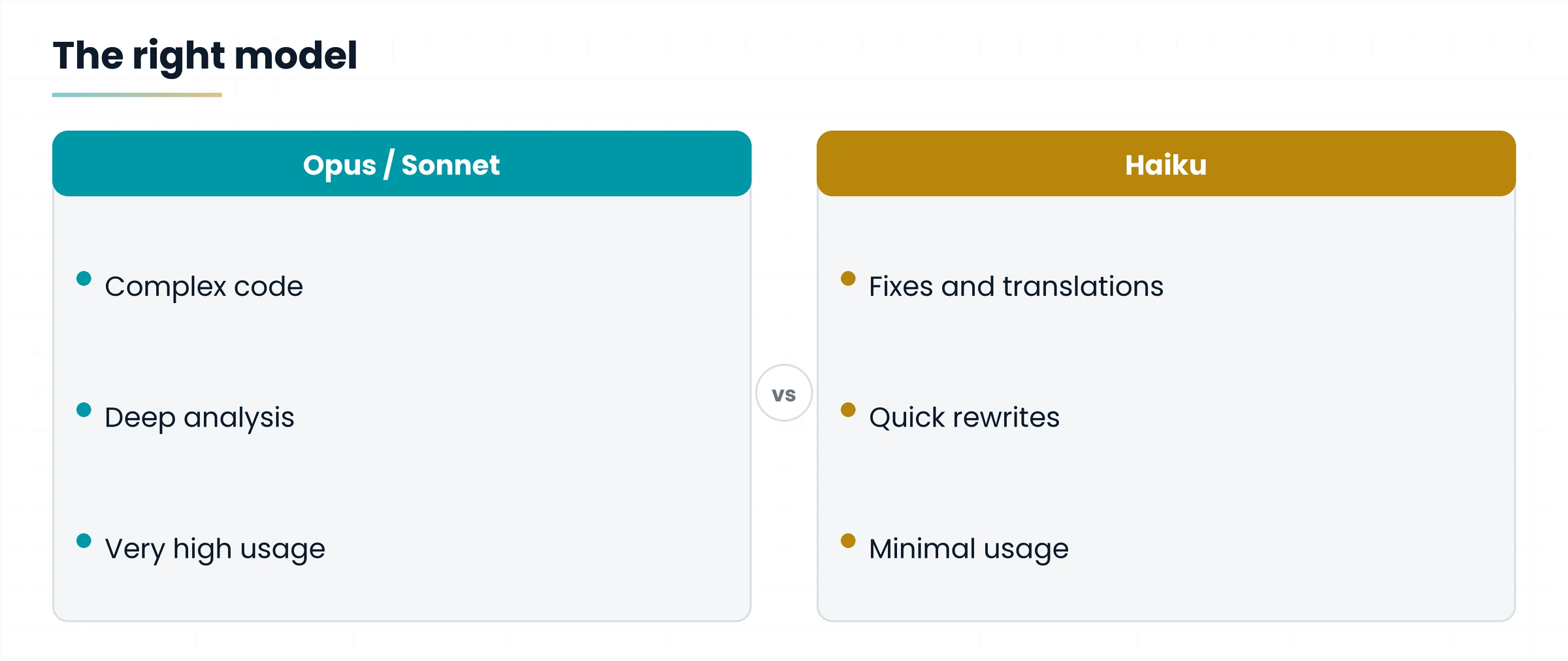
Haiku: fixing the mistakes in an email, translating a paragraph, rewriting a sentence more clearly.
Sonnet or Opus: writing a complex function, analyzing a contract, reasoning through a multi-step logic problem.
Remember: the model is chosen at the start of the chat, because switching it mid-way brings the cache down (Trick 4).

9. Bonus Trick: Write Short, Concise Prompts
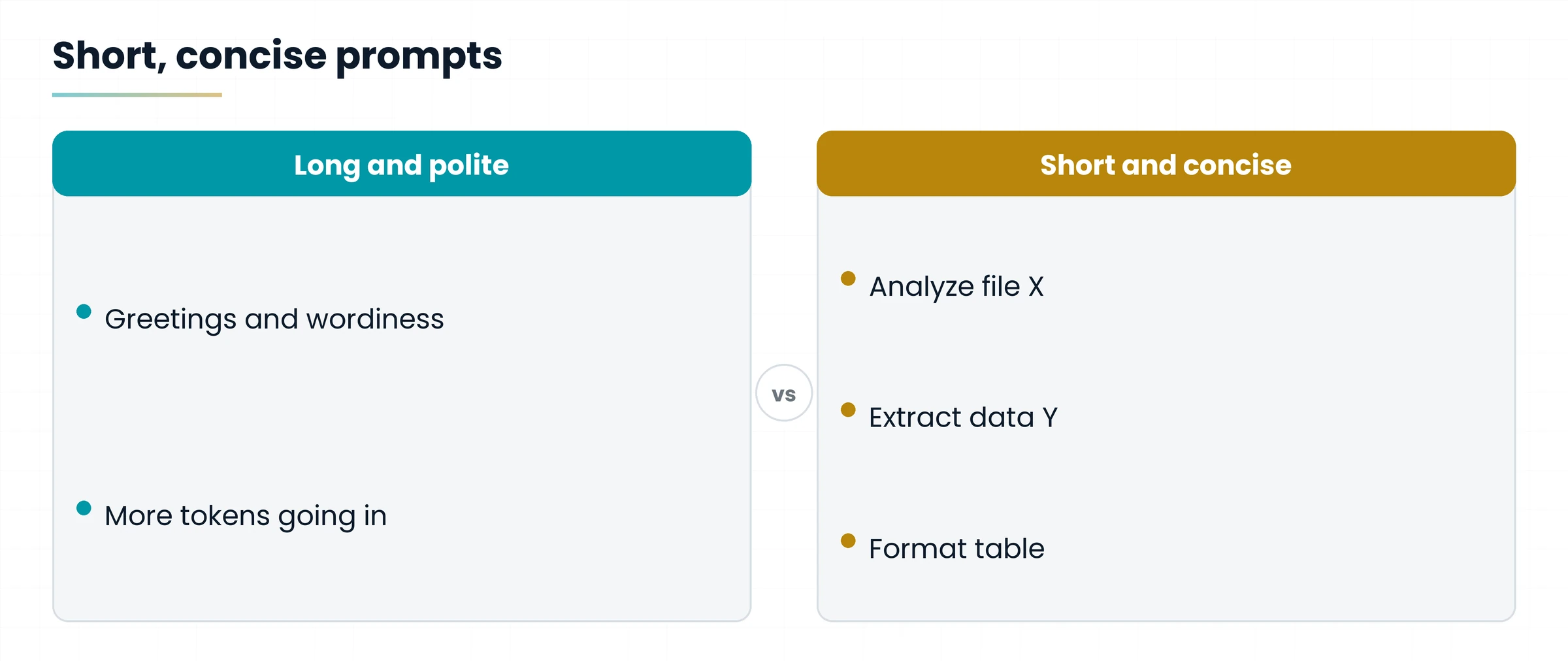
The AI has no feelings and doesn't get offended: drop politeness, frills and complex syntax. The fewer words you type as input, the fewer tokens you use.

| Prompt | Example |
|---|---|
| Long and polite (waste) | “Hi Claude, would you be so kind as to read this file and then make me a table, please?” |
| Short and concise (efficiency) | “Analyze file X. Extract data Y. Format table.” |

9.1 More concrete examples
- Instead of “Could you please translate this text into English, if it's no trouble?” write: “Translate to English.”
- Instead of “I'd like a summary of this document, maybe not too long” write: “Summarize in 5 points.”
- Instead of “Would you help me fix the mistakes in this paragraph?” write: “Fix errors.”

Cut the politeness, not the information: goal, file and output format must stay clear.

10. The One-Page Checklist
The eight tricks at a glance: print it and keep it next to your keyboard.
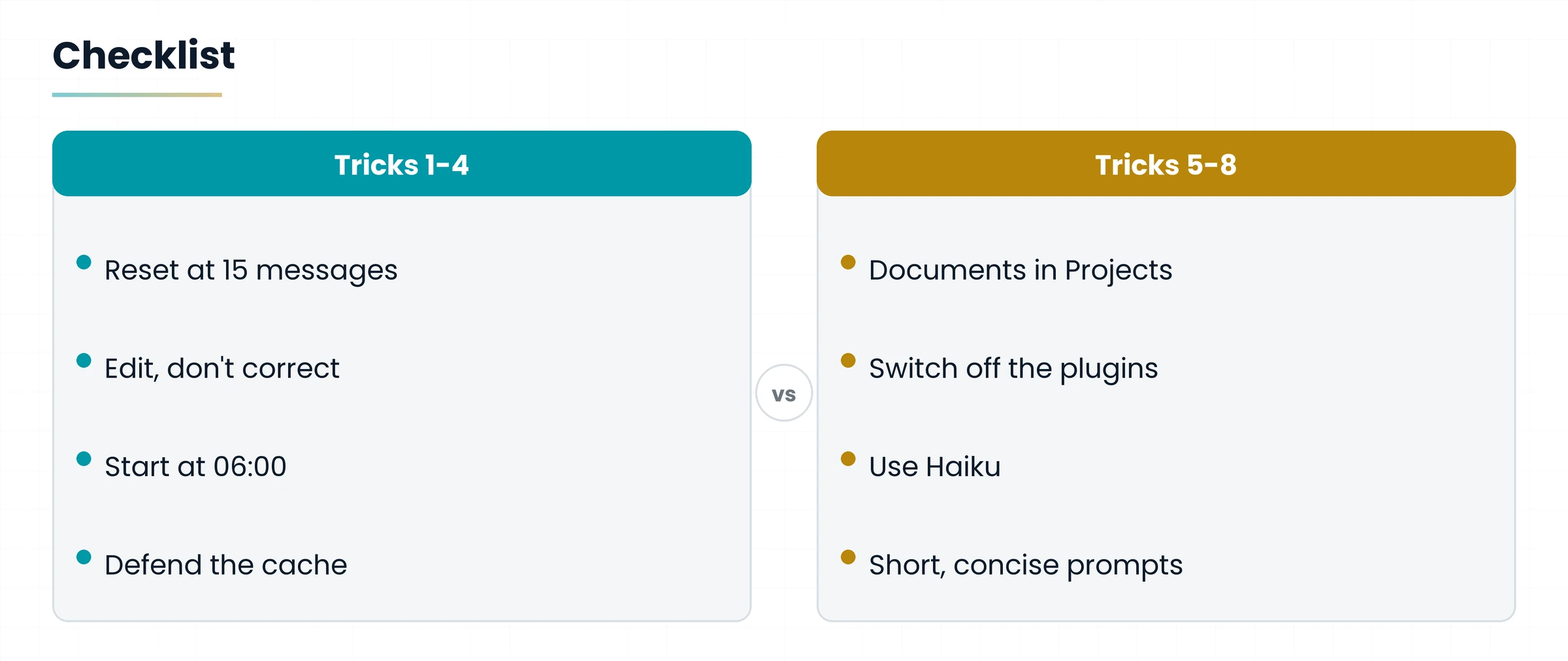
- Reset at 15 messages (use summaries).
- Edit, don't correct (use the pencil).
- Early start at 06:00 (double your sessions).
- Defend the cache (avoid pauses and setting changes).
- Documents in Projects (no more repeated uploads).
- Switch off the plugins (switch off idle MCP servers).
- Use Haiku (for everyday micro-tasks).
- Short, concise prompts (zero frills, maximum yield).

By managing your work better you will optimize your spending and increase your efficiency.
Hands-on exercise
Fifteen minutes, Claude open and one of your recent, long chats.
- Count the messages in the chat: are there more than 10-15? If so, ask Claude for a technical, detailed summary.
- Open a new chat, paste the summary and carry on with the work.
- Find an answer you weren't happy with and fix it with the pencil on the original prompt.
- Rewrite one of your long, polite prompts in a short, concise form (like “Analyze file X. Extract data Y. Format table.”).
- Check the active plugins and MCP servers and switch off those you don't need for today's work.
- Pick a simple task (a translation, a correction) and try it with Haiku.

Did you restart from a new chat with a summary?
Did you use the pencil instead of a correction message?
Did you rewrite at least one prompt in a short, concise form?
Questions that come up in class
How many messages can I send in a chat before restarting?
The rule of thumb is 10-15 messages: beyond this threshold consumption becomes critical. At that point ask for a summary and open a new chat.
Why does the chat consume more after an hour's pause?
Because the Prompt Caching cache is temporary: after a long pause the cache resets and Claude must re-read the whole chat from scratch.
Does the early 06:00 start also raise the weekly limit?
No. It doubles the daily tokens available for the same working hours, but it doesn't change the weekly cap.
Pencil or a new message to correct?
The pencil: it deletes the first answer and generates a new one, with a clean context and token consumption halved.
Does a short, concise prompt make the answer worse?
No, as long as it stays precise: it cuts courtesies and wordiness, but keeps the goal, the file and the output format.
Glossary
| Term | What it means |
|---|---|
| /compact | A Claude Code function that automatically performs the chat reset. |
| Chat reset | Summarize the chat, close it and restart in a new chat by pasting the summary. |
| Effort | The level of effort requested from the system: changing it mid-chat resets the cache. |
| Haiku, Sonnet, Opus | Claude's models: Haiku is light, Sonnet and Opus are the most powerful and consume far more. |
| Plugins and MCP servers | Tools connected to Claude: when active they load invisible instructions into the context. |
| Projects | A feature that keeps recurring files and guidelines, stably held in cache. |
| Prompt Caching | Temporary memory that stores the recent parts of the chat and saves tokens. |
| Session | A work window with a maximum token limit: it lasts 5 hours from the first message sent. |
| Token | The unit of AI consumption: a little less than a word. |
Further reading

- Gianluca Bonomo, Niente paura, è solo IA — the reference book (in Italian)
Features, menu names, limits and models change often: always check the version of Claude you use. To go deeper, the reference book is “Niente paura, è solo IA” (in Italian).
Download the handoutPrintable PDF version of this lesson, with exercise and glossary.
Download the handout as PDF