Published on
You open a site to read the news or buy a pair of shoes and, before you even start, the usual question pops up: «Accept cookies?». Most of us click without thinking. But what did we just accept?
In this lesson you find out what cookies are, who keeps them, which ones are useful and which ones seem to remember the shoes you looked at yesterday a little too well. No computer expertise needed.
Download the handoutPrintable PDF version of this lesson, with exercise and glossary.
Download the handout as PDFGoal
Understand what cookies are and what job they do, read a consent banner with confidence and know what happens when you clear cookies, cache and history.
What you will be able to do
- Explain in simple words what a cookie is and how a website uses it.
- Tell technical, statistical and profiling cookies apart.
- Recognise the difference between the cookie and the banner that asks for consent.
- Tell cookies, cache and history apart: they are three different things.
- Clear the browser knowing what you lose and what you keep.
Contents
- Biscuits by name, reminders in practice
- A quick refresher: browser and search engine
- How they work: let's go shopping
- Not all cookies do the same job
- Why do the chocolates seem to follow us?
- The banner is not the cookie
- Cookies, cache and history: three different drawers
- Cleaning the browser: what to expect
- Next time «Accept cookies?» appears
- Hands-on exercise
- Questions that come up in class
- Glossary
- Further reading
1. Biscuits by name, reminders in practice
The first time you read «Accept cookies?» you think: if they are chocolate chip, gladly! Then you find out nobody is bringing you a tray.
In computing the name comes from magic cookie, an expression for a small packet of data that a program receives and then hands back. The biscuit reference is there, but it was not meant to lure customers with something tasty: that is, if anything, a funny metaphor for some advertising uses.
A cookie is a small piece of information that a website asks your browser to keep. The browser is the program you surf with: Chrome, Firefox, Safari, Edge.
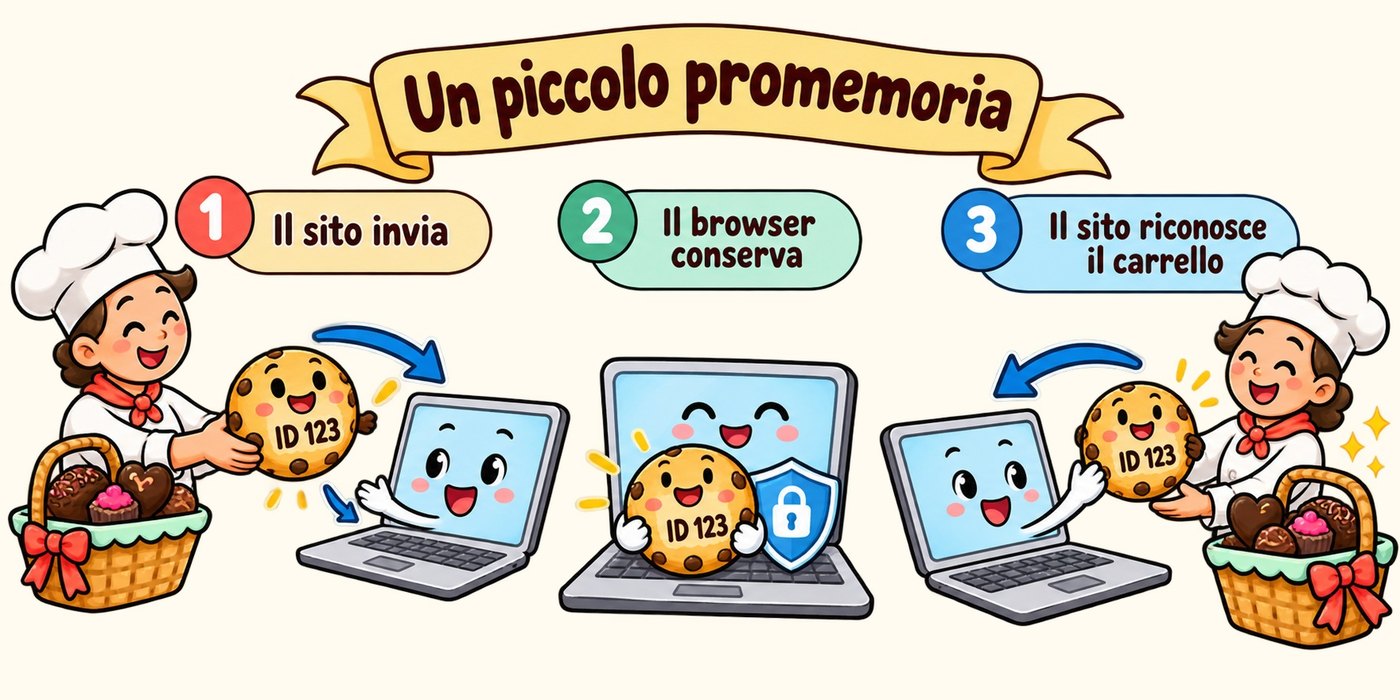
A cookie is a little note: «This visitor chose Italian as the language». Or: «This browser is linked to basket number 123».
When you come back, the browser hands the note over and the site recognises something about your earlier visit. Often the cookie holds just a code: the details of the basket or the account stay on the service's servers. So not all your activity is written inside your device.
2. A quick refresher: browser and search engine
To understand who keeps the notes you need a distinction that confuses half the world. The browser is the car you drive along the roads of the Internet. The search engine is the map that helps you find your destination.
Chrome is a browser; Google is a search engine. You can open Chrome and use Google to look for a pastry shop, or type the shop's address directly. Cookies are handled by the browser, that is, the car.
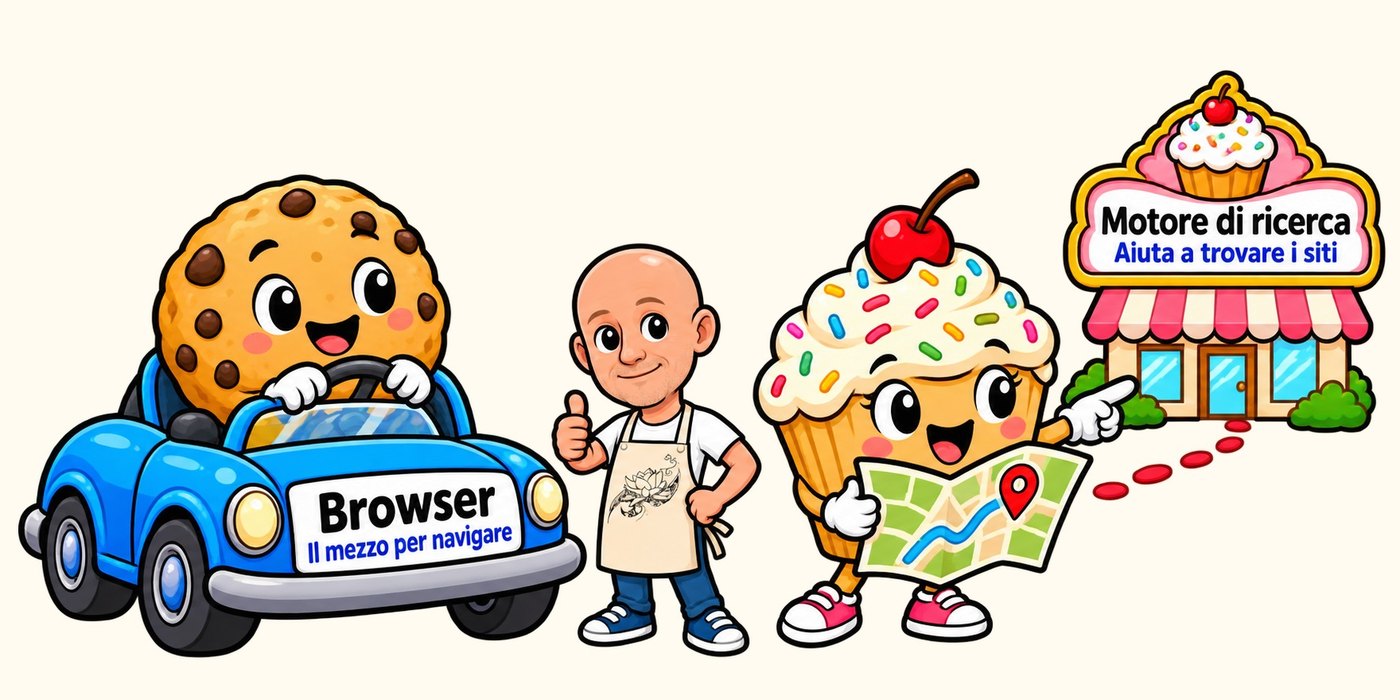
The map helps you find the real biscuits. The car keeps the digital ones!
3. How they work: let's go shopping
You enter an online shop and put a box of chocolates in the basket. Then you move to another page to pick a second item. The site has to remember that basket belongs to your visit: a cookie can help it do that.
Without a way to link the pages of your visit, it would be like reaching the till and hearing: «Have we met before? And whose chocolates are these?».
Other cookies keep you signed in to your account or remember a preference, like the language. They do not all last the same.
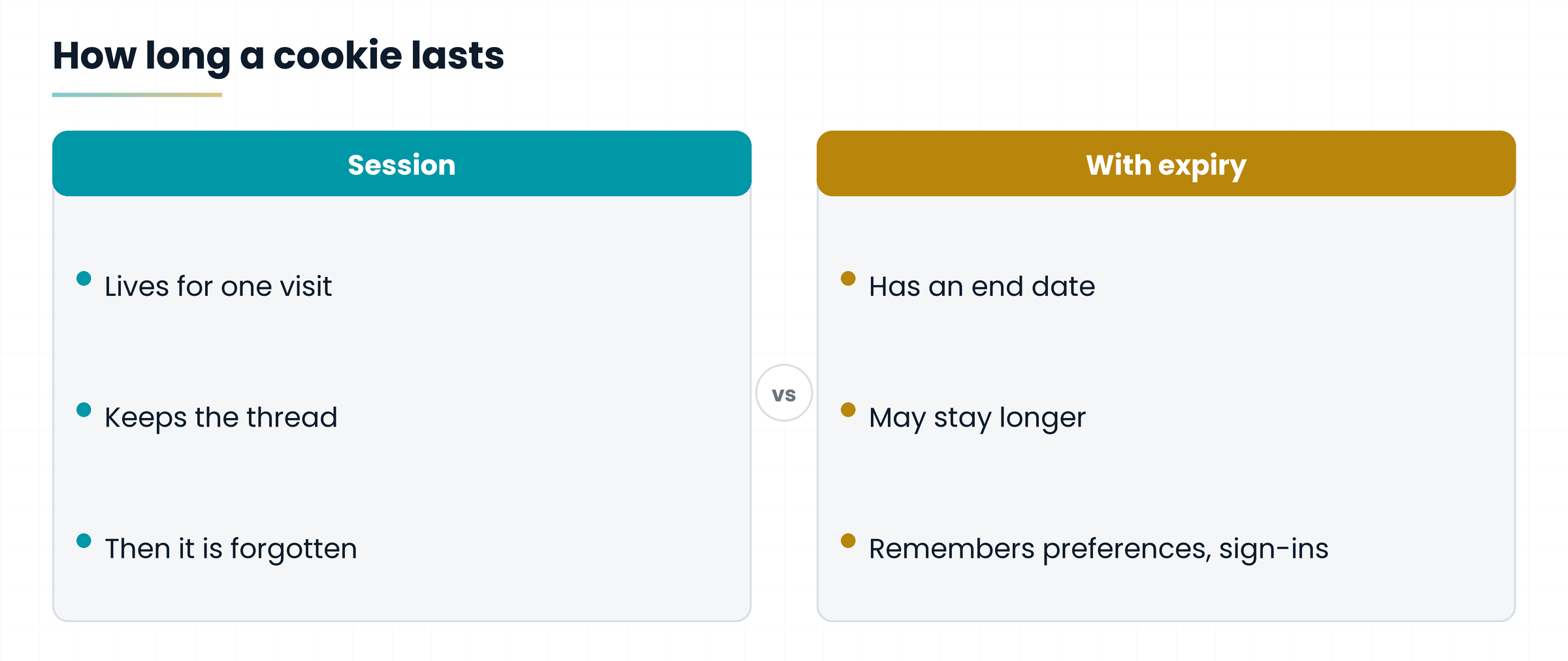
Some live only for the browsing session; others have an expiry date and may stay longer. Whether your basket survives closing the browser depends on how the site is built.
4. Not all cookies do the same job
To keep things clear, picture three characters.
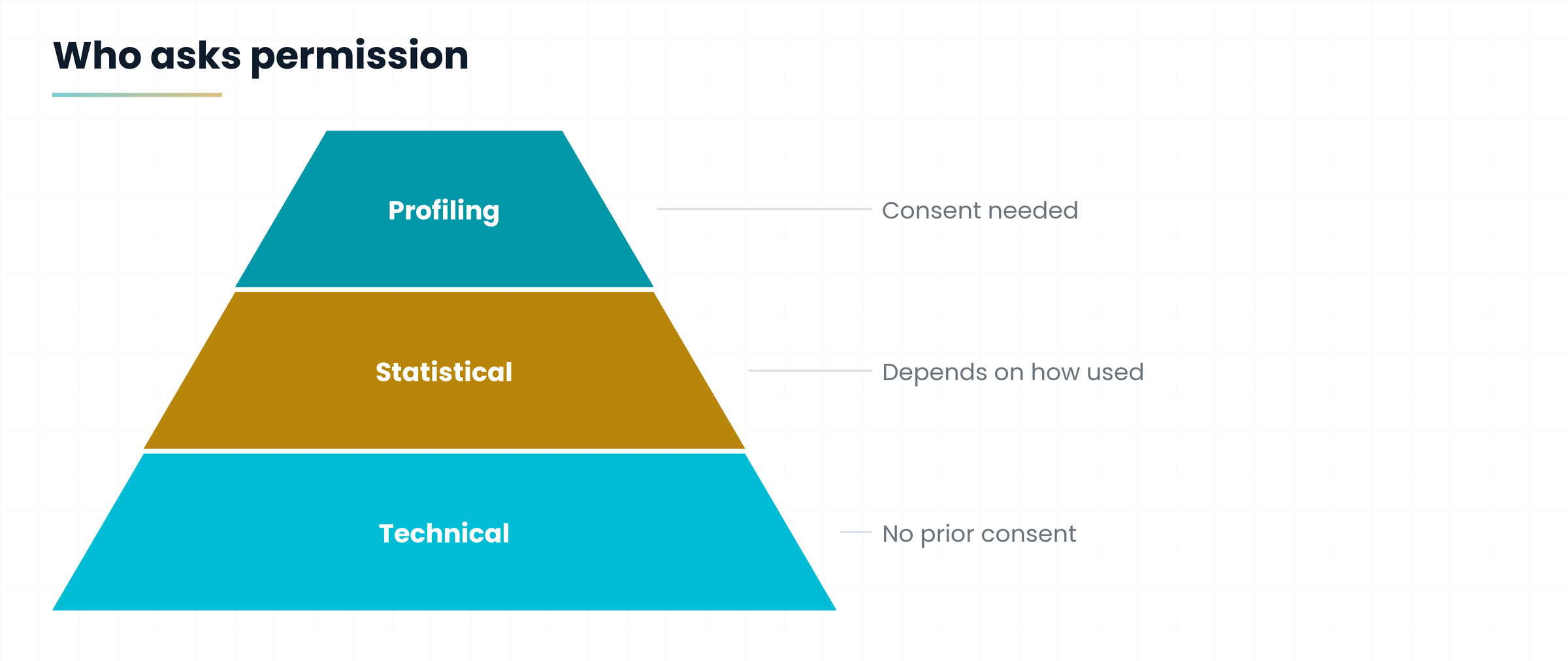
- The organised shop assistant uses technical cookies: keeps track of your basket or your sign-in session.
- The counter at the entrance uses statistical cookies: helps work out how many people come in and which pages they read.
- The salesman who remembers your tastes uses profiling cookies and other tracking tools: can build a profile of your interests and show you personalised ads.
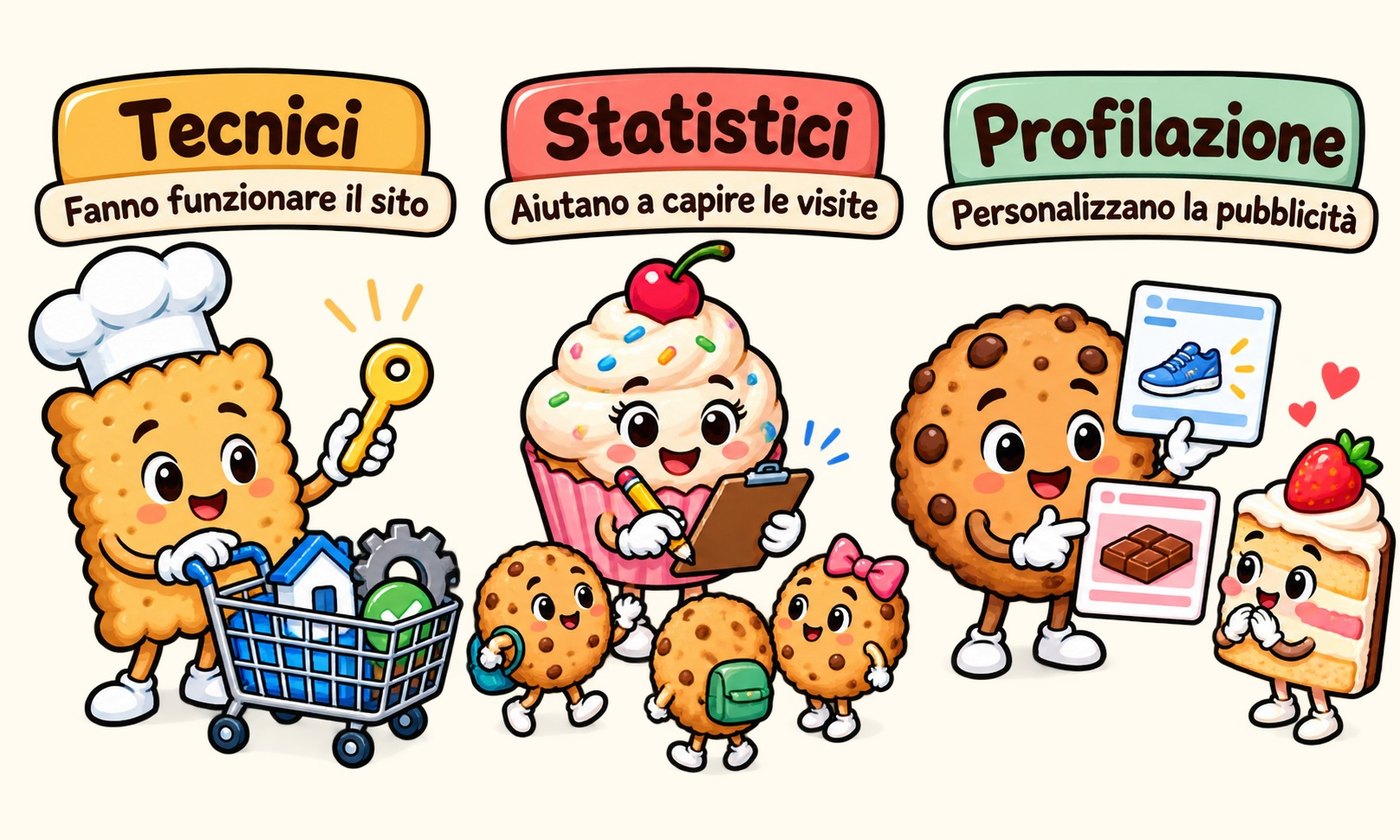
It is the last ones that seem to whisper: «You looked at those shoes… want another look?». Technical cookies mostly do practical work. As for statistical ones, whether consent is needed depends on how they are used.
Do not judge a cookie by its name: what counts is the job it does. A basket cookie and an advertising cookie look alike from outside, but they are very different things.
5. Why do the chocolates seem to follow us?
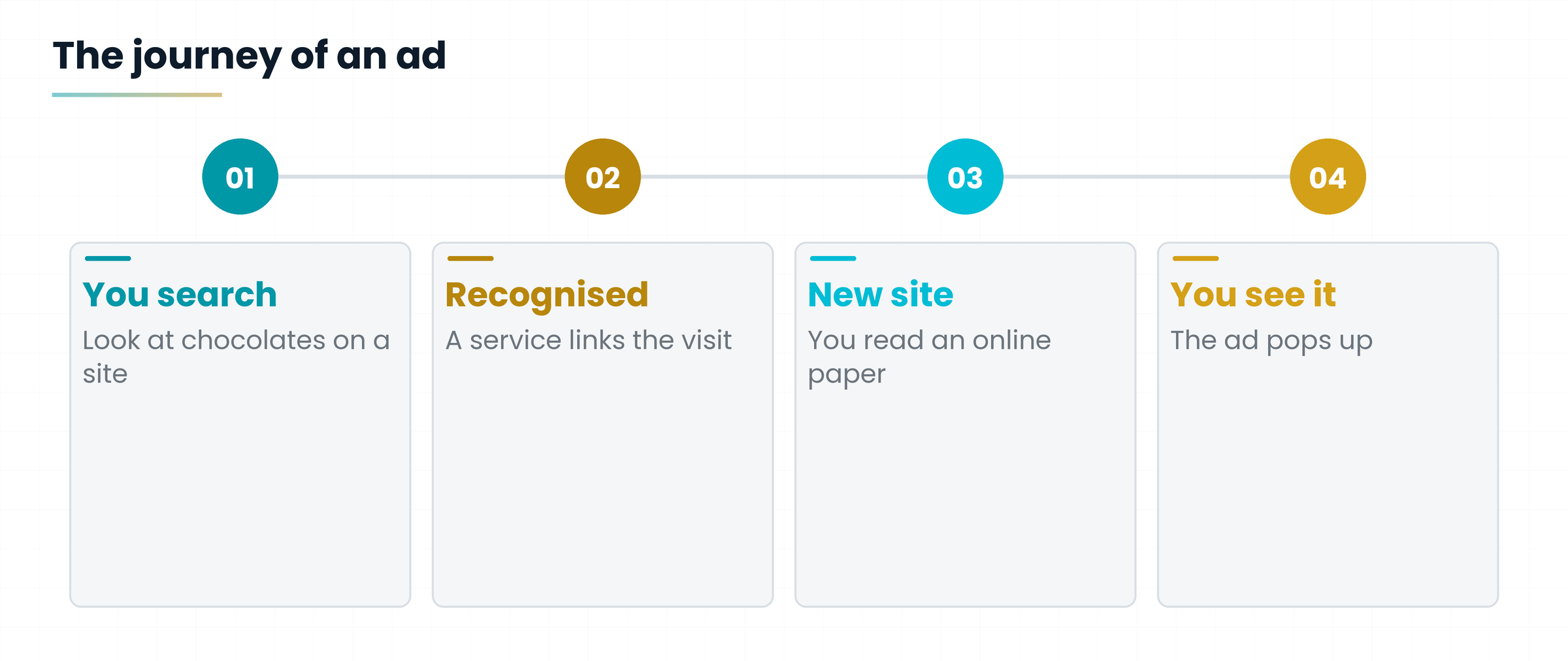
You search for a box of chocolates. You look at a few products, compare prices, then go and read an online newspaper. Later an ad for chocolates shows up. Coincidence?
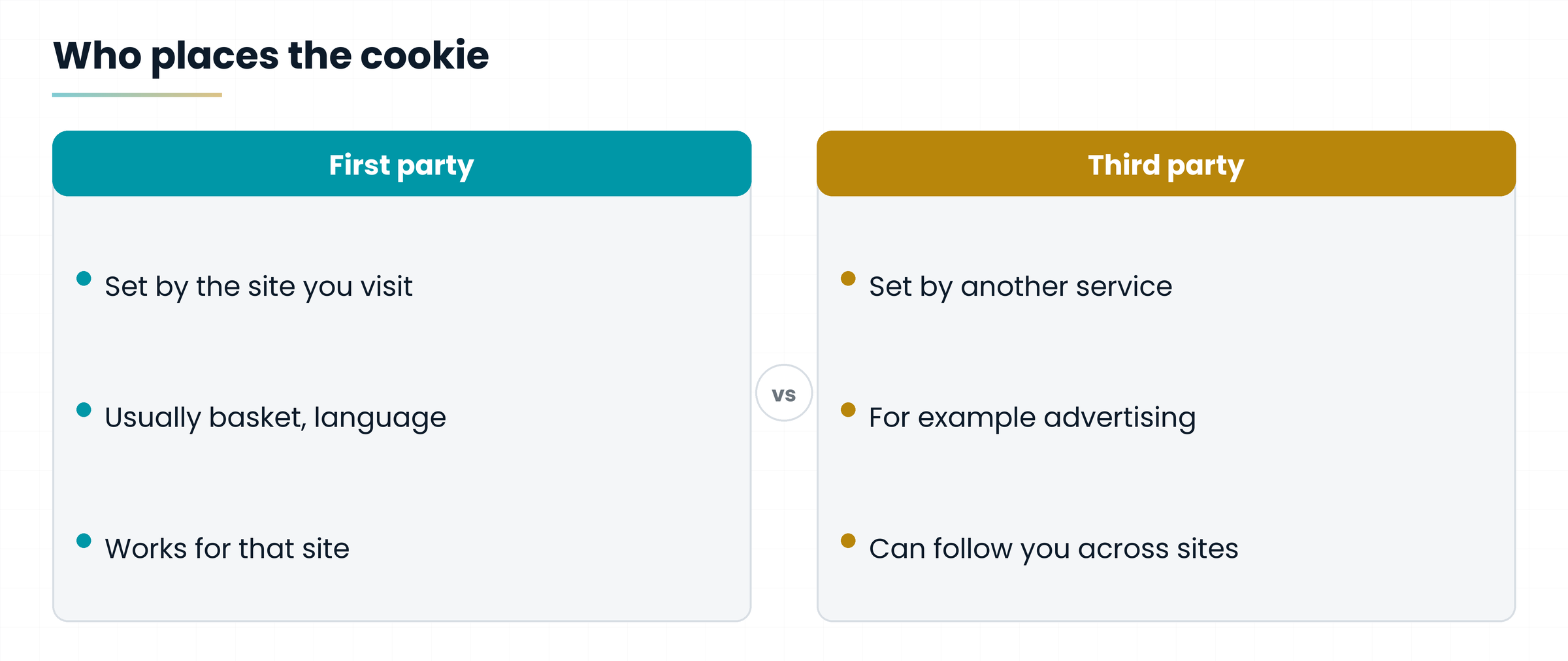
Sometimes yes. Other times advertising tools that link visits through a browser identifier may have played a part. This is where third-party cookies come in: those belonging to a service other than the site you are visiting, for example an ad service present on many sites.
To tell them apart, always ask yourself who placed the cookie.
Not every ad comes from a cookie. An ad can also be chosen from the content of the page: if you are reading a chocolate recipe, a praline ad does not need a digital detective!
6. The banner is not the cookie
The window with «Accept», «Reject» and «Customise» buttons is called a cookie banner. The cookie is the stored information; the banner is the interface through which the site informs you and, when needed, asks for consent.
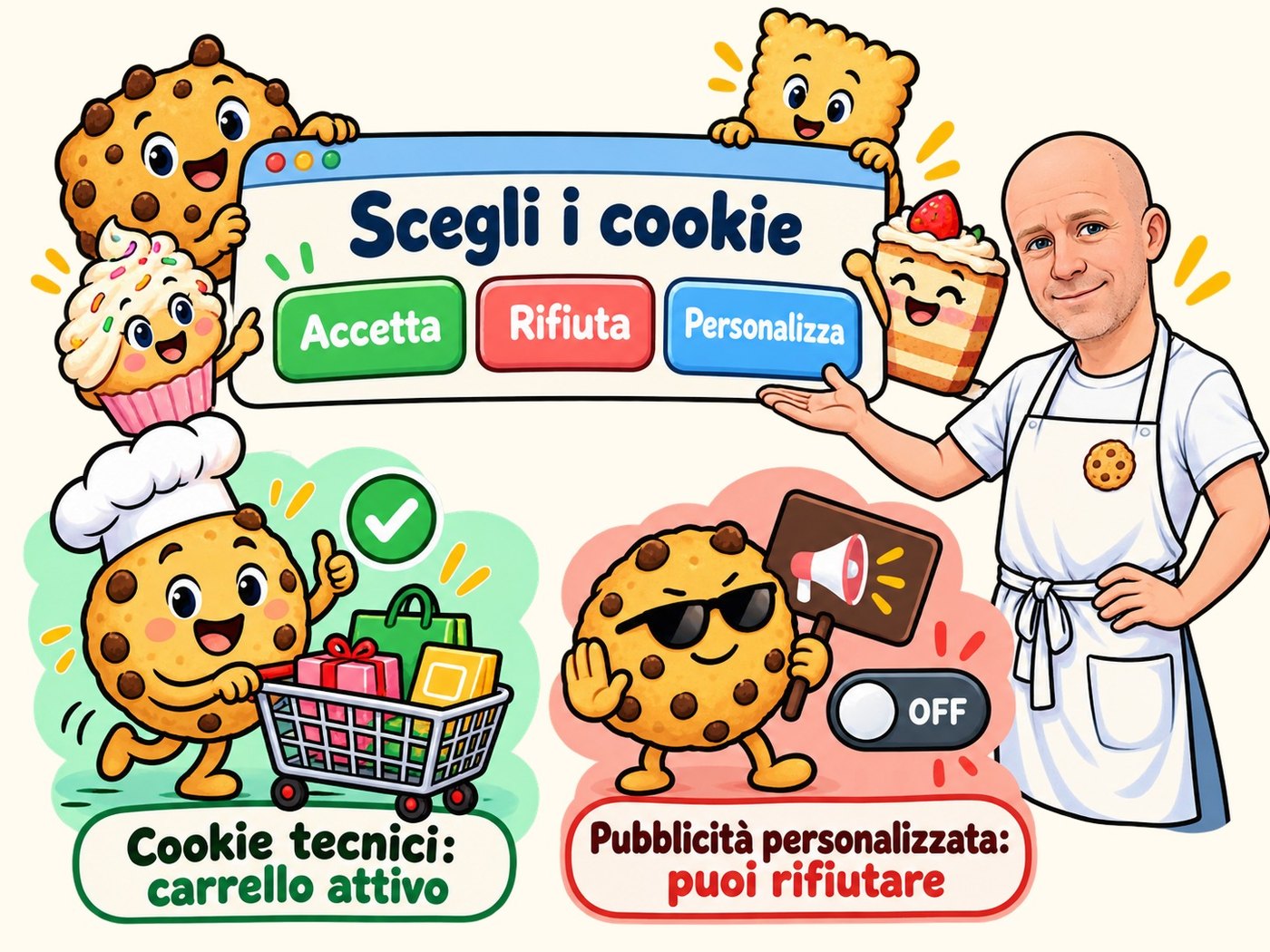
In Italy and the European Union, technical cookies needed for the service do not require prior consent, while profiling cookies do. A site using only technical cookies can therefore inform you without asking you to accept everything. (In Italy the rules are explained by the Garante, the Data Protection Authority.)
6.1 What happens if you refuse
Refusing advertising cookies does not switch off the basket: that can work with technical cookies. Blocking every cookie from the browser settings, instead, can break some features. And accepting a banner is not a blank cheque to use any of your personal data.
«Customise» usually lets you choose which categories to switch on. Consent can be changed or withdrawn with the tools the site provides.
7. Cookies, cache and history: three different drawers
While you browse, the browser keeps several kinds of data. Mixing them up is easy, but they do different jobs.
| Drawer | What it is | To get the idea |
|---|---|---|
| History | The list of pages you visited | The diary: Monday recipes, Tuesday shoes, Wednesday more recipes |
| Cookies | Small pieces of information that help sites remember or recognise a visit | The little notes |
| Cache | Copies of images and other files already downloaded from pages | The pantry: reuse what you already have, and go faster |
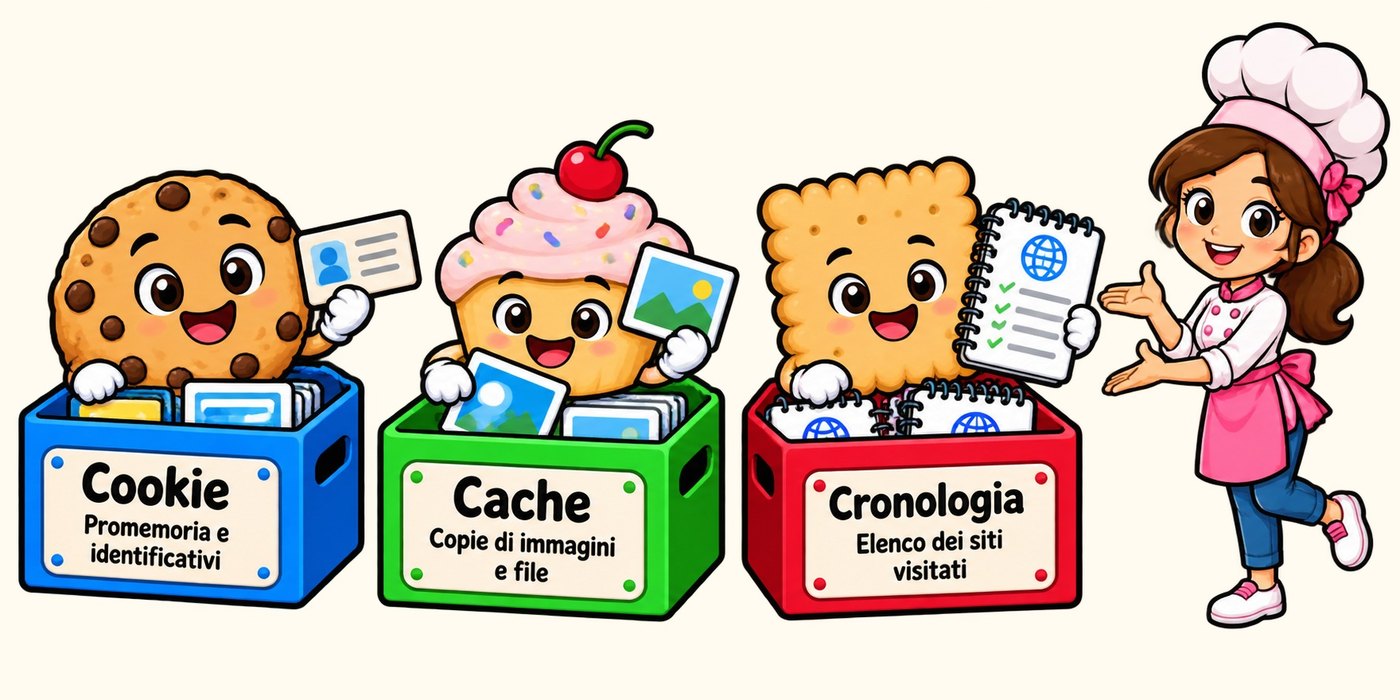
The browser does not use the cache out of laziness: it follows rules to decide when it can reuse a file and when it must check whether it changed. Sometimes, though, an old version of an element appears. Refreshing the page may be enough; in some cases you need to clear the cache.
8. Cleaning the browser: what to expect
In the browser settings look for the privacy section or the one for clearing browsing data. Before you confirm, check which categories you ticked.
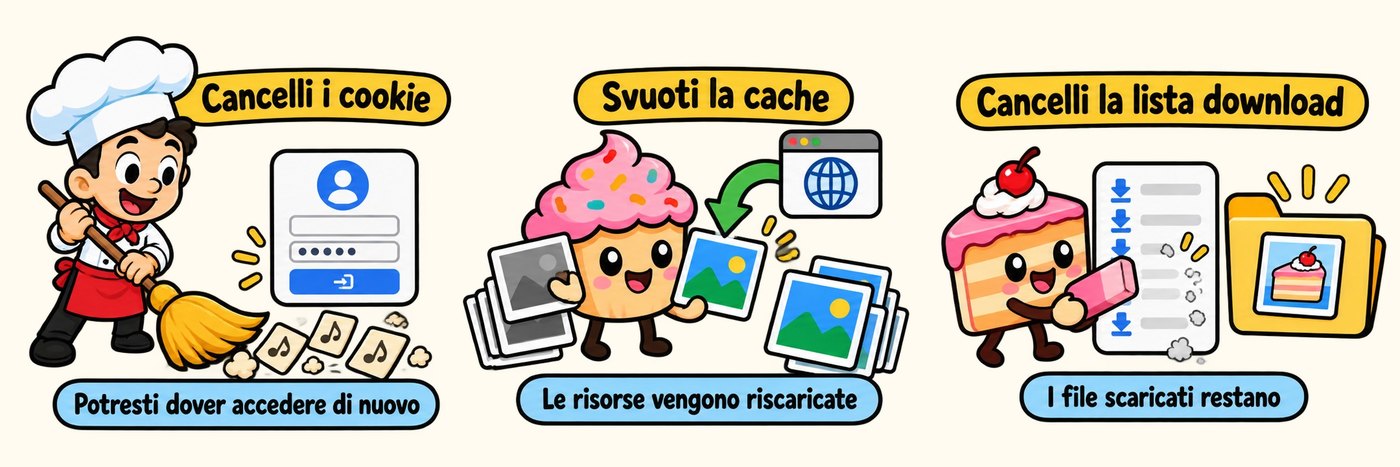
- Clear cookies: you may be signed out of accounts and lose some preferences.
- Clear the cache: some pages will take a little longer on the first load.
- Clear the download history: the downloaded files usually stay where they are.
The space you free up varies: cookies weigh little, the cache can be bigger. And cleaning the browser does not delete the data services have already stored on their own servers.
Many browsers also let you limit third-party cookies: a useful choice to reduce some forms of tracking, although it may cause trouble for certain services embedded in sites.
9. Next time «Accept cookies?» appears
Stop for a moment and read. Do you need only the cookies necessary to use the service? Do you want personalised ads too? Would you rather pick the categories?
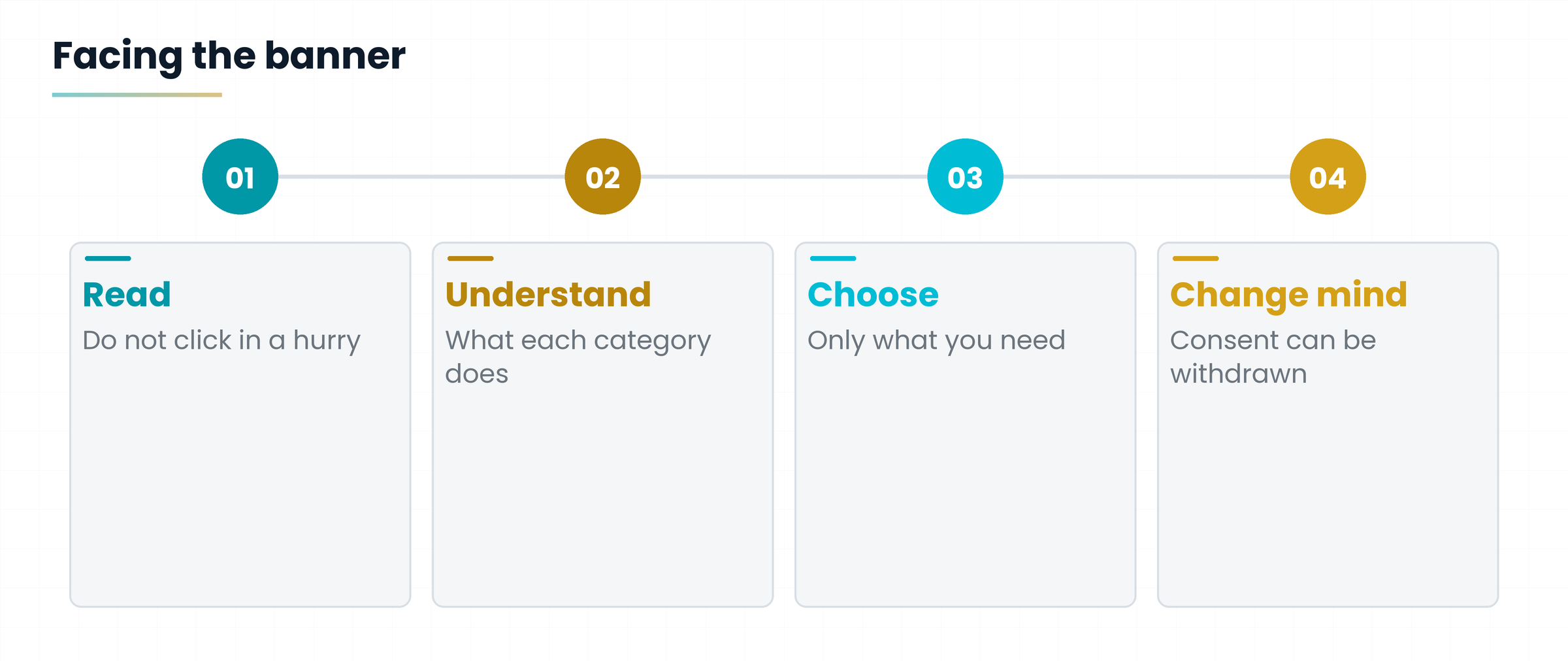
You do not have to accept everything in a hurry, nor treat every cookie as a suspicious guest. Just understand what job it does.
It is like being offered a tray of biscuits: knowing what is inside helps you choose. And on the Internet, at least, reading the label will not let your tea go cold.
Hands-on exercise
Ten minutes, your everyday browser and a site where you often shop or sign in.
- Open the site and look at the banner: which buttons are there? Is there a «Customise» one?
- Click «Customise» and note which categories you find (technical, statistical, advertising).
- In the browser settings find the privacy section and see where cookies are managed.
- Find the screen to clear browsing data and read the categories without confirming: can you say which drawer each one matches?
- Write three lines, in your own words, on the difference between cookies, cache and history.
Can you say which cookie keeps the basket and which shows ads?
Do you know what you lose by clearing cookies?
Do you know where to change consent on your favourite site?
Questions that come up in class
Are cookies viruses?
No. A cookie is a small piece of text information stored by the browser, not a program that runs. The issue is rather privacy: what information whoever uses them collects, and for what purpose.
If I refuse cookies, does the site stop working?
Usually not. Refusing advertising ones does not switch off the basket, which can use technical cookies. Blocking all cookies from the browser, instead, can break some features.
Does an ad that follows me mean I am tracked?
Not necessarily. Sometimes it is just coincidence, other times the ad is chosen from the page content, and other times tools linking visits through a browser identifier played a part.
Can I change my mind after clicking «Accept»?
Yes. Consent can be changed or withdrawn with the tools the site provides, usually a link at the bottom of the page.
Does clearing the download history delete the files?
Generally not: it removes only the list. Downloaded files stay in the folder where you saved them.
How often should I clear cookies and cache?
There is no fixed rule. Do it when a page shows old or odd versions, or when you want a fresh start. Remember you will have to sign in to your accounts again.
Glossary
| Term | What it means |
|---|---|
| Browser | The program you surf with: Chrome, Firefox, Safari, Edge. |
| Cache | The browser's pantry: copies of images and files already downloaded, to load faster. |
| Cookie | Small piece of information a site asks the browser to keep, to remember a choice or recognise a visit. |
| Cookie banner | The window where a site informs you about cookies and, when needed, asks for consent. |
| History | The list of pages you visited. |
| Profiling cookie | A cookie that helps build a profile of your interests to show you personalised ads. |
| Search engine | The service that helps you find sites, like Google. |
| Session | The period of a single browsing visit. |
| Statistical cookie | A cookie that helps work out how many people visit the site and which pages they read. |
| Technical cookie | A cookie needed for the service to work, for example the basket or the sign-in. |
| Third-party cookie | A cookie belonging to a service other than the site you are visiting, for example an ad service. |
Further reading
- Garante per la protezione dei dati personali (Italian Data Protection Authority), cookie FAQ — https://www.garanteprivacy.it/faq/Cookie
- Garante, guidelines on cookies and other tracking tools, summary sheet — managing preferences and consent
- MDN Web Docs, Using HTTP cookies — https://developer.mozilla.org/en-US/docs/Web/HTTP/Guides/Cookies
- MDN Web Docs, HTTP caching — https://developer.mozilla.org/en-US/docs/Web/HTTP/Guides/Caching
- Wikipedia, HTTP cookie — origin of the term, from magic cookie
Cookie and consent rules can change: for details always check the up-to-date guidance of the Italian Data Protection Authority (the Garante) or your local regulator. Sources to be re-verified before publication. The illustrations carry Italian labels.
Download the handoutPrintable PDF version of this lesson, with exercise and glossary.
Download the handout as PDF