NotebookLM is often seen as a tool for asking questions of your sources. In reality, it does much more. If you give it well-chosen documents, it can transform them into useful materials to study, write, present, and even invent creative content starting from what you have uploaded.
The interesting point is precisely this: it does not work in a vacuum. It relies on the notebook's sources. So instead of generating generic texts, it builds useful and consistent objects from the material you have provided.
In the right-hand panel of NotebookLM, you will find a series of tools that go far beyond a simple chat. Among the most practical are reports, flashcards, quizzes, infographics, and presentations. Each has a similar logic: you can have something created automatically, or customize it with precise instructions.
Table of contents
- 📄 Reports: from simple summary to custom content
- 🃏 Flashcards: quick review and immediately exportable
- ❓ Quizzes: check, hints, and final score
- 📊 Infographics: transforming sources into synthetic images
- 🖼️ Presentations: not a copy, but different versions of the same theme
- 🛠️ The real trick: customize instead of accepting the first result
- 🚀 Why these features make NotebookLM more useful than expected
- ❓ FAQ
📄 Reports: from simple summary to custom content
The report feature is one of the most flexible. It is not just used to get a summary. It can generate different document formats related to the topic of the sources you uploaded.
Among the standard options, you find, for example:
- summaries with key points and citations
- study guides with questions
- texts already formatted as blog posts
- custom documents created from scratch
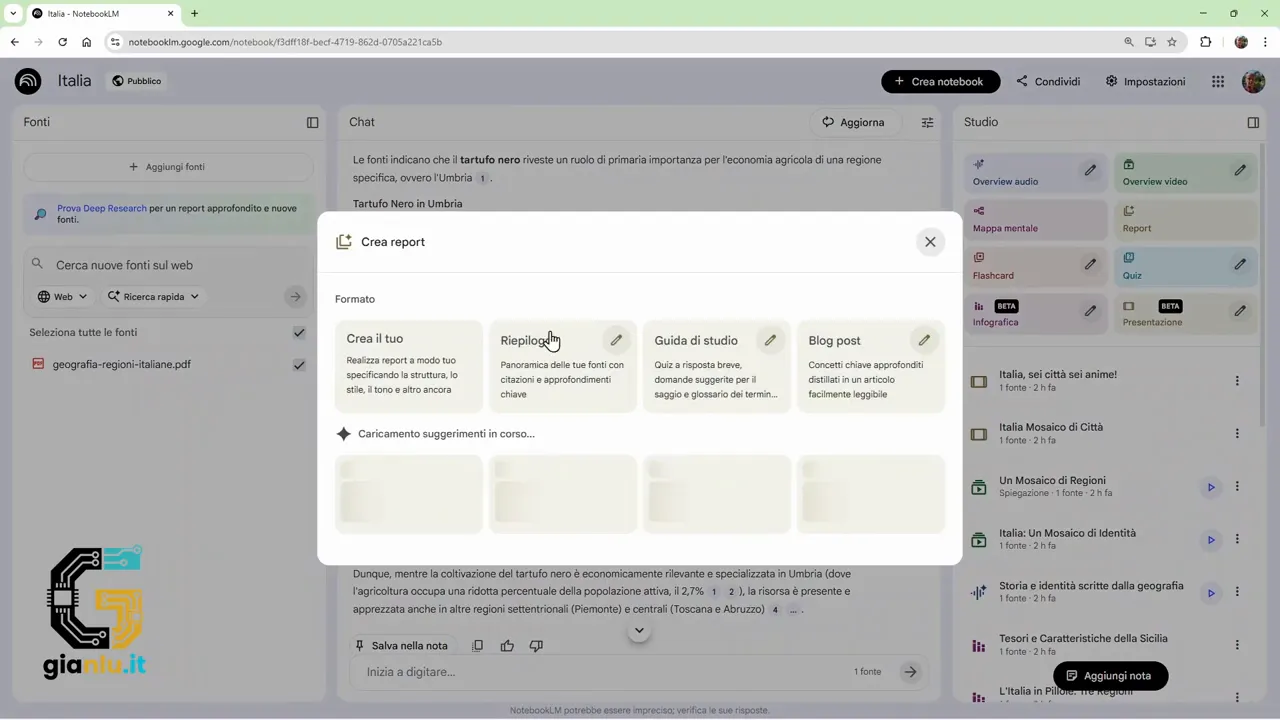
The real difference is made by the custom prompt. If you use the standard format, the result tends to be correct but rather ordinary. If, on the other hand, you explain well what you want, the report completely changes its tone, structure, and usefulness.
For example, with sources on Italian regions, you can ask for a geographical, economic, and social analysis, perhaps with tables dedicated to population, area, and regional capitals. In that case, NotebookLM organizes the content tidily, puts the data together, and produces a readable document without having to reconstruct everything by hand.
But you can also think outside the box. If you ask for a fairy tale for children, set on a journey along the entire peninsula with fictional characters inspired by the various regions, it tries to build exactly that type of text. This is the beauty: the same starting material can become both a technical document and a narrative content.
The rule of thumb is simple: the more precise the prompt, the more interesting the result becomes.
🃏 Flashcards: quick review and immediately exportable
Flashcards are perfect when you want to transform a set of sources into review material. NotebookLM creates question-answer cards based on the notebook's contents, and you can also decide:
- how many cards to generate
- the difficulty level
- the specific topic to cover
If you let it do everything automatically, it builds a general set on the available sources. If, instead, you narrow the field, for example only to Piedmont, Aosta Valley, and Liguria, the questions focus only on that subset.
Each card shows the front with the question and the back with the answer. The useful part is that the answer doesn't arrive randomly: it is built using the notebook's sources. In addition, it can add a brief explanation to better contextualize the information.
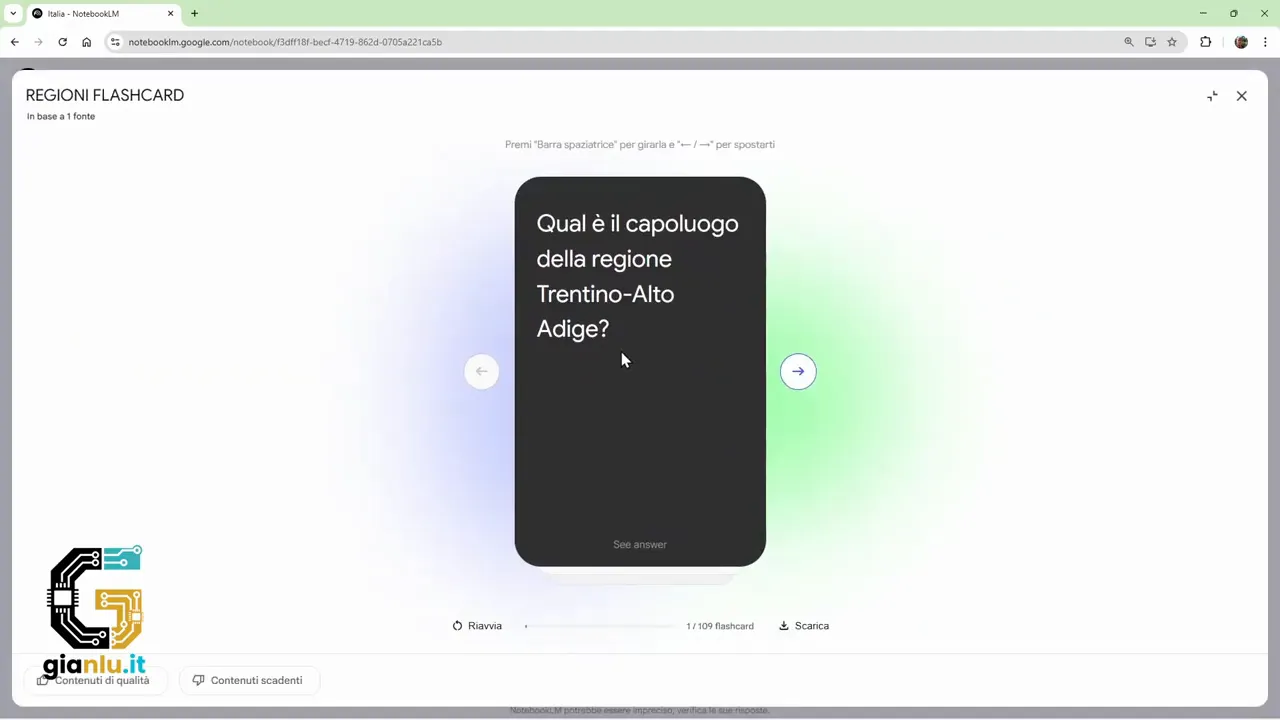
This makes them interesting not only for memorizing, but also for understanding. There is not just the question-answer mechanism. There is also a small detail that helps link the data to the context.
A very practical function is exporting. Flashcards can be downloaded in CSV format, which is a simple file to open with Excel, spreadsheets, or even a text editor.
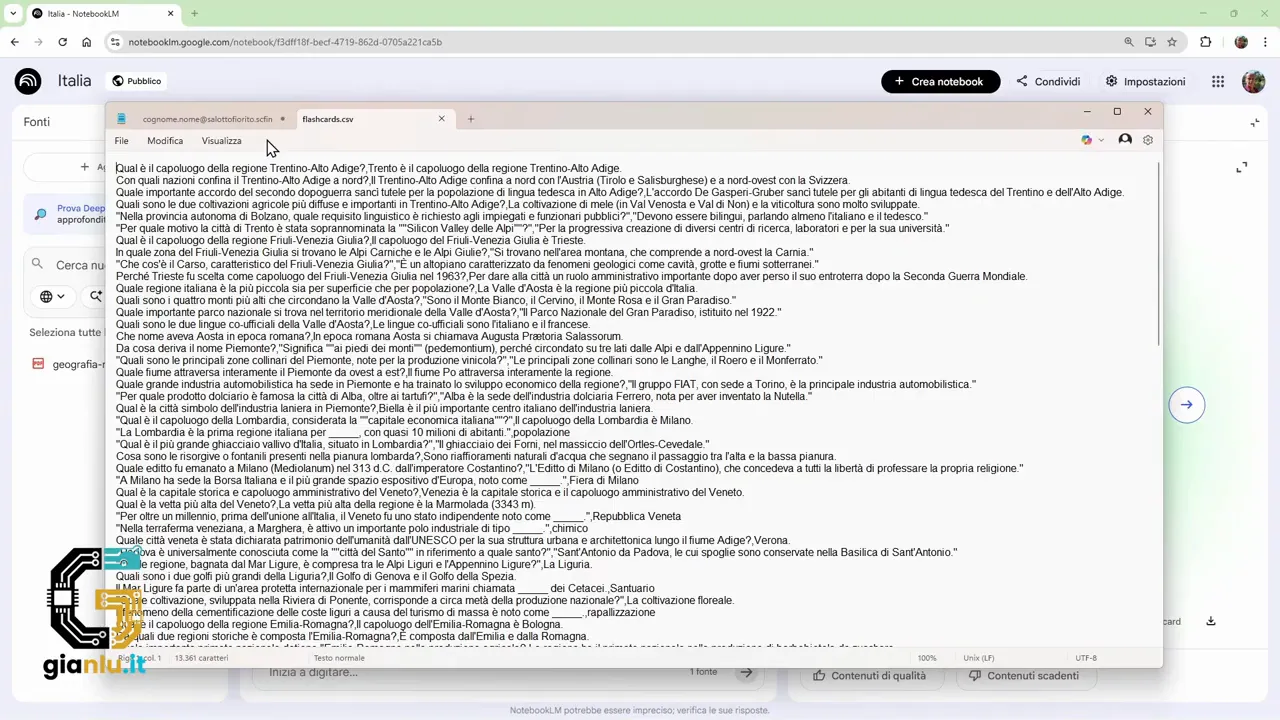
This means you can reuse them elsewhere, archive them, modify them, or import them into other study tools. If you often work with educational content, it is a really handy shortcut.
❓ Quizzes: check, hints, and final score
If flashcards are for reviewing, quizzes are for testing yourself. Here too, the mechanism is straightforward: NotebookLM creates multiple-choice questions using what it finds in the sources.
You can let it generate the full quiz automatically, or set some parameters with greater precision:
- number of questions
- difficulty
- specific topic
Each question proposes four answers. When you choose, the system tells you whether you answered correctly or not, and in case of error, it explains why another answer is correct.
A useful thing is the presence of hints. If you are not sure, you can request a hint that narrows the field and helps you reason better. It is not just a dry test. It is also a learning tool.
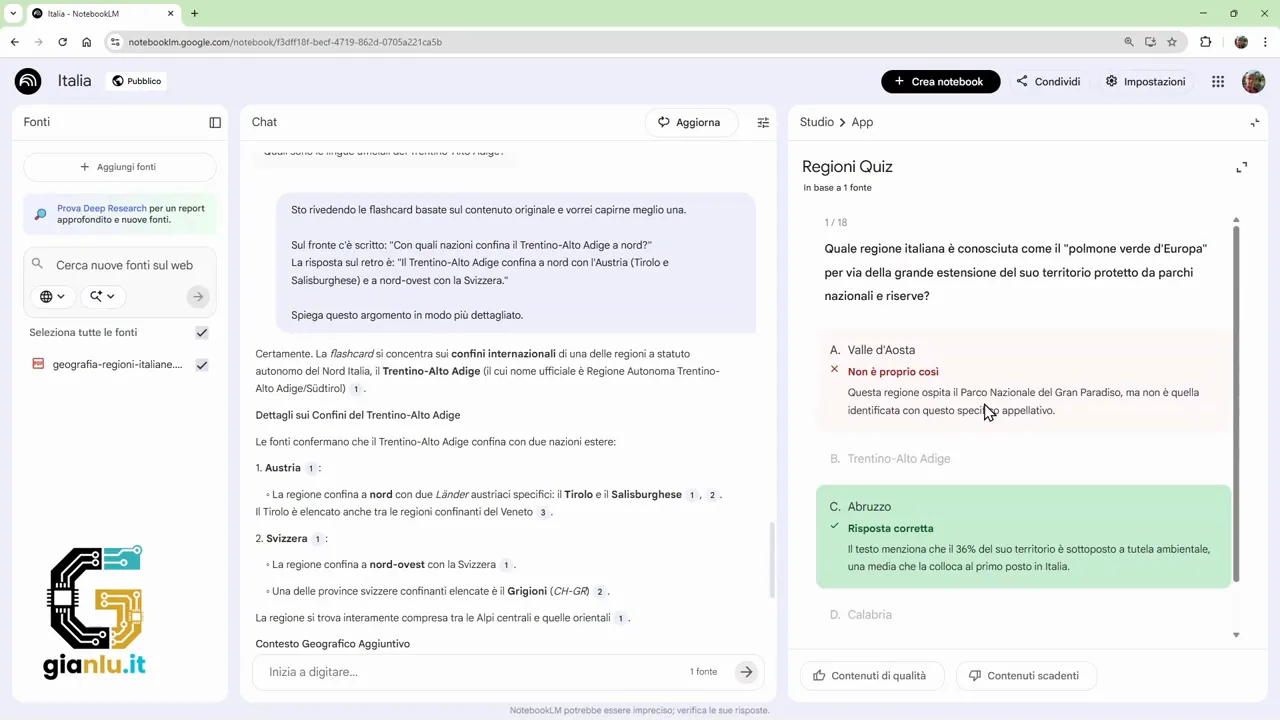
At the end, the overall result appears with score, accuracy, and a summary of correct, incorrect, or skipped answers. It is a simple but well-made feature, especially when you want to verify if a topic has really been assimilated.
The greatest advantage is that the quiz comes from your materials. So no abstract or out-of-context questions. If you have uploaded useful sources, the test will be consistent with what you are studying or preparing.
📊 Infographics: transforming sources into synthetic images
Infographics are among NotebookLM's most curious tools because they take textual content and transform it into a visual representation. Here too, you can have everything created on the fly or intervene with more detailed settings.
Among the customizable options are:
- language
- landscape, portrait, or square orientation
- level of synthesis, from concise to detailed
- graphic style, colors, and content to emphasize
If you give it a generic theme, it often produces equally general graphics. If, on the other hand, you specify, for example, that you want to work only on Sicily and perhaps in a portrait format, then the result becomes more focused and suitable for a precise use.
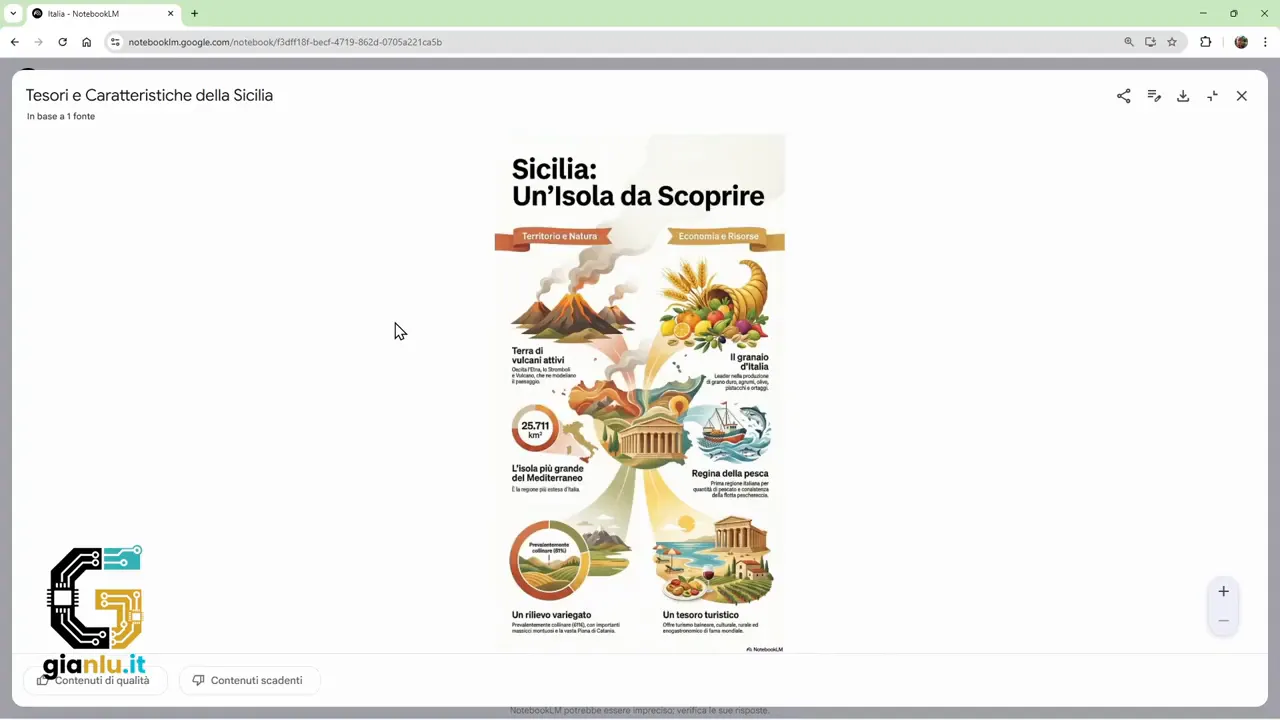
This feature does not replace a professional graphic designer, but it can be very useful for creating a first visual draft, a quick summary for a lesson, or supporting material for online content.
As always, the secret is in the instructions. If you ask for something vague, you get a generic image. If you specify the theme, angle, style, and format, the result improves a lot.
🖼️ Presentations: not a copy, but different versions of the same theme
NotebookLM can also generate presentations based on the notebook's sources. And here one interesting thing is noted: even when you ask for the exact same thing twice, it does not necessarily produce two identical results.
You can customize:
- language
- level of detail
- structure
- style
- target audience
- precise topic
If, for example, you ask for a presentation on major Italian cities, it can organize the slides in different ways. In one case, it might follow a geographical division between north, center, and south. In another, it might choose a specific group of cities and build a different narrative.
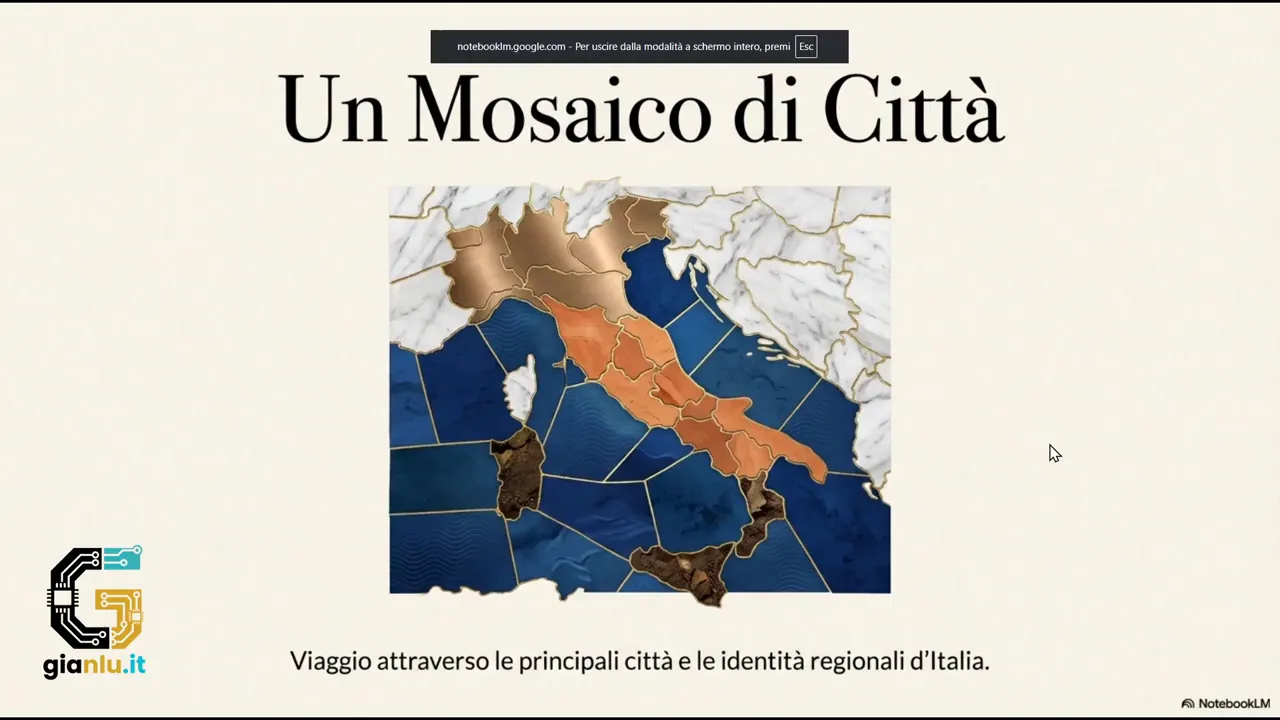
This variability is useful because it gives you ideas. You are not just automating the creation of slides. You are also exploring possible narrative structures to tell a story about a topic.
The same applies when you work with a broader and more generic request. There too, NotebookLM tries to build a sequence of content that has a minimum of internal logic, with consistent images, texts, and sections.
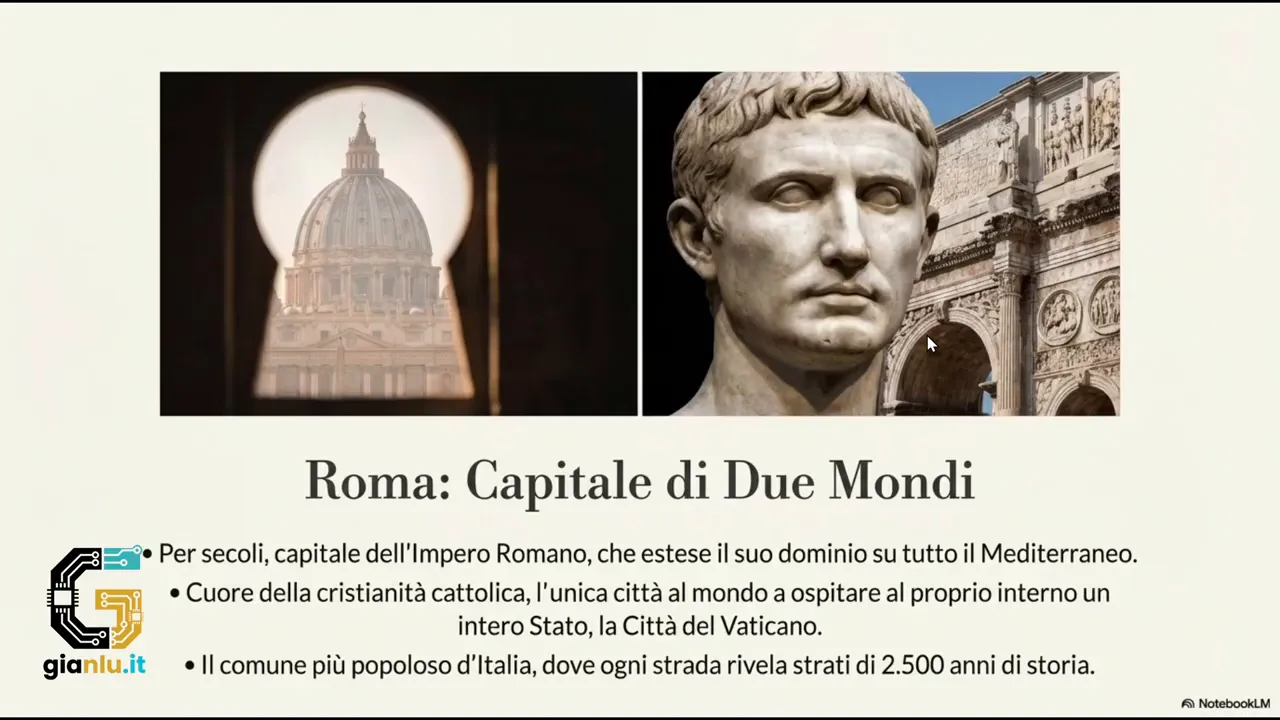
If you need to prepare a base to refine, you save a lot of time. Then, of course, the advice is always to review the result, adjust text and structure, and adapt it to your actual use.
🛠️ The real trick: customize instead of accepting the first result
If there is one lesson that clearly emerges, it is this: NotebookLM works best when you do not limit yourself to the automatic button.
The default options serve to understand what it can do. But the leap in quality comes when you:
- specify the exact topic
- indicate the tone or style
- choose the language
- define the desired format
- adapt the content to a precise audience
This is clearly visible in the most creative cases. A video overview with a Christmas style and Spanish language, or a children's fairy tale built on Italian regions, are born precisely from the quality of the request. The standard versions do their job, but the customized ones bring out the most interesting ideas.
In addition, all objects generated in the right-hand panel can be managed with ease: you can rename, view the prompt used, download when applicable, share in some cases, or delete what is no longer needed.
🚀 Why these features make NotebookLM more useful than expected
When talking about AI applied to documents, people often stop at looking for answers. NotebookLM, on the other hand, works well particularly in the subsequent phase: transforming raw information into reusable content.
This makes it interesting in many contexts:
- study and review with flashcards and quizzes
- analysis and synthesis with reports
- visual aids with infographics
- structured drafts for slides and presentations
- creative experimentation with custom prompts
The value is not just in speed. It is in the fact that everything originates from your sources. So you have a more controlled, more relevant starting point that is much closer to real work compared to classic generalist generators.
❓ FAQ
Is NotebookLM only for chatting with documents?
No. In addition to the chat, it can generate reports, flashcards, quizzes, infographics, presentations, and other objects based on the sources uploaded to the notebook.
Can flashcards be exported?
Yes. They can be downloaded in CSV format, so they can be opened in a spreadsheet or reused in other tools.
Are quizzes customizable?
Yes. You can adjust the number of questions, the level of difficulty, and the topic to cover, instead of just using automatic generation.
Can I create content in languages other than Italian?
Yes. In various features, such as reports and overviews, it is possible to choose a language different from the default one.
Are generated presentations always identical if I use the same prompt?
No. Even with very similar requests, NotebookLM can propose different structures and content selections.
What is the best way to get useful results?
It is best to avoid overly generic requests. The more you specify format, style, topic, language, and audience, the more interesting and usable the generated content becomes.