When you find yourself overwhelmed by books, PDFs, notes, handouts, reports, and web pages, the problem is not just having a lot of information. The real problem is being able to navigate without getting lost in the chaos.
And this is where Google NotebookLM really changes the rules of the game. It is not your classic generalist chatbot that answers by fetching from what it has learned online. It is a research and writing assistant built around your sources.
Whether you are studying for an exam, preparing a thesis, organizing lessons, or working with complex documents every day, this tool can become a staple. It helps you understand the material better, summarize it, and rework it in a useful and concrete way.
Table of contents
- 🧠 What NotebookLM really is
- 📌 Why it is different from ChatGPT, Gemini, or other chatbots
- ⚓ The key concept: grounding to sources
- 🗂️ How the workflow works
- 🎓 How to use NotebookLM in study and education
- 💼 How to use it in professional work
- 🔎 An ally for research and knowledge management
- 🎧 Interesting features to keep an eye on
- 🚀 Why it can really change the way you work
- ❓ Frequently asked questions
- 📚 Conclusion
🧠 What NotebookLM really is
NotebookLM is an artificial intelligence tool designed for information management, research, and writing. Its task is not simply to answer questions, but to help you work on a precise documentary base.
In practice, instead of asking the AI something in a generic way, you build a workspace with the materials that interest you. At that point, the assistant reads those contents, links them together, and helps you extract meaning, summaries, and targeted answers.
This is what makes it so interesting for those who need precision and context, not just speed.
📌 Why it is different from ChatGPT, Gemini, or other chatbots
The most important difference is simple: traditional chatbots tend to answer using what they learned during training on large amounts of online data. This is useful, but it can produce vague, irrelevant, or completely fabricated answers.
NotebookLM reasons in reverse. You upload the documents that really matter and the AI works only on that material.
This means that, instead of giving you a generic answer on a topic, it can give you a specific answer on your exam syllabus, your contract, your meeting minutes, or your sources for a research project.
In other words, it doesn't try to know everything. It tries to know what you have chosen very well.
⚓ The key concept: grounding to sources
The heart of NotebookLM is the so-called grounding, i.e., anchoring to the sources.
It means that answers are not constructed freely or randomly, but remain linked to the documents uploaded in the notebook. This reduces the risk of errors, hallucinations, and AI improvisations.
The practical advantage is huge:
- answers are more reliable;
- they are more relevant to your real work;
- they remain focused on the material you are using;
- you can more easily trace where an information comes from.
When working with studying, research, or professional documents, this is not a simple convenience. It is a necessity.
🗂️ How the workflow works
One of the most successful aspects of NotebookLM is that the process is very simple to understand.
The workflow can be summarized in four main steps.
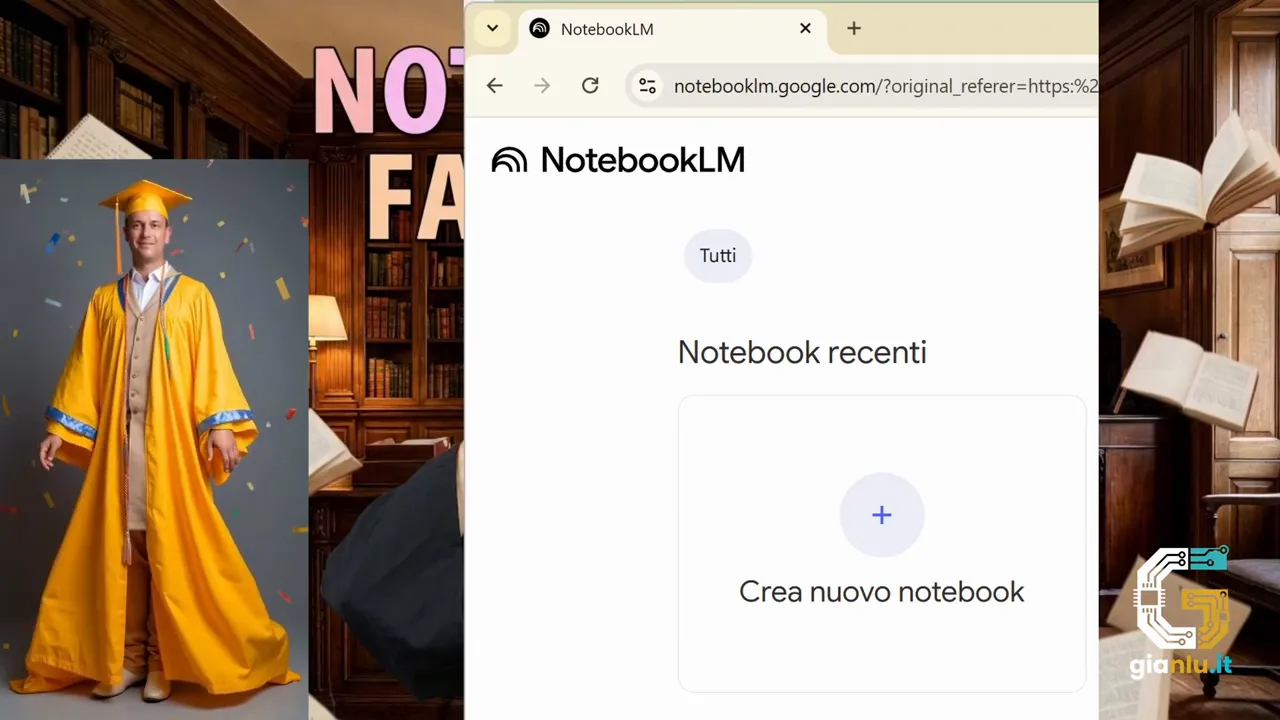
1. Create a notebook
The notebook is your project area. It can be dedicated to a topic, an exam, a thesis, a lesson, or a work project.
For example, you can create separate notebooks for:
- graduation thesis;
- history exam;
- geography lesson on Italy;
- contract analysis;
- preparation of a company briefing.

2. Add sources
Once the notebook is created, insert the materials you want to work on. NotebookLM supports different types of content, so you can gather almost everything you need in one place.
You can upload or link:
- PDFs;
- text documents;
- Google Docs;
- presentations;
- copied and pasted text;
- files from Google Drive;
- web page URLs.
The strong point is that it can manage even hundreds of pages quickly, avoiding the classic manual work of fragmented reading across a thousand open windows.
3. The AI analyzes the material
After uploading, the model reads and organizes the contents. This is where Gemini comes into play, powering NotebookLM and allowing the assistant to understand the material provided.
It doesn't just store files. It derives an operational understanding from them, useful for answering questions, summarizing key points, and helping you process what matters.
4. Start dialoguing with documents
At this point, the notebook becomes a conversational interface. You can ask questions, request summaries, have complex passages explained, or quickly extract what you need.
This is the most powerful step: you are not talking to a generic AI, you are talking to your reasoned archive of sources.
🎓 How to use NotebookLM in study and education
For students and teachers, NotebookLM can become a sort of cognitive accelerator. It helps you transform scattered material into clearer and more personalized study tools.
With books, notes, and handouts uploaded in the same notebook, you can:
- get targeted summaries on a chapter or theme;
- build custom study guides;
- generate useful quizzes for review and self-assessment;
- clarify difficult concepts using only course material;
- better organize work for theses, essays, and research.
This is particularly useful when the problem is not finding more information, but understanding well what you have already collected.
A concrete example: if you are preparing for a history exam, you can upload your textbook, lecture notes, and personal summaries. Then ask the AI to compare periods, summarize causes and effects, or create a review focused on the most important topics.
💼 How to use it in professional work
In a professional context, the value of NotebookLM immediately becomes practical. Those who work with abundant documentation know well how much time is lost searching for the right point in reports, minutes, dossiers, or legal texts.
With NotebookLM, you can gather these materials in a dedicated notebook and use it to:
- obtain executive summaries of long documents;
- locate specific information in seconds;
- prepare briefings faster;
- analyze contracts or minutes with targeted questions;
- reduce time spent re-reading the same files over and over.
The advantage is not just saving time. It is also increasing the quality of work, because the answers remain anchored to the documents you are actually using.
🔎 An ally for research and knowledge management
If you do research, or simply work often with large amounts of content, NotebookLM behaves like a private assistant built on your document base.
This approach is very useful when you need to:
- compare different sources;
- quickly retrieve precise information;
- maintain consistency between heterogeneous materials;
- have reliable answers with immediate references to sources.
In a period where the problem is not the scarcity of content but the excess, having a tool that helps you govern knowledge instead of being overwhelmed by it makes a huge difference.
🎧 Interesting features to keep an eye on
This overview serves primarily to understand how NotebookLM works, but there are also advanced features that deserve attention.
Among the most interesting are:
- automatically generated study guides, useful for transforming material into clearer review paths;
- audio overviews, which convert complex content into a more conversational form, similar to an audio discussion;
- responses with citations, very useful when you want to know from which source a certain information comes.
It is precisely these features that make it clear that NotebookLM is not just designed for asking questions, but for helping you study, understand, and process better.
🚀 Why it can really change the way you work
The point is not just having another AI. The point is having a system that brings order where there is normally dispersion.
If you have ever felt stuck in front of too many documents, too many open tabs, and too much information to keep track of, NotebookLM offers a much cleaner approach:
- gather the right material;
- have the AI read it;
- interact in a targeted way;
- get useful answers for your actual context.
For exams, university theses, lessons, personal research, or professional analysis, it becomes a true anchor against information chaos.
❓ Frequently asked questions
Is NotebookLM a chatbot like the others?
No. The main difference is that it works on the sources you upload, instead of relying generically on knowledge learned online during training.
What types of files can I use in NotebookLM?
You can use PDFs, text documents, Google Docs, presentations, pasted text, files linked from Google Drive, and web page URLs.
What is grounding used for?
It serves to keep answers anchored to the uploaded documents. This improves reliability, relevance, and precision compared to answers that are too generic or fabricated.
Is NotebookLM only useful for those who study?
No. It is also useful for teachers, researchers, and professionals working with reports, minutes, contracts, briefings, or large amounts of documentation.
Can I use it to prepare a thesis or an exam?
Yes. It can help you organize sources, create summaries, generate quizzes, build study guides, and clarify complex passages starting from your materials.
Why can NotebookLM reduce AI hallucinations?
Because it does not rely freely on general knowledge. Instead, it works on a defined set of sources, which narrows the field and makes the answers more controlled.
📚 Conclusion
Google NotebookLM is one of those tools that become truly useful when you stop thinking of it as a simple chat and start using it as a workspace built around your documents.
If you need to understand, summarize, and manage large amounts of information without getting lost along the way, it is absolutely worth trying.
Because in the end, the value is not in having more content. It is in succeeding to transform it into usable knowledge.