Lesson 01: Historical Evolution and Principles of AI
Lesson Objective
Understand what today's artificial intelligence actually is, trace the journey from 1956 to generative modelsModel:The outcome of the training process: the computational system capable of making predictions and generating outputs on new data., and gain a clear understanding of how a text-generating system works—without formulas, without code, and without needing a technical background.
Skills Acquired Upon Completion
- Confidently explain the difference between narrow AINarrow AI (Weak AI):The only form of AI that exists today: specialized in a specific task, unable to transfer knowledge to other domains. and general AI to a colleague.
- Recognize when a news headline about AI is exaggerating, and explain why.
- Understand step-by-step what happens when you submit a promptPrompt:The text input submitted to the model: the request along with its context, instructions, and reference material. to a chatbot.
- Distinguish between problems best solved with a spreadsheet and those best addressed with generative AI.
1. What Artificial Intelligence Is (and What It Is Not)
Before using any tool, it is essential to know what it is and, above all, what it is not. On this point, artificial intelligence carries thirty years of cinematic misconceptions.
1.1 A Grounded Definition

First, a simple but useful clarification: 'IA' in Italian and 'AI' in English refer to the exact same thing: Artificial Intelligence. In international articles you will almost always see 'AI', but the concept remains identical.
The most honest definition is this:
Artificial intelligence is a branch of computer science that builds software capable of performing tasks that, when done by human beings, require intelligence.
Gianluca Bonomo, Niente paura, è solo IA, ch. 1.1
No magic involved. Tasks such as recognizing a voice, translating text, distinguishing a cat from a bicycle in a photo, recommending your next song, or drafting a summary: activities that once only a human could perform, and which today—with limitations and imperfections—a computer can handle as well.
Keep in mind a crucial point we will return to often: today's AI does not think like a human. It has no consciousness, experiences no emotions, and possesses no intentions of its own. It is a highly sophisticated tool that identifies patterns in data and uses them to generate responses.
1.2 Three Tiers: Narrow, General, and Superintelligent
Whenever you hear about artificial intelligence, the first question to ask is: which of the three are we talking about? Making this distinction is an exercise in mental hygiene, as it separates current reality from future projections and unfounded fears.
The defining characteristic of narrow AINarrow AI (Weak AI):The only form of AI that exists today: specialized in a specific task, unable to transfer knowledge to other domains. is the lack of transferability: a system trained for one task cannot apply what it learned to a different domain. AlphaGo defeated the world champion at Go, yet it does not even know the rules of chess. It is like a marathon runner who is not necessarily a good swimmer.
1.3 Six Myths to Debunk
1.4 The AI You Already Use Without Realizing It

Something that consistently surprises people in the classroom: nearly everyone has been using artificial intelligence for years without calling it that.
- Email spam filters: learned to recognize junk mail by analyzing millions of examples.
- GPS navigation suggesting the fastest route: predicts traffic by cross-referencing historical and real-time data.
- Recommendations on Netflix, YouTube, and Spotify.
- Facial recognition unlocking your phone.
- Autocorrect and instant translation.
2. How We Got Here
The history of AI is not a straight upward line. It is shaped by periods of enthusiasm, disillusionment, funding cuts, and renewed momentum. Knowing this history helps put today's excitement into perspective.
The five milestones that brought us here.
2.1 1950: Alan Turing and the Right Question

The story begins six years before artificial intelligence even had a name. In 1950, British mathematician Alan Turing—who had helped decipher the German Enigma code during World War II—published a legendary paper: Computing Machinery and Intelligence.
Turing started with a question that seems obvious: Can machines think? Yet he immediately realized the question was poorly framed, getting bogged down in defining 'thinking'—a debate philosophers have waged for millennia. So he replaced it with a practical test, the imitation game, known today as the Turing testTuring Test:A test proposed by Alan Turing in 1950: if a human evaluator cannot distinguish text written by a machine from that of a human, the machine exhibits intelligent behavior..
The brilliance lies in the conceptual shift: Turing bypassed the philosophical debate on consciousness and focused solely on performance. He did not ask the machine to prove internal subjective experience; he asked it to behave in a way indistinguishable from a human. It is a pragmatic, measurable criterion that gave research a concrete target for decades.
Turing died in 1954 at just 41 years old. He did not live to see the formal birth of the discipline his paper helped make possible, but his work remains the theoretical foundation of everything that followed.
2.2 1956: The Name Is Coined at Dartmouth
In the summer of 1956, on the campus of Dartmouth College in New Hampshire, a group of about ten researchers gathered for a summer workshop with an ambitious vision: to demonstrate that every aspect of learning and intelligence could be described so precisely that a machine could simulate it.
It was John McCarthy, then 28, who organized the workshop and coined the term Artificial Intelligence, partly to distinguish it from cybernetics. Joining him were Marvin Minsky, Claude Shannon (the father of information theory), Nathaniel Rochester of IBM, and Allen Newell and Herbert Simon, who brought Logic Theorist: the first software program capable of proving mathematical theorems, occasionally discovering proofs more elegant than the originals.
Dartmouth did not produce an immediate, spectacular breakthrough. It did something far more significant: it named the field, brought together its pioneers, and established an academic home with funding, journals, and conferences.
2.3 Springs and Winters

Over subsequent decades, AI experienced sharp cyclical swings. It is worth understanding them, as they explain why industry veterans view the current hype with a measure of caution.
2.4 2012: The Three Ingredients That Changed Everything

Around 2010, three factors matured at the exact same time. None of them, on its own, would have been sufficient.
- Data. The internet, smartphones, and social media produced a flood of photos, texts, videos, and audio. For an algorithmAlgorithm:A finite sequence of precise instructions that leads to a result. Like a cooking recipe. hungry for training examples, it was an abundant banquet.
- Compute Power. Graphics processing units (GPUs), originally built for video games, proved ideal for neural network calculations due to their inherently parallel architecture. Training runs that previously took weeks shrank to hours.
- AlgorithmsAlgorithm:A finite sequence of precise instructions that leads to a result. Like a cooking recipe.. Geoffrey Hinton, Yann LeCun, and Yoshua Bengio kept neural networks alive throughout the AI winters. In 2018, they received the Turing Award, the 'Nobel Prize of Computing'.
The watershed moment came in the fall of 2012 at the ImageNet competition: AlexNet, a neural network trained on two GPUs, caused the image recognition error rate to plummet, decisively outperforming all traditional systems. From that day forward, deep learningDeep Learning:Deep neural networks with many layers, each learning progressively more abstract features than the previous one. ceased to be an academic curiosity.
2.5 2017: The Transformer and the Generative Era
In 2017, a team of Google researchers published a paper with an intriguing title: AttentionAttention:The mechanism by which a Transformer weighs the importance of each token relative to all others in the sequence. Is All You Need. Inside was a new neural network architecture, the TransformerTransformer:The neural network architecture introduced in 2017 based on the attention mechanism; the foundation of modern LLMs., originally designed for machine translation.
The breakthrough insight was the attentionAttention:The mechanism by which a Transformer weighs the importance of each token relative to all others in the sequence. mechanism: instead of processing text word-by-word in rigid sequence, the modelModel:The outcome of the training process: the computational system capable of making predictions and generating outputs on new data. learns to 'pay attentionAttention:The mechanism by which a Transformer weighs the importance of each token relative to all others in the sequence.' to all words in a sentence simultaneously, weighing the significance of each based on context. In the sentence 'The cat that was on the table was hungry,' the modelModel:The outcome of the training process: the computational system capable of making predictions and generating outputs on new data. connects 'cat' and 'hungry' even though other words intervene.
Applying this architecture to massive volumes of text gave rise to Large Language ModelsModel:The outcome of the training process: the computational system capable of making predictions and generating outputs on new data. (LLMs). The rest is recent history: on November 30, 2022, OpenAI launched ChatGPT as a 'research previewPreview:The interactive visual view displaying the live, rendered result rather than the underlying raw code..' Within five days it reached one million users; within two months, one hundred million. For the first time, anyone could interact with artificial intelligence using natural language, without writing a single line of code.
3. How It Works Under the Hood
Here we open the hood. Not to become technical specialists, but to have the confidence of someone who, when reading an article on AI, truly understands what is being discussed.
3.1 Data: The Fuel
If AI were an automobile, data would be the fuel. Without fuel, even the best engine sits idle. Data is any information that can be represented digitally: a photograph, a sentence, a video, a temperature reading, or a click.
When building an AI system, data is divided into three sets: training data (on which the modelModel:The outcome of the training process: the computational system capable of making predictions and generating outputs on new data. learns), validation data (to verify along the way that it is genuinely learning and not simply memorizing), and test data (the final exam, evaluated on completely unseen data).
3.2 Algorithms and Machine Learning
An algorithmAlgorithm:A finite sequence of precise instructions that leads to a result. Like a cooking recipe. is simply a finite sequence of precise instructions that leads from an initial input to a specific outcome. A recipe is an algorithmAlgorithm:A finite sequence of precise instructions that leads to a result. Like a cooking recipe.. Assembly instructions for flat-pack furniture are an algorithmAlgorithm:A finite sequence of precise instructions that leads to a result. Like a cooking recipe..
For decades, computer algorithmsAlgorithm:A finite sequence of precise instructions that leads to a result. Like a cooking recipe. operated on 'hand-crafted rules': a programmer analyzed the problem and explicitly wrote out every single instruction. This works exceptionally well for chess or payroll calculations. It completely fails when recognizing a cat in a photo: try writing rules to distinguish a cat from a fox from any angle and under any lighting. It is impossible. Yet a three-year-old child accomplishes this effortlessly at first glance.
3.3 Three Ways of Learning
There is no single way to learn from data. There are three broad families, and modern systems blend them together.
This last family has an application that directly affects our daily tools: RLHFRLHF:Reinforcement Learning from Human Feedback: human evaluators rate model responses to train the model toward more helpful and preferred outputs. (Reinforcement Learning from Human Feedback). In practice, human evaluators score various responses generated by the modelModel:The outcome of the training process: the computational system capable of making predictions and generating outputs on new data., and the modelModel:The outcome of the training process: the computational system capable of making predictions and generating outputs on new data. learns to produce answers that better align with human preferences. This is one of the key ingredients that makes a chatbot feel fluent and helpful rather than standoffish.
3.4 Neural Networks and Deep Learning
The underlying 'machinery' that transforms data into learning is called an artificial neural network. The name comes from biology: our brain contains roughly 86 billion neurons, each connected to thousands of others.
A neural network: data enters on the left, passes through hidden layers, and produces an output on the right.
An artificial neuron does one thing: it takes several numerical inputs, multiplies each by a weightWeight:A numerical value that determines the connection strength between two artificial neurons in a neural network. (indicating its importance), adds them up, and if the total exceeds a certain threshold, it 'fires'.
Connecting many neurons across successive layers creates a network. When there are many layers—dozens or hundreds—we speak of deep learningDeep Learning:Deep neural networks with many layers, each learning progressively more abstract features than the previous one.. Each layer learns increasingly abstract features: the first recognizes edges and angles, the second combines them into shapes, the third into object parts (an eye, a wheel), and deeper layers recognize the complete object.
The remarkable thing is that no one programmed the network to search for eyes. It discovered them on its own, layer by layer, because doing so was useful for distinguishing a face from anything else.
3.5 Weights, Parameters, and Loss Function
These are the three terms you encounter in every technical article. In plain terms:
- WeightWeight:A numerical value that determines the connection strength between two artificial neurons in a neural network.: a number that represents the strength of a connection. Initially, weightsWeight:A numerical value that determines the connection strength between two artificial neurons in a neural network. are randomized; during training, connections that lead to correct answers are reinforced. Ultimately, an AI modelModel:The outcome of the training process: the computational system capable of making predictions and generating outputs on new data. is literally a set of weightsWeight:A numerical value that determines the connection strength between two artificial neurons in a neural network..
- ParameterParameter:An internal, adjustable numerical value within a model. GPT-3 had 175 billion parameters.: all the adjustable numbers in the modelModel:The outcome of the training process: the computational system capable of making predictions and generating outputs on new data., including weightsWeight:A numerical value that determines the connection strength between two artificial neurons in a neural network.. When you read that a modelModel:The outcome of the training process: the computational system capable of making predictions and generating outputs on new data. has '175 billion parametersParameter:An internal, adjustable numerical value within a model. GPT-3 had 175 billion parameters.,' it means it contains 175 billion numbers calibrated by the training process.
- Loss function: the error thermometer. It measures how far the modelModel:The outcome of the training process: the computational system capable of making predictions and generating outputs on new data.'s output is from the target answer. Training consists of finding the weightsWeight:A numerical value that determines the connection strength between two artificial neurons in a neural network. that make this number as small as possible.
4. What Happens When You Prompt a Chatbot

Let us assemble all the pieces and trace the journey of a promptPrompt:The text input submitted to the model: the request along with its context, instructions, and reference material., from the moment you type it to when you read the response. There are four stages.
4.1 Step One: Tokens
The modelModel:The outcome of the training process: the computational system capable of making predictions and generating outputs on new data. does not operate on words, but on tokensToken:The fundamental unit of text processed by a model: a word, a sub-word syllable, or a punctuation mark.: chunks of text that can be an entire word, a syllable, or a punctuation mark. The first thing that happens to your sentence is that it is split into tokensToken:The fundamental unit of text processed by a model: a word, a sub-word syllable, or a punctuation mark..
4.2 Step Two: Embeddings
Each tokenToken:The fundamental unit of text processed by a model: a word, a sub-word syllable, or a punctuation mark. is then converted into a long series of numbers known as an embeddingEmbedding:The mathematical representation of a token as a series of numbers. Tokens with similar meanings have close embeddings in vector space. (a vector representation). This is not an arbitrary code: tokensToken:The fundamental unit of text processed by a model: a word, a sub-word syllable, or a punctuation mark. with similar meanings end up close together in this mathematical space. This is how meaning becomes mathematics.
4.3 Step Three: Attention
At this stage, the TransformerTransformer:The neural network architecture introduced in 2017 based on the attention mechanism; the foundation of modern LLMs.'s attentionAttention:The mechanism by which a Transformer weighs the importance of each token relative to all others in the sequence. mechanism comes into play. Each tokenToken:The fundamental unit of text processed by a model: a word, a sub-word syllable, or a punctuation mark. is evaluated in relation to all preceding tokensToken:The fundamental unit of text processed by a model: a word, a sub-word syllable, or a punctuation mark., and the modelModel:The outcome of the training process: the computational system capable of making predictions and generating outputs on new data. autonomously learns which relationships matter.
Each row represents a tokenToken:The fundamental unit of text processed by a model: a word, a sub-word syllable, or a punctuation mark. 'looking at' previous tokensToken:The fundamental unit of text processed by a model: a word, a sub-word syllable, or a punctuation mark.. The darker the cell, the heavier that relationship weighs.
4.4 Step Four: Prediction
Finally, among all possible tokensToken:The fundamental unit of text processed by a model: a word, a sub-word syllable, or a punctuation mark., the modelModel:The outcome of the training process: the computational system capable of making predictions and generating outputs on new data. calculates which one has the highest probability of coming next. It selects it, writes it, and starts over with the extended sequence. One word at a time, until the response is complete.
The modelModel:The outcome of the training process: the computational system capable of making predictions and generating outputs on new data. does not pick the 'correct' word: it picks the most probable one. The percentages shown are an illustrative example.
Frequently Asked Questions in Class
“Can AI become conscious?”
This is the most common question, and it stems from science fiction movies rather than technology. The answer lies in the distinction from Chapter 1: what exists today is narrow AINarrow AI (Weak AI):The only form of AI that exists today: specialized in a specific task, unable to transfer knowledge to other domains., and LLMs compute linguistic probabilities. They possess no self-awareness. General AI, the kind seen in films, is a research hypothesis.
“If it makes a mistake, whose fault is it?”
The person using the tool. In subsequent hours, we will see that this principle also becomes a legal requirement: the responsibility to verify outputs always rests with the human user.
“Is it better to learn to use it now or wait until it becomes simpler?”
It is already becoming simpler, and that is precisely why it pays to learn it now: while the tool is accessible to everyone, the real advantage belongs to those who know what to ask. In Italy in 2025, only 19.9% of people aged 16 to 74 had used generative AI tools in the previous three months, compared to a European average of 32.7% (Eurostat). There is ample room to grow.
6. Practical Exercise of the Hour
An exercise to complete in class, or on your own at home. It helps clarify where generative AI genuinely adds value and where it is just a passing trend.
Map three processes that you routinely perform at work or in your studies. Enter them into the table, then classify each according to the most suitable tool.
Lesson 02: Regulations, Privacy, Sustainability, and Ethics
Lesson Objective
Gain a comprehensive understanding of what surrounds the tool: European regulation (AI ActAI Act:Regulation (EU) 2024/1689: the world's first comprehensive horizontal legal framework governing artificial intelligence.), enterprise data protection (GDPRGDPR:General Data Protection Regulation: the European regulation on personal data protection and privacy, enforceable since 2018.), the environmental footprint of AI, and the ethical dilemmas surrounding biasBias:Systematic distortion: prejudice or statistical skew present in training data that the model reproduces and amplifies. and hallucinationsHallucination:A model response that is syntactically correct and plausible, but factually false or fabricated.. These topics are almost always skipped in training sessions, yet they determine whether enterprise AI adoptionAdoption:The structured organizational process through which an AI tool becomes routinely and sustainably embedded in daily workflows. is an advantage or a liability.
Skills Acquired Upon Completion
- Identify which AI ActAI Act:Regulation (EU) 2024/1689: the world's first comprehensive horizontal legal framework governing artificial intelligence. risk level applies to a tool you already use.
- Know what must never be pasted into a chatbot, and why.
- Distinguish between a free personal account and a compliant enterprise subscription.
- Gain a concrete understanding of the energy and water footprint behind every query.
- Complete an initial risk assessment worksheet for your organization.
1. Why Rules Are Essential
AI regulations are not just a matter for lawyers. They define what can be done, who is liable if something goes wrong, and what rights we have as citizens and workers.
The underlying problem is what we saw in the previous hour: it is often impossible to reconstruct why an AI system reached a particular decision. As a result, it becomes difficult to determine whether someone was treated unfairly—in recruitment, in a loan application, or in accessing a public service. Existing laws offer some protections, but they are not sufficient.
2. The European AI Act
Regulation (EU) 2024/1689, universally known as the AI ActAI Act:Regulation (EU) 2024/1689: the world's first comprehensive horizontal legal framework governing artificial intelligence., is the world's first comprehensive legal framework for artificial intelligence. Published in the Official Journal of the European Union on July 12, 2024, it entered into force on August 1, 2024, and takes effect in phases.
2.1 Four Risk Levels

The AI ActAI Act:Regulation (EU) 2024/1689: the world's first comprehensive horizontal legal framework governing artificial intelligence.'s approach: the higher the risk to individuals, the more stringent the obligations.
2.2 The Implementation Timeline

The AI ActAI Act:Regulation (EU) 2024/1689: the world's first comprehensive horizontal legal framework governing artificial intelligence. did not take effect all at once. The timeline is phased to give companies time to adapt, and it has already been amended once: the simplification package known as Omnibus postponed the obligations for high-risk systems.
Timeline verified as of September 2026 on digital-strategy.ec.europa.eu and artificialintelligenceact.eu.
2.3 What Changes in Practice When Using a Chatbot
Starting August 2, 2026, transparency obligations apply. In practice:
- Anyone deploying a chatbot must make people aware that they are interacting with an AI system, not a human colleague.
- Artificially generated content must be identifiable: text, images, audio, and video.
- Deepfakes and text published to inform the public on matters of public interest must be labeled clearly and visibly.
Sanctions are not symbolic: for the most serious violations, the AI ActAI Act:Regulation (EU) 2024/1689: the world's first comprehensive horizontal legal framework governing artificial intelligence. provides for fines of up to 7% of a company's global annual turnover.
2.4 Italy: Law 132/2025
Italy was the first EU Member State to enact a comprehensive national law complementary to the AI ActAI Act:Regulation (EU) 2024/1689: the world's first comprehensive horizontal legal framework governing artificial intelligence.: Law No. 132 of September 23, 2025, in force since October 10, 2025. It does not replace the European regulation: it supplements it with national principles and delegated powers to the Government.
The designated national authorities are the Agency for Digital Italy (AgID) and the National Cybersecurity Agency (ACN).
Provisions Concerning the Workplace
- Duty to inform: employers must inform employees—and trade union representatives—of the use of AI systems.
- Ban on algorithmic discrimination: automated decisions cannot result in discrimination based on gender, age, ethnic origin, religious beliefs, or social status.
- Human oversightHuman Oversight:The mandatory requirement to keep a human in the loop with genuine authority and capability to intervene in automated decision-making.: employment decisions cannot be fully automated, and employees have the right to know the criteria and logic behind decisions concerning them.
- Knowledge professions: AI usage must remain instrumental and supportive, never replacing the intellectual work of licensed professionals.
- National Observatory established at the Ministry of Labor to monitor exposed sectors and support continuous professional development.
On the criminal front, the law introduces harsher penalties for crimes committed using AI systems, including the unlawful distribution of deepfakes.
3. Privacy: Data Leaving the Perimeter
This is where workplace enthusiasm for the tool can turn into a legal liability for the company. And in almost every case, hackers have nothing to do with it: it comes down to a well-intentioned copy-and-paste.
3.1 The AI Paradox
To perform well, AI requires data. Enormous amounts of it. The more useful it becomes, the more personal data it risks absorbing; the more it absorbs, the more powerful it gets; and the more powerful it gets, the harder it is to control what it knows about us.
The objective is simple to state and difficult to practice: enterprise data must stay within the perimeter.
3.1 The GDPR in Five Principles

In Europe, personal data protection is governed by the GDPRGDPR:General Data Protection Regulation: the European regulation on personal data protection and privacy, enforceable since 2018., in force since 2018. It was not written specifically for AI, but it certainly applies. The key principles to keep in mind:
- Lawfulness, fairness, and transparency: individuals must know what happens to their data.
- Purpose limitation: data is collected for a specific, declared purpose, not 'just in case'.
- Data minimization: only what is strictly necessary is collected.
- Storage limitation: data is retained no longer than necessary.
- Integrity and confidentiality: data must be protected.
AI places significant pressure on these very principles. How do you guarantee purpose limitation if a modelModel:The outcome of the training process: the computational system capable of making predictions and generating outputs on new data. is trained on data collected for one purpose and then used for a thousand different tasks? And how do you reconcile data minimization with modelsModel:The outcome of the training process: the computational system capable of making predictions and generating outputs on new data. hungry for ever-increasing volumes of data?
The AI ActAI Act:Regulation (EU) 2024/1689: the world's first comprehensive horizontal legal framework governing artificial intelligence. does not replace the GDPRGDPR:General Data Protection Regulation: the European regulation on personal data protection and privacy, enforceable since 2018.: it complements it, adding specific obligations regarding transparency, documentation, human oversightHuman Oversight:The mandatory requirement to keep a human in the loop with genuine authority and capability to intervene in automated decision-making., and risk management.
3.2 The Threat Called Data Leakage
Imagine the scenario: Marco has an urgent deadline and a spreadsheet full of customer names, revenues, and profit margins. He opens a free consumer chatbot, uploads the file, and types: 'analyze this data and write me a summary.' Within thirty seconds, he has his report. He made a great impression.
What Marco failed to consider is that those data points are now on a server his company does not control, managed by a vendor with whom the company has no contract. They have left the perimeter—and they cannot be retrieved.
What Must Never Be Pasted into a Public Chatbot
- Personal and contact details of customers, suppliers, and employees.
- Contracts, price lists, margins, and confidential commercial information.
- Source code and proprietary technical documentation.
- Health data, judicial records, and special categories of data under the GDPRGDPR:General Data Protection Regulation: the European regulation on personal data protection and privacy, enforceable since 2018. in general.
- Passwords, credentials, API keys, tax IDs, and bank details.
3.3 Shadow AI: The Invisible Threat

Marco's scenario has a name: Shadow AIShadow AI:The unsanctioned use of third-party AI tools within an organization without IT or executive approval.. It refers to the spontaneous, unauthorized use of external AI tools by employees without the knowledge of IT or management. It does not require a sophisticated attack technique: a simple copy-and-paste is enough.
The damage is not just data leakageData Leakage:Confidential corporate information leaving company boundaries, often via simple copy-pasting into unauthorized tools.. Shadow AIShadow AI:The unsanctioned use of third-party AI tools within an organization without IT or executive approval. makes information flows invisible: the company does not know what data has left, cannot control how it is used, and cannot prove that it took the necessary measures to protect it.
3.4 Two Italian Cases to Know
OpenAI and the Italian Data Protection Authority
The Italian Data Protection Authority (Garante per la protezione dei dati personali) fined OpenAI €15 million (order of November 2, 2024, published in December), citing deficiencies in transparency towards users, disproportionate data collection for modelModel:The outcome of the training process: the computational system capable of making predictions and generating outputs on new data. training, lack of age verification, and failure to notify a data breach. The fine was accompanied by an order to conduct a six-month public awareness campaign.
DeepSeek
On January 30, 2025, just days after the global launch of Chinese chatbot DeepSeek, the Italian Data Protection Authority urgently issued a temporary limitation order on the processing of Italian users' data, citing web scrapingWeb Scraping:Automated data collection from websites using software scripts, widely employed to build training datasets. without adequate legal basis, the absence of a privacy policy in Italian, and breach of transparency obligations. The app was subsequently removed from Italian app stores.
3.5 Personal Account or Enterprise Subscription?
4. The Environmental Footprint

This is the subject of Chapter 9 of the book, and the one that surprises participants most: every query we write carries a physical cost in electricity and water.
4.1 Energy
For nearly twenty years, data center electricity consumption remained surprisingly stable despite internet traffic growing twenty-fold: efficiency gains offset growth. Then, between late 2022 and early 2023, the curve spiked sharply.
Training and Inference: Two Distinct Demands
A modelModel:The outcome of the training process: the computational system capable of making predictions and generating outputs on new data.'s lifecycle has two phases with very different costs.
- Training is the phase in which the modelModel:The outcome of the training process: the computational system capable of making predictions and generating outputs on new data. learns: intensive, concentrated over time, with thousands of GPUs running 24 hours a day for weeks. It is like sending a student to school for twelve years: expensive, but done once.
- InferenceInference:The operational phase where a trained model generates responses to queries, as opposed to the training phase. is the phase where the already-trained modelModel:The outcome of the training process: the computational system capable of making predictions and generating outputs on new data. responds to our questions. The cost of a single response is tiny, but multiplied across billions of daily interactions, it becomes the dominant footprint.
Until 2022, training was the dominant factor. Today that is no longer the case: inferenceInference:The operational phase where a trained model generates responses to queries, as opposed to the training phase.—our daily usage—has taken the lead.
4.2 Water
Energy is only half the story. Data centers also consume fresh, often potable water for evaporative coolingEvaporative Cooling:A data center cooling method that consumes fresh water by dissipating it as vapor into the atmosphere. of servers. And the GPUs performing AI computations run much hotter than traditional processors.
Two resources, one single bill: electricity to power the servers, water to cool them.
There is also an unseen water consumption: the water required to generate the electricity powering data centers. According to industry analyses, this represents the largest share of the total, scaling directly with energy consumption.
4.3 The Jevons Paradox
Here an economic mechanism observed in the 19th century by British economist William Stanley Jevons comes into play: when a technology becomes more efficient in its use of a resource, total consumption of that resource tends to increase, not decrease.
AI is experiencing this exact dynamic. Efficiency per operation is improving at a rate described by the International Energy Agency as likely unprecedented in energy history. Yet this very efficiency makes AI cheaper and more accessible, leading more people to use it for more tasks with larger modelsModel:The outcome of the training process: the computational system capable of making predictions and generating outputs on new data.. Total consumption continues to rise.
4.4 Green AI: What We Can Do
- Choose the right modelModel:The outcome of the training process: the computational system capable of making predictions and generating outputs on new data. for the task. The most powerful modelModel:The outcome of the training process: the computational system capable of making predictions and generating outputs on new data. is not always needed: a simple task can easily be handled by a lightweight modelModel:The outcome of the training process: the computational system capable of making predictions and generating outputs on new data. consuming a fraction of the energy.
- Reduce redundant queries. Every avoided query saves energy and water. Long, meandering conversations and rapid-fire trial-and-error queries add up.
- Write precise promptsPrompt:The text input submitted to the model: the request along with its context, instructions, and reference material. on the first attempt. Fewer attempts mean lower consumption and, not coincidentally, higher-quality answers. We will explore this thoroughly with the CO-STAR framework.
- Demand transparency from vendors. Disclosed energy consumption should be a selection criterion, just like pricing.
5. Ethics: Bias and Hallucinations

While hallucinationsHallucination:A model response that is syntactically correct and plausible, but factually false or fabricated. are random errors, biasesBias:Systematic distortion: prejudice or statistical skew present in training data that the model reproduces and amplifies. are systematic errors—and they are much harder to spot.
The modelModel:The outcome of the training process: the computational system capable of making predictions and generating outputs on new data. produces plausible text, not necessarily factual truth. Human verification is the essential counterweight.
5.1 Hallucinations
Imagine asking a friend who wrote The Leopard (Il Gattopardo). They answer with complete confidence: 'Italo Calvino.' It is wrong (it was Giuseppe Tomasi di Lampedusa), but their tone was identical to when they are right. If you do not know the actual answer, you believe them.
Technically, a hallucinationHallucination:A model response that is syntactically correct and plausible, but factually false or fabricated. is a syntactically correct and plausible response that is factually erroneous or fabricated. It is not an occasional glitch: it is a direct consequence of how LLMs work, as seen in the previous hour. The modelModel:The outcome of the training process: the computational system capable of making predictions and generating outputs on new data. does not access an archive of verified facts; it generates text by calculating probabilities. It is a mechanism of plausibility, not truth.
Because of this, hallucinationsHallucination:A model response that is syntactically correct and plausible, but factually false or fabricated. can be reduced, mitigated, and flagged—but not entirely eliminated under current architectures.
5.2 Biases
AI is often perceived as an impartial judge, precisely because it is made of numbers rather than emotions. That is a deceptive perception. ModelsModel:The outcome of the training process: the computational system capable of making predictions and generating outputs on new data. learn from data, and data reflects our society with its inequalities and stereotypes.
As a result, AI can not only reproduce existing discrimination, but amplify it on a large scale, automatically and often invisibly. Research documents systematic distortions in describing professional roles across gender and ethnicity, as well as in automated resume screening.
The problem has three roots: training data reflecting a distorted mirror of society; the black box, meaning the opacity of deep modelsModel:The outcome of the training process: the computational system capable of making predictions and generating outputs on new data. that makes proving discrimination extremely difficult; and the lack of diversity among the teams developing these systems.
6. Practical Exercise: Risk Assessment Audit
The exercise for this hour. It provides an honest snapshot of your company's actual situation, including tools that were never officially authorized.
Step One. List the AI tools currently used in the company, including 'unofficial' tools colleagues access from browsers or personal phones.
Step Two. For each tool, complete the row in the table.
Step Three. For every row combining a consumer account with company data, you have identified a vulnerability to resolve. Those are your starting points.
Lesson 03: Claude Ecosystem, Constitutional AI, and Models
Lesson Objective
Understand who Anthropic is and their operational priorities, what Constitutional AIConstitutional AI:Anthropic's training methodology where the model critiques and refines its own responses according to an explicit set of written principles. means, how the Claude family of modelsModel:The outcome of the training process: the computational system capable of making predictions and generating outputs on new data. is structured, and what genuinely changes with an expansive context windowContext Window:The maximum amount of text (tokens) a model can hold in working memory during a single prompt, including attached documents..
Skills Acquired Upon Completion
- Explain the difference across the three tiers of the Claude family to a colleague and select the right one for a given task.
- Understand why a modelModel:The outcome of the training process: the computational system capable of making predictions and generating outputs on new data. may decline a request, and what it means that its criteria are written down.
- Estimate how much material can be fed into a single promptPrompt:The text input submitted to the model: the request along with its context, instructions, and reference material..
- Recognize when cost optimization is sensible and when it is not.
1. Who Anthropic Is

Before entrusting company documents to a tool, it is essential to know who builds it, under what constraints, and with what priorities.
1.1 A Company Founded with a Statutory Mandate
Anthropic was founded in 2021 by Dario and Daniela Amodei alongside other researchers who came from OpenAI. Their declared mission is to build safe, reliable artificial intelligence systems.
So far, nothing that any company in the industry would not claim. The difference lies in its legal structure: Anthropic is a Public Benefit CorporationPublic Benefit Corporation:A corporate legal structure (such as Anthropic PBC) legally obligated to balance financial returns with a declared public benefit mission..
For anyone evaluating a vendor, this is a governanceGovernance:The overarching organizational framework of policies, procedures, and accountability defining who decides, executes, and audits AI usage. consideration, not a superficial detail: it dictates the legal priorities the company is required to weigh when commercial and safety goals come into conflict.
1.2 Constitutional AI: The Self-Correcting Model
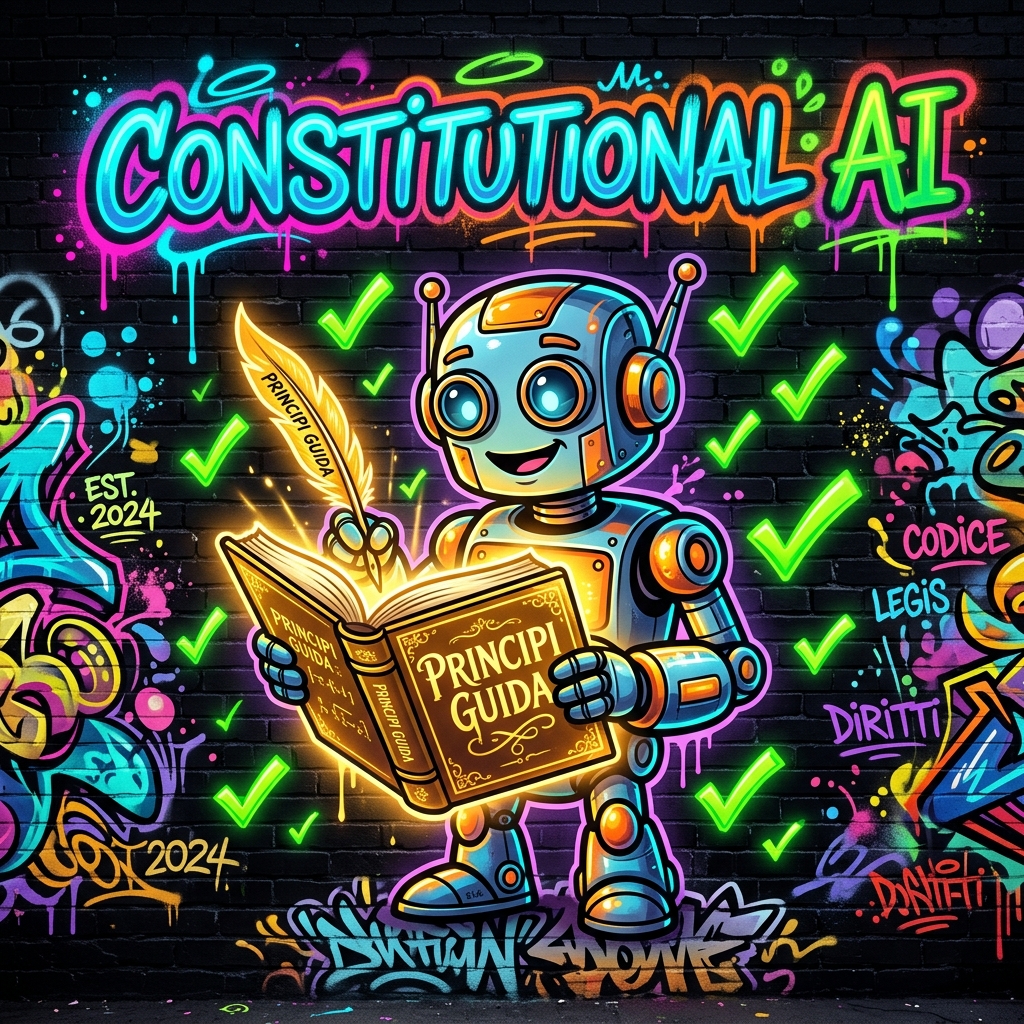
In the first hours of the course we saw that modelsModel:The outcome of the training process: the computational system capable of making predictions and generating outputs on new data. are aligned with human expectations using techniques like RLHFRLHF:Reinforcement Learning from Human Feedback: human evaluators rate model responses to train the model toward more helpful and preferred outputs. (Reinforcement Learning from Human Feedback): people evaluate responses, and the modelModel:The outcome of the training process: the computational system capable of making predictions and generating outputs on new data. learns to generate preferred ones.
It works, but has two limitations: it is slow and lacks transparency. Who decided that a given response was better? By what criteria? It is not documented anywhere.
Anthropic's approach is different, known as Constitutional AIConstitutional AI:Anthropic's training methodology where the model critiques and refines its own responses according to an explicit set of written principles.: providing the modelModel:The outcome of the training process: the computational system capable of making predictions and generating outputs on new data. with a 'constitution'—a set of explicit, written principles inspired in part by the Universal Declaration of Human Rights—and training it to critique and correct itself against them.
The cycle: the modelModel:The outcome of the training process: the computational system capable of making predictions and generating outputs on new data. responds, critiques itself against the principles, and rewrites.
In daily practice, this translates into a modelModel:The outcome of the training process: the computational system capable of making predictions and generating outputs on new data. that tends to be cautious, clearly flags when it does not know something, and declines problematic requests. At times it is more cautious than necessary: that is the other side of the same coin.
1.3 What This Means in Day-to-Day Use
A modelModel:The outcome of the training process: the computational system capable of making predictions and generating outputs on new data. trained this way tends to behave in three recognizable ways, and it helps to know them in advance so you do not mistake them for defects.
- It flags when it does not know. Instead of filling the void with a plausible fabrication, it tends to state that the information is absent. That is a strength, even if it feels inconvenient in the moment.
- It softens ambiguous requests. If a question lends itself to problematic usage, it often answers the harmless interpretation and explicitly says so.
- At times it is more cautious than necessary. It may decline a legitimate request that superficially resembles a problematic one: that is the other side of the same coin.
What Happens When It Declines
Sooner or later it happens to everyone: a legitimate request is declined, or answered with a preamble of irrelevant caveats. This happens because the modelModel:The outcome of the training process: the computational system capable of making predictions and generating outputs on new data. is applying its principles to a scenario it did not frame properly, not because your task is forbidden.
In the vast majority of cases, the root cause is missing context, and the solution is simply to provide it.
1.4 Model, Product, Interface: Three Distinct Concepts
In the classroom, people almost always confuse three terms that seem synonymous but are not. Clarifying them now avoids misunderstandings throughout the rest of the course.
The same modelModel:The outcome of the training process: the computational system capable of making predictions and generating outputs on new data. is accessed through different products and with different contractual guarantees. This is why the question 'Is it secure?' has no single answer: it depends on the product tier, not the modelModel:The outcome of the training process: the computational system capable of making predictions and generating outputs on new data..
2. The Model Family

There is no single 'best modelModel:The outcome of the training process: the computational system capable of making predictions and generating outputs on new data..' There is only the modelModel:The outcome of the training process: the computational system capable of making predictions and generating outputs on new data. suited to the task at hand, and choosing it well is a core competency.
2.1 Three Tiers of the Same Tool
The three tiers: version names change over time, but the underlying tiered logic remains constant.
2.2 How to Choose in Practice
The right question is not 'which one is smartest,' but what does an error cost.
- If an error is immediately obvious and takes ten seconds to fix, use the lightweight modelModel:The outcome of the training process: the computational system capable of making predictions and generating outputs on new data.: it is faster and costs less.
- If an error ends up in a contract, an official quote, or customer communication, use the most capable modelModel:The outcome of the training process: the computational system capable of making predictions and generating outputs on new data. and verify thoroughly regardless.
- If you are creating something that will be reused a hundred times, it is worth spending more once to do it right.
2.3 Costs and How to Think About Pricing
Usage is metered in tokensToken:The fundamental unit of text processed by a model: a word, a sub-word syllable, or a punctuation mark., both input and output. As a rule of thumb: 1,000 tokensToken:The fundamental unit of text processed by a model: a word, a sub-word syllable, or a punctuation mark. are roughly 750 words in Italian, equivalent to about a page and a half of dense text.
With subscription plans, you do not pay per tokenToken:The fundamental unit of text processed by a model: a word, a sub-word syllable, or a punctuation mark.: you pay a flat fee and have a usage allowance. Therefore, for most enterprise users, cost reasoning translates into a different question: How quickly am I consuming my usage limit?
2.4 Version Names Age Quickly
Every few months a new version is released with a different number and increased capabilities. This is the part of the course that ages fastest, and it is best to know that from the start.
What does not change is the selection framework: three tiers—one economical and fast, one balanced workhorse, one for difficult reasoning tasks. Names change; the decision criteria do not.
3. The Context Window

This is the single metric that has transformed how we work with these tools more than any other.
The context windowContext Window:The maximum amount of text (tokens) a model can hold in working memory during a single prompt, including attached documents. is how much text the modelModel:The outcome of the training process: the computational system capable of making predictions and generating outputs on new data. can keep in view in a single promptPrompt:The text input submitted to the model: the request along with its context, instructions, and reference material.: your question, attached documents, and previous conversation history, all combined. It is measured in tokensToken:The fundamental unit of text processed by a model: a word, a sub-word syllable, or a punctuation mark., the text units discussed in the first hour.
Orders of magnitude: from a single email to an entire document archive.
The current generation of flagship modelsModel:The outcome of the training process: the computational system capable of making predictions and generating outputs on new data. reaches up to one million tokensToken:The fundamental unit of text processed by a model: a word, a sub-word syllable, or a punctuation mark.; lighter modelsModel:The outcome of the training process: the computational system capable of making predictions and generating outputs on new data. top out around 200,000, which is already roughly five hundred pages—an entire book.
3.1 A Large Context Window Does Not Mean Memory
This is the most common confusion. The context windowContext Window:The maximum amount of text (tokens) a model can hold in working memory during a single prompt, including attached documents. applies only to that specific promptPrompt:The text input submitted to the model: the request along with its context, instructions, and reference material. session: it is like the desk the modelModel:The outcome of the training process: the computational system capable of making predictions and generating outputs on new data. works on, not an archive.
Once the conversation is closed, the content is not retained anywhere: next time, you start from scratch. To make reference documents permanently available, you use ProjectsProject:A dedicated workspace in Claude organized around a specific objective, equipped with persistent instructions and reference documents., which we explore in Hour 9.
3.2 What One Million Tokens Means in Practice
Context windowContext Window:The maximum amount of text (tokens) a model can hold in working memory during a single prompt, including attached documents. numbers remain abstract until converted into something familiar. As a rule of thumb, for Italian, one tokenToken:The fundamental unit of text processed by a model: a word, a sub-word syllable, or a punctuation mark. is worth about three-quarters of a word.
In practice: a 200,000-tokenToken:The fundamental unit of text processed by a model: a word, a sub-word syllable, or a punctuation mark. window comfortably holds a 300-page dossier plus the entire follow-up conversation. A one-million-tokenToken:The fundamental unit of text processed by a model: a word, a sub-word syllable, or a punctuation mark. window accommodates an entire projectProject:A dedicated workspace in Claude organized around a specific objective, equipped with persistent instructions and reference documents. archive.
3.3 Working Effectively in Long Conversations

Even with a large window, a conversation that goes on for hours becomes difficult to manage: material piles up, instructions contradict one another, and eventually output quality degrades without an obvious reason. Three habits resolve nearly all of these situations.
- One conversation, one task. When switching topics, start a new conversation. Keeping contract analysis and newsletter drafting together does not save time: it degrades both.
- Milestone summaries. Before moving to a new phase, ask: 'summarize what we have agreed upon so far in ten lines.' Paste that summary as the first message of the next conversation.
- Source material first, instructions second. Upload documents at the beginning and leave them untouched; add requests at the end. This is the layout we will revisit in Hour 6 when discussing context caching.
Frequently Asked Questions in Class
They are the same in every workshop. It is worth having a concise, honest answer ready, including for when a colleague asks.
“Which model is the best?”
There is no single best modelModel:The outcome of the training process: the computational system capable of making predictions and generating outputs on new data., and anyone telling you otherwise is oversimplifying. The most powerful on a trivial task is a waste of time and usage limits; the lightest on a contract is a risk.
The right question is: What does an error cost here?
“Why does Claude sometimes refuse to answer?”
Because it is trained on written principles, and a legitimate request can superficially resemble problematic usage.
In the vast majority of cases, simply providing context is enough: who you are, why you need it, and the professional setting.
“Do answers change if I ask the exact same question again?”
Yes, and that is normal: as seen in the first hour, generation is probabilistic.
If you need consistent formatting, the solution is not to repeat the question until it comes out right: it is to fix the format using tags, which we cover in Hour 5.
“Is it worth waiting for the new version?”
No. Versions come out every few months, and waiting means you never get started. What you learn—how to structure a request, how to select a modelModel:The outcome of the training process: the computational system capable of making predictions and generating outputs on new data., how to verify outputs—applies across all versions.
3.4 Three Ways to Supply Source Material, and When to Use Them
The same document can be provided in three different ways, with distinct practical implications. Choosing wisely saves a great deal of time.
4. Practical Exercise of the Hour
Five business scenarios, one modelModel:The outcome of the training process: the computational system capable of making predictions and generating outputs on new data. choice for each. The exercise is not guessing the modelModel:The outcome of the training process: the computational system capable of making predictions and generating outputs on new data. name: it is knowing how to explain your reasoning.
Lesson 04: Personal Accounts vs. Enterprise Subscriptions
Lesson Objective
Understand why allowing employees to use personal accounts is a risk for the company, what changes with an enterprise subscription, and how to establish minimal yet sound governanceGovernance:The overarching organizational framework of policies, procedures, and accountability defining who decides, executes, and audits AI usage..
Skills Acquired Upon Completion
- Explain to executive leadership why the real difference is not the price.
- Know who decides whether conversations are used for modelModel:The outcome of the training process: the computational system capable of making predictions and generating outputs on new data. training.
- Recognize the roles of Data ControllerData Controller:Under the GDPR, the entity that determines the purposes and means of processing personal data and retains ultimate accountability. and Data ProcessorData Processor:Under the GDPR, an entity that processes personal data on behalf of and strictly under the instructions of the data controller..
- Draft the three core rules of a corporate AI policy.
1. The scenario playing out in every company

There are no villains in this story. That is precisely what makes it so hard to address.
The company hasn't bought anything. Employees, however, have discovered that artificial intelligence saves hours of work. So everyone fends for themselves: some use the free tier, some pay for a personal subscription, some use company phones logged into private accounts.
It works brilliantly. And that is exactly the problem.
This is the Shadow AIShadow AI:The unsanctioned use of third-party AI tools within an organization without IT or executive approval. we discussed in the second hour. The company does not know what documents have left the premises, cannot control how they are used, and, in the event of a dispute, cannot prove it took the necessary precautions to protect them.
1.1 Why it happens: it is not ill will
An employee pasting contract text into a personal assistant isn't circumventing a rule: almost always, they simply don't know one exists. They are doing their job with the fastest tool at their disposal.
It is the same dynamic that previously brought corporate files onto personal cloud storage and work conversations onto private messaging apps. The solution that worked then is the same one that works today: provide a corporate alternative before banning the personal one.
1.2 What is really at stake
The consequences of ungoverned usage are not textbook theoretical scenarios: they are four concrete situations, none of which requires bad faith to occur.
- Loss of confidentiality over commercial information. The quote you are drafting, projectProject:A dedicated workspace in Claude organized around a specific objective, equipped with persistent instructions and reference documents. profit margins, bidding strategies for tenders. They don't even need to end up in a competitor's hands: having them leave the corporate perimeter without a contractual safeguard is already enough.
- Breach of obligations toward third parties. Many contracts and non-disclosure agreements explicitly prohibit transferring materials to unauthorized third parties. A service provider not covered under a corporate contract is an unauthorized party.
- Unlawful processing of personal data. Uploading a resume, a payroll slip, or a customer list to a service without an adequate contract constitutes processing without a legal basis—with all the associated liabilities in the event of a regulatory complaint.
- Reputational damage. This is what executive management fears most, and the only damage that cannot be settled with a payout.
2. Who decides what happens to the data

This is the focal point of the hour, and almost no one understands it with precision.
The same four questions, two very different answers.
2.1 On personal accounts, the user decides
On consumer plans (free, paid individual, and variations thereof), the choice belongs to the user: you can allow or deny your conversations being used to improve modelsModel:The outcome of the training process: the computational system capable of making predictions and generating outputs on new data.. This choice is made in the settings and can be changed at any time.
The practical consequence also affects retention periods: if consent is active, content may be kept for a significantly longer period compared to users who opted out.
2.2 On enterprise products, the company decides
On commercial products—enterprise plans and API access—the default rule is reversed: data is not used to train modelsModel:The outcome of the training process: the computational system capable of making predictions and generating outputs on new data., unless the organization itself chooses otherwise.
This is not a setting an individual user can change on the sly: it is the contractual condition under which the service is delivered to the organization.
2.3 Controller and Processor: what matters under GDPR
There is a second aspect, less known yet far more important: with an enterprise subscription, the legal relationship fundamentally changes.
- The customer company is the Data ControllerData Controller:Under the GDPR, the entity that determines the purposes and means of processing personal data and retains ultimate accountability.: it determines purposes and means, and issues instructions.
- The vendor acts as the Data ProcessorData Processor:Under the GDPR, an entity that processes personal data on behalf of and strictly under the instructions of the data controller.: it processes data exclusively on behalf of the customer and according to its instructions.
This is precisely the structure required by the GDPRGDPR:General Data Protection Regulation: the European regulation on personal data protection and privacy, enforceable since 2018. whenever data processing is outsourced. With a personal account, that structure does not exist: the contract is strictly between the provider and the individual employee, and the enterprise is not a party to it.
2.4 What to specifically ask to see
When evaluating a vendor, "your data is safe" is not an acceptable answer. These four documents exist and can be requested: if they are not provided, that alone is telling information.
- The Data Processing Agreement (DPA). The mandatory contract required under Article 28 of the GDPRGDPR:General Data Protection Regulation: the European regulation on personal data protection and privacy, enforceable since 2018. between controller and processor. Without it, the company is processing personal data outside the rules.
- The list of sub-processors. Who else touches the data, on what legal basis, and in which country. Essential to knowing where data actually ends up.
- Terms on modelModel:The outcome of the training process: the computational system capable of making predictions and generating outputs on new data. training. They must explicitly state in writing that customer content is not used to train modelsModel:The outcome of the training process: the computational system capable of making predictions and generating outputs on new data., and specify under which circumstances, if any, it might be.
- Data retention schedules. How long content is retained, what happens upon contract termination, and how deletion is requested.
2.5 Where data physically ends up
This question always comes up, and warrants an exact answer: data is processed on the vendor's servers, which for major industry players are largely located outside the European Union, typically in the United States.
This does not make processing unlawful: it means it must be governed. The GDPRGDPR:General Data Protection Regulation: the European regulation on personal data protection and privacy, enforceable since 2018. provides specific instruments for transfers to third countries, and any reputable vendor details them in their contract.
- Standard Contractual Clauses (SCCs), approved by the European Commission: the most widespread instrument, which must be appended to the contract.
- Adequacy decisions, where they exist for the destination country: these significantly simplify the controller's compliance position.
- Supplementary measures, such as encryption of data in transit and at rest, which the vendor must document.
3. Comparing the plans
What you are truly buying when upgrading from a personal account to an enterprise one.
The right comparison, however, is not between twenty and twenty-five euros. It is between twenty-five euros a month and the cost of a data breach: notifying the Data Protection Authority, potentially communicating with affected data subjects, regulatory fines, wasted operational hours, and reputational damage.
3.1 The calculation that convinces leadership
The question from senior leadership is always the same: why should we pay if it already works for free? Done properly, the business case is brief.
3.2 Five questions to ask your IT team before getting started
These are short questions, but the answers determine how much work is truly required. It is well worth asking them before committing to timelines with leadership.
- Do we already have an enterprise identity system (single sign-on, centralized account management)? If yes, license provisioning is virtually immediate; if no, extra work must be planned for.
- Who revokes access when someone leaves? If there isn't an offboarding procedure already, this is the time to draft one: it applies to all tools, not just this one.
- Do we have an up-to-date Record of Processing Activities (ROPA)? A new entry must be added. It is a quick compliance task, but the first item auditors will ask for during an inspection.
- Who signs the Data Processing Agreement? It must be someone with the formal authority to do so, not the person activating the licenses.
- What do we tell employees, and when? The policy notice must be provided prior to activation, not after.
4. The Console: the piece that changes everything

The most concrete difference between a personal account and an enterprise one is not in Claude's features: it is in everything surrounding them.
A single centralized hub to govern licenses, roles, and access.
4.1 The roles
- Owner — owns the organization, manages billing, and configures global settings.
- Admin — manages users, permissions, and shared projectsProject:A dedicated workspace in Claude organized around a specific objective, equipped with persistent instructions and reference documents..
- Member — uses Claude within the established rules.
4.2 Why employee offboarding matters
This is the classroom question that causes the most embarrassment. On a personal account, there are months of work: drafts, analyses, price lists, perhaps client data. The company cannot access it, cannot retrieve it, and cannot delete it.
With a console, however, access is revoked from an admin panel, and materials residing in shared projectsProject:A dedicated workspace in Claude organized around a specific objective, equipped with persistent instructions and reference documents. remain with the company.
4.3 Three things to put in writing before buying
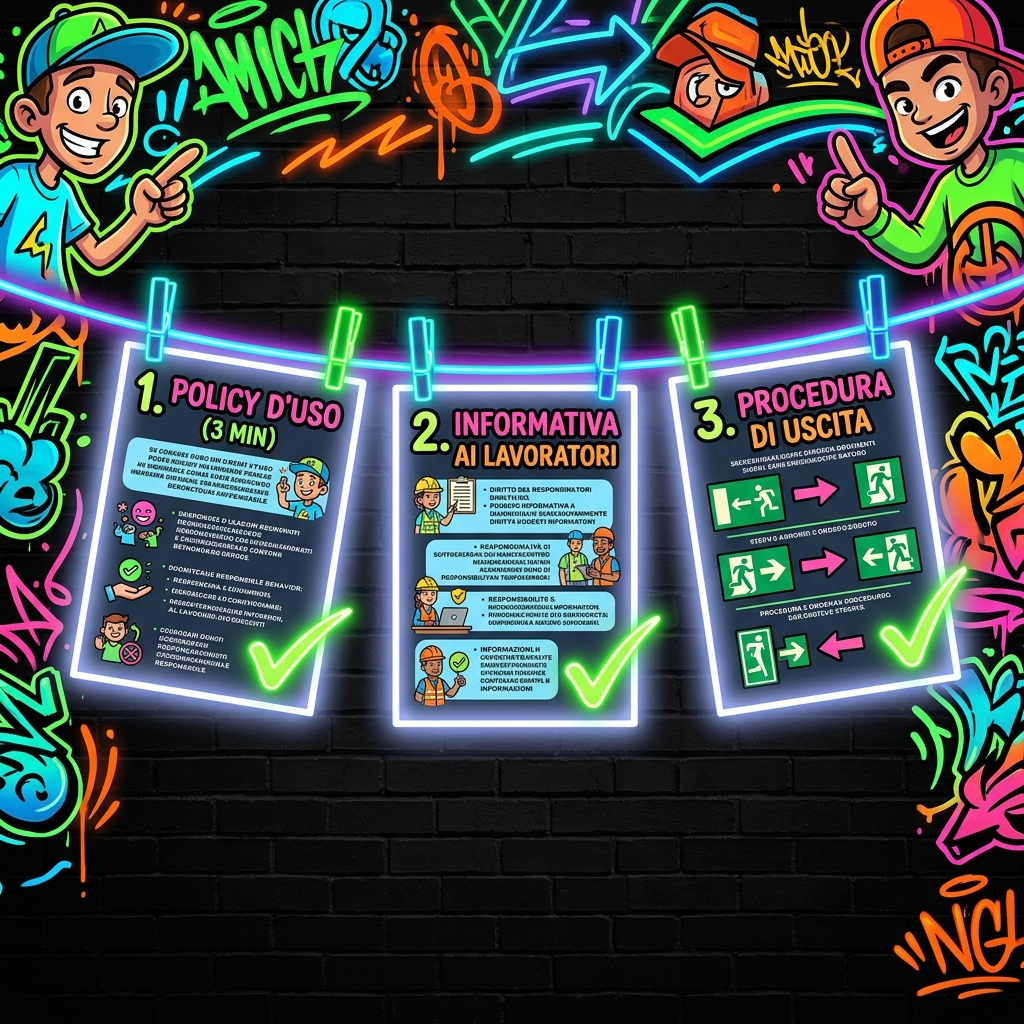
Purchasing licenses is the easy part. What makes the real difference are three brief documents, each easily fitting on a single page.
- The acceptable use policy. What can be uploaded, what can never be uploaded, and who to ask in doubtful cases. It must be readable in three minutes, otherwise no one will read it.
- Employee notice. Regulations require that workers, and their representatives, be informed when the company implements artificial intelligence systems that impact their work.
- Offboarding procedure. What happens to access and content when someone leaves the company or changes roles.
4.4 What the administrator sees, and what they do not
This is the first question employees ask, and it deserves an unequivocal answer because it concerns their privacy: what can console administrators actually see?
Stating this in advance, and in writing, also has a practical effect: it removes the suspicion that is the primary reason people continue using their personal accounts.
5. Practical exercise for this hour
A simulated setup. Three simple lines: yet they represent the difference between governed adoptionAdoption:The structured organizational process through which an AI tool becomes routinely and sustainably embedded in daily workflows. and Shadow AIShadow AI:The unsanctioned use of third-party AI tools within an organization without IT or executive approval..
Frequently Asked Questions in Class
These come up in every course. It is worth having a short, honest answer ready, including for when a colleague asks.
“Do they actually read our data?”
On enterprise products, customer content is not used to train modelsModel:The outcome of the training process: the computational system capable of making predictions and generating outputs on new data. by default: this is a contractual condition, not a courtesy.
This does not mean data stays on-premise: it is still processed on the vendor's servers. That is why formal contracts and evaluations are required, not mere trust.
“What if an employee secretly uses their personal account?”
This is the most frequent scenario, and also the reason why a ban alone does not work.
Legal liability before the Data Protection Authority remains with the company, which in that case has neither visibility nor proof of having taken necessary steps: literally the worst possible legal position.
“Can we provide the enterprise plan to only some departments?”
Yes, and it is often the most sensible way to start: begin with those handling the most sensitive data or those who stand to gain the greatest advantage.
The critical requirement is that the policy applies to everyone, including those who do not yet have a license. Otherwise, you are merely shifting the problem.
“Whose responsibility is it: IT or executive leadership?”
Both, and that is not a diplomatic answer. IT manages access and security; leadership decides what can be done with company data and assumes ultimate responsibility.
The role that is almost always missing is the third one: someone to train the team. Without that, the other two work in vain.
Lesson 05: Prompt Engineering for Claude and XML Tags
Lesson Objective
Learn how to structure a professional promptPrompt:The text input submitted to the model: the request along with its context, instructions, and reference material. using tags, clearly separating instructions from the material to be analyzed, and achieve a consistent output that does not shift form with every attempt.
Skills Acquired Upon Completion
- Recognize when a free-text promptPrompt:The text input submitted to the model: the request along with its context, instructions, and reference material. is no longer sufficient.
- Write a complete promptPrompt:The text input submitted to the model: the request along with its context, instructions, and reference material. using the six essential tags.
- Avoid the common mistakes that render a structured promptPrompt:The text input submitted to the model: the request along with its context, instructions, and reference material. useless.
- Turn a working promptPrompt:The text input submitted to the model: the request along with its context, instructions, and reference material. into a reusable template.
1. The problem of ambiguity

For a short question, common sense is enough. When a document is involved, things change.
In the first hour, we saw that the modelModel:The outcome of the training process: the computational system capable of making predictions and generating outputs on new data. generates text by calculating which tokenToken:The fundamental unit of text processed by a model: a word, a sub-word syllable, or a punctuation mark. has the highest probability of following next. There is no point at which it “understands” that one part of your promptPrompt:The text input submitted to the model: the request along with its context, instructions, and reference material. is a command and another part is material to examine: it has to deduce this from the text.
With a two-line request, it always succeeds. With a promptPrompt:The text input submitted to the model: the request along with its context, instructions, and reference material. containing an eight-page contract, the instruction gets drowned in the text and starts being treated as part of the contract.
Two ways to ask for the same thing: only one clearly defines the boundaries.
1.1 What the model actually sees
When you paste a contract followed by «summarize it in ten lines», the modelModel:The outcome of the training process: the computational system capable of making predictions and generating outputs on new data. receives a single strip of text. There is no «document» field and no «request» field: there is only a single stream, and the boundary between the two must be inferred from the text itself.
Over two lines, this works. Over eight pages, the final sentence is a drop in an ocean of clauses, and one of three things happens:
- the instruction is ignored, and the modelModel:The outcome of the training process: the computational system capable of making predictions and generating outputs on new data. does whatever seems most plausible given the document;
- the instruction is read as part of the document—for example, as if it were an additional clause in the contract;
- the instruction is executed, but only partially: whatever appears last in the promptPrompt:The text input submitted to the model: the request along with its context, instructions, and reference material. carries more weightWeight:A numerical value that determines the connection strength between two artificial neurons in a neural network. than what appears in the middle.
Tags eliminate ambiguity at its root. They don't make the modelModel:The outcome of the training process: the computational system capable of making predictions and generating outputs on new data. smarter: they remove an uncertainty the modelModel:The outcome of the training process: the computational system capable of making predictions and generating outputs on new data. would otherwise have to resolve by guessing.
1.2 Why "write professionally" does not work

There is a second type of ambiguity, more insidious than the first because it does not concern promptPrompt:The text input submitted to the model: the request along with its context, instructions, and reference material. structure, but the words you put inside it.
Adjectives like professional, concise, effective, or engaging look like instructions, but they are not: each of us imbues them with a different meaning, and the modelModel:The outcome of the training process: the computational system capable of making predictions and generating outputs on new data. chooses the most common one—which is almost never yours.
2. The six tags that truly matter
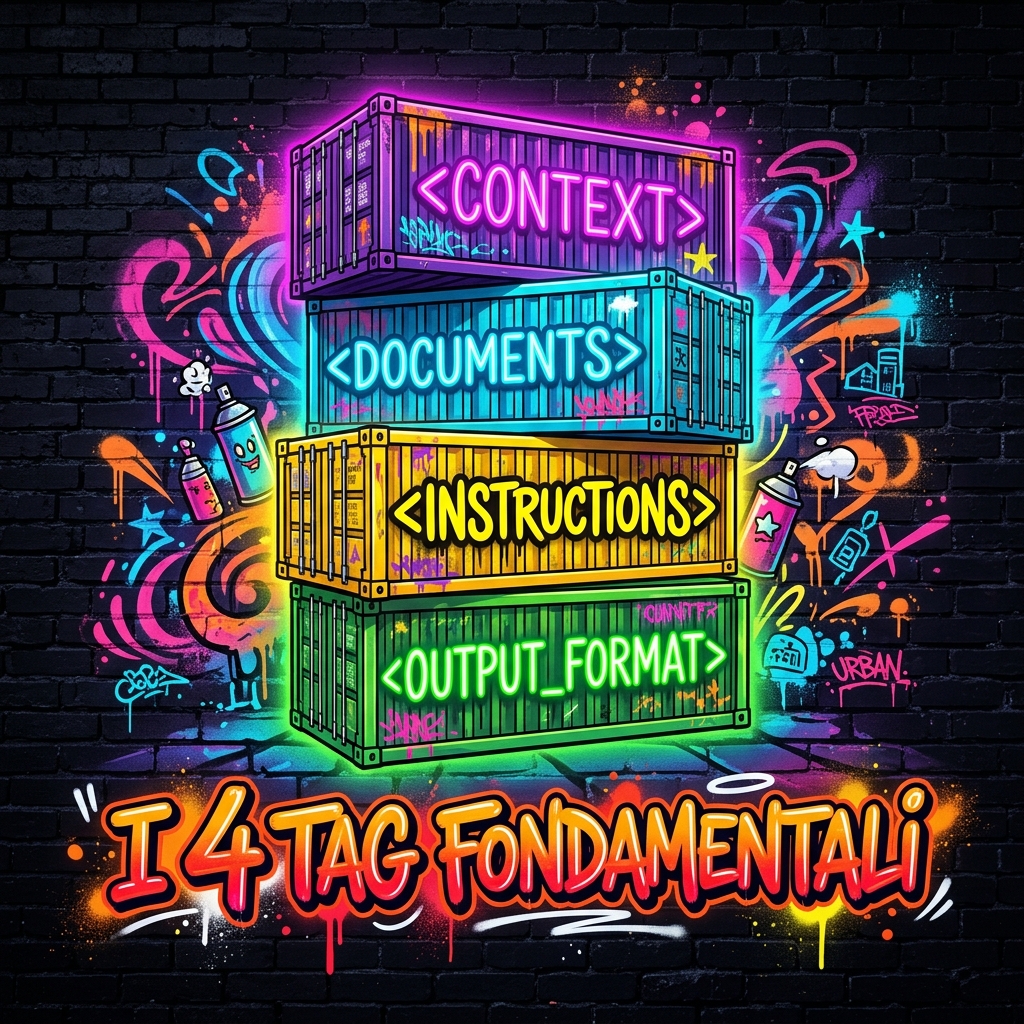
There is no need to learn dozens of them. These six cover any professional request.
A tag is written inside angle brackets, opened and closed: <instructions> … </instructions>, like a pair of brackets. Inside, you write in normal language. You are free to name them as you wish, but using them consistently turns a personal habit into an enterprise standard operating procedure.
2.1 A well-assembled prompt
Order matters: first who you are, then what you are looking at, then what you need to do, and finally how the output should look.
The same promptPrompt:The text input submitted to the model: the request along with its context, instructions, and reference material. from the example, assembled in full.
2.2 A complete, annotated prompt
Let's examine it in a real-world case: reviewing a supply agreement received from a client. First the promptPrompt:The text input submitted to the model: the request along with its context, instructions, and reference material., then the rationale for each block.
The context block
<context> You are a senior legal counsel. We work for an Italian manufacturing SME. This contract was proposed to us by a client, and we need to evaluate it before signing. </context>
It defines the role and, crucially, whose side we are on: the same contract reads very differently depending on whether you are proposing it or receiving it.
The source material block
<documents> [full text of the contract here] </documents>
Source material only, without commentary. Any extra word added inside risks being read as part of the contract itself.
The instructions block
<instructions> List the termination clauses. Flag any clauses disproportionately unfavorable to the supplier. Indicate the reference section or clause number for each. </instructions>
One request per line, using action verbs. Three requests: if there were ten, some would inevitably be overlooked.
The format block
<output_format> Table with three columns: clause | risk level (high/medium/low) | section. Maximum ten rows. If any data point cannot be deduced from the text, write «not specified». </output_format>
Without this block, the response turns out discursive, twice as long, and different every time. The last line is the most important: it prevents the modelModel:The outcome of the training process: the computational system capable of making predictions and generating outputs on new data. from hallucinating or inventing details just to fill an empty box.
2.3 The other two tags: <example> and <thinking>
Six tags appear in the table, but so far we have used four. The other two are what elevate promptPrompt:The text input submitted to the model: the request along with its context, instructions, and reference material. quality to the next level, and are the core topic of the next hour.
<example>: showing instead of explaining
Describing your desired format in words often takes half a page and still leaves room for interpretation. An example of the output defines it in three lines, with zero ambiguity.
<example> Clause: Early termination by the client Risk: High Section: Clause 7.2 </example>
With this reference in place, every subsequent entry follows the exact same structure, identical field names, and the same ordering. It is the most effective way to lock in a consistent format.
<thinking>: prompting reasoning before answering
On tasks requiring multiple steps—comparing, calculating, cross-referencing two documents—asking the modelModel:The outcome of the training process: the computational system capable of making predictions and generating outputs on new data. to walk through its reasoning before concluding significantly reduces errors.
<thinking> First, identify all clauses addressing contract duration and termination. Next, evaluate who benefits under each clause. Only then populate the table. </thinking>
3. The mistakes we see most often
3.1 Too many tags
There is also the opposite error, and in classroom training it is almost as common: cluttering the promptPrompt:The text input submitted to the model: the request along with its context, instructions, and reference material. with labels until it becomes completely unreadable.
<request><tone>formal</tone><length>short</length><recipient><name>client</name><type>company</type></recipient></request>
A promptPrompt:The text input submitted to the model: the request along with its context, instructions, and reference material. structured like this is not more precise: it is simply harder to review and debug. Three or four well-separated blocks work far better than a dozen nested labels.
4. From prompt to standard procedure
The real payoff is not a single output: it is the ability to repeat the exact same process tomorrow, and have a colleague do the same.
When a structured promptPrompt:The text input submitted to the model: the request along with its context, instructions, and reference material. works, save it. A plain text file is all you need. What you are saving is a template: next time, you only change the content inside <documents> and the rest remains untouched.
In the tenth hour, we will see how this personal habit evolves into a shared prompt libraryPrompt Library:A centralized, version-controlled collection of validated and approved prompts shared across enterprise teams., and why it transforms how an entire department works.
4.1 From prompt to project
There is a subsequent step, which we will explore in the ninth hour. The parts of the promptPrompt:The text input submitted to the model: the request along with its context, instructions, and reference material. that never change—role, tone, constraints, output format—can be moved outside the promptPrompt:The text input submitted to the model: the request along with its context, instructions, and reference material. and written once, as permanent custom instructions in a projectProject:A dedicated workspace in Claude organized around a specific objective, equipped with persistent instructions and reference documents. workspace.
From that moment on, every conversation begins with that context pre-loaded, leaving only the daily material and specific request for the promptPrompt:The text input submitted to the model: the request along with its context, instructions, and reference material.. It is the same principle behind tags, applied at a higher architectural level: separating what is fixed from what changes.
4.2 Three ready-to-use templates
These three templates cover a large portion of day-to-day office work. Copy them as they are: simply fill in what appears in square brackets.
Responding to a difficult email
<context> You are the customer support manager at [COMPANY]. Respond on behalf of the company, not in a personal capacity. </context> <documents> [the email received] </documents> <instructions> Draft a response that acknowledges the issue without conceding liabilities we have not yet verified. Propose a concrete next step. Do not promise turnaround times unless explicitly specified by me. </instructions> <output_format> Maximum twelve lines. Polite and concise tone. Provide two variations: one more formal, one more direct. </output_format>
Extracting data from a document
<context> I need to prepare an executive summary for leadership based on a technical document. </context> <documents> [the document] </documents> <instructions> Extract [the required items]. For each item, cite the originating page or section. If any data point is not present, write «not specified»: do not estimate or extrapolate. </instructions> <output_format> Three-column table: item | value | source citation. </output_format>
Preparing for a meeting
<context> Tomorrow I have a meeting with [COUNTERPART] regarding [TOPIC]. My objective is [GOAL]. </context> <documents> [materials: proposals, past emails, projectProject:A dedicated workspace in Claude organized around a specific objective, equipped with persistent instructions and reference documents. specs] </documents> <instructions> List the top three points where we risk disagreeing. For each, identify the counterpart's strongest argument. Suggest a strategic question to gauge how much negotiating room exists. </instructions> <output_format> Bullet-point list, one page maximum. </output_format>
5. Practical exercise for this hour
Three complete promptsPrompt:The text input submitted to the model: the request along with its context, instructions, and reference material. based on scenarios encountered in every company.
- Commercial contract review — role definition, attached contract, specific search targets, structured table output.
- Customer complaint response — role definition, complaint text, required tone, maximum length, two variations to choose from.
- Executive report summary — role definition, attached report, top three insights to extract, bulleted list with source citations.
For each exercise, write the promptPrompt:The text input submitted to the model: the request along with its context, instructions, and reference material. before opening Claude. Then test and refine it: almost always, something is missing in <output_format>.
5.1 How to test a prompt before sharing it with others
A promptPrompt:The text input submitted to the model: the request along with its context, instructions, and reference material. you have run once with success is not yet ready to be shared. Testing is quick and always consists of the same four checks.
- The standard case test. A typical document. It must perform cleanly: if it doesn't, the promptPrompt:The text input submitted to the model: the request along with its context, instructions, and reference material. is not ready.
- The empty case test. A document where the requested information does not exist. The promptPrompt:The text input submitted to the model: the request along with its context, instructions, and reference material. is solid if the response clearly states so; it is dangerous if it invents plausible-sounding filler.
- The edge case test. An unusual document format, very short or very long. Designed to see where the promptPrompt:The text input submitted to the model: the request along with its context, instructions, and reference material. breaks down.
- The colleague test. Hand the promptPrompt:The text input submitted to the model: the request along with its context, instructions, and reference material. to someone else without verbal explanation. If they have to ask you a question, the answer to that question must be added into the promptPrompt:The text input submitted to the model: the request along with its context, instructions, and reference material..
5.2 The same prompt across different AI tools
A recurring question in corporate environments: if we switch AI assistants, are our promptsPrompt:The text input submitted to the model: the request along with its context, instructions, and reference material. wasted? No, and it is worth understanding why.
- The underlying structure remains universally valid. Separating context, documents, instructions, and format helps any large language modelModel:The outcome of the training process: the computational system capable of making predictions and generating outputs on new data.: it is a matter of clarity, not a proprietary vendor feature.
- Sensitivity varies, but the core principle does not. Some modelsModel:The outcome of the training process: the computational system capable of making predictions and generating outputs on new data. follow tags more strictly, others less so; some adhere better to length constraints. A promptPrompt:The text input submitted to the model: the request along with its context, instructions, and reference material. may need recalibration, not a full rewrite.
- Instructions on handling uncertain data must be reverified. «If data is missing, write not specified» is the directive modelsModel:The outcome of the training process: the computational system capable of making predictions and generating outputs on new data. follow with the greatest variance. It is always the first thing to retest.
This is also a compelling argument for leadership: time invested in writing well-structured promptsPrompt:The text input submitted to the model: the request along with its context, instructions, and reference material. is not a bet on a single vendor—it is a durable, transferable skill.
Frequently Asked Questions in Class
These come up in every training session. It is worth having a concise, honest answer ready, including for when a colleague asks.
“Do I need to write like this even for a simple question?”
No. For a brief question, write naturally just as you speak: tags are needed when a document is involved, or when the output must be strictly repeatable.
The practical rule of thumb: if the promptPrompt:The text input submitted to the model: the request along with its context, instructions, and reference material. fits in two lines, keep it unstructured. If you are attaching a file, or if you plan to reuse it tomorrow, structure it.
“Must I use these exact tag names?”
You are free to name them as you wish: <role> would work just as well as <context>. Those presented here are the most widely adopted across the industry, making them easiest to explain to colleagues and reference in documentation.
What truly matters is using them consistently: that is how a personal promptPrompt:The text input submitted to the model: the request along with its context, instructions, and reference material. matures into an enterprise standard.
“Does this work with other AI assistants too?”
Yes. Modular block structure benefits any language modelModel:The outcome of the training process: the computational system capable of making predictions and generating outputs on new data., because the problem it solves—separating instructions from source data—is vendor-independent.
What varies is how much each modelModel:The outcome of the training process: the computational system capable of making predictions and generating outputs on new data. benefits: some modelsModel:The outcome of the training process: the computational system capable of making predictions and generating outputs on new data. are more responsive to promptPrompt:The text input submitted to the model: the request along with its context, instructions, and reference material. structure than others.
“What if the output still doesn't match what I want?”
Nine times out of ten, the format block is missing or too vaguely defined. «Make a table» is not enough: you need to specify columns, maximum row count, and what to write when data is unavailable.
The tenth time, providing an example of the desired output is what solves it: that is the exact technique we cover in the next hour.
Lesson 06: Step-by-Step Reasoning, Examples, and Caching
Lesson Objective
Learn how to make the modelModel:The outcome of the training process: the computational system capable of making predictions and generating outputs on new data. reason before responding, how to teach it a format using two examples instead of ten lines of instructions, and how to avoid paying twice for the same document.
Skills Acquired Upon Completion
- Apply step-by-step reasoning to high-stakes tasks where errors are costly.
- Use two examples to lock down tone, structure, and output format.
- Understand prompt cachingPrompt Caching:A mechanism that stores and reuses unchanged prompt context across requests, substantially reducing latency and token costs. and how to structure promptsPrompt:The text input submitted to the model: the request along with its context, instructions, and reference material. to take full advantage of it.
- Select the right technique based on the nature of the task.
1. Reasoning before answering

The simplest technique in the course, and the most underestimated.
Asking a modelModel:The outcome of the training process: the computational system capable of making predictions and generating outputs on new data. for the final answer alone is like demanding that someone calculate a complex formula in their head without scratch paper. Occasionally they get it right. Often they don't.
Chain-of-Thought reasoning consists of explicitly asking the modelModel:The outcome of the training process: the computational system capable of making predictions and generating outputs on new data. to think step-by-step before delivering the final answer. A single phrase is enough: «first analyze, then answer». Or using the <thinking> tag to make the request explicit.
The same question, two very different paths.
1.1 Why it works
Let's return to the mechanism covered in the first hour: the modelModel:The outcome of the training process: the computational system capable of making predictions and generating outputs on new data. generates one word at a time, and each word depends on the words already generated. If you only ask for the end result, it must get there in a single leap. If you instruct it to write out the intermediate steps, each step becomes foundational context for the next.
It is not a gimmick: it simply gives the modelModel:The outcome of the training process: the computational system capable of making predictions and generating outputs on new data. the scratchpad space to do what any of us would do on a notepad.
1.2 What it looks like in practice
When you request step-by-step reasoning, the output changes structure: first comes the analysis, followed by the conclusion. On a contract expiration review, for instance, you go from this:
The contract expires on December 31, 2026.
to this:
Analysis: Article 12 specifies a duration of 24 months from execution. The signing date at the bottom is January 15, 2025. Twenty-four months from January 15, 2025 leads to January 15, 2027. However, Article 13 provides for automatic renewal unless terminated with 90 days' prior written notice. Conclusion: The contract term ends on January 15, 2027; the absolute deadline for notice of termination is October 17, 2026.
The second answer is longer, but it is verifiable: every analytical step can be audited. And in generating it, an automatic renewal clause came to light that had vanished entirely from the first answer.
1.3 The limitations of visible reasoning
Prompting the modelModel:The outcome of the training process: the computational system capable of making predictions and generating outputs on new data. to reason significantly improves outcomes, but does not make it infallible, and it is crucial to know what it does not solve.
- Well-articulated reasoning can still be wrong. A well-ordered, confident presentation makes an erroneous conclusion sound more convincing: a well-documented cognitive biasBias:Systematic distortion: prejudice or statistical skew present in training data that the model reproduces and amplifies., true among humans as well.
- It cannot add information that isn't there. If the data is absent from the document, no amount of reasoning will make it appear: at best, it will fabricate it more convincingly.
- It does not replace actual calculation. For complex arithmetic operations, always request explicit intermediate figures and verify them independently with a calculator.
2. Teaching through examples

Language modelsModel:The outcome of the training process: the computational system capable of making predictions and generating outputs on new data. are extraordinarily adept at recognizing and replicating patterns. The fastest way to get the exact format you want is simply to show it.
Few-ShotFew-Shot:A prompt engineering technique where one or more reference examples of the desired output are provided to guide the model. prompting involves including two or three examples of the desired output within the promptPrompt:The text input submitted to the model: the request along with its context, instructions, and reference material.: a representative input paired with your target output. The modelModel:The outcome of the training process: the computational system capable of making predictions and generating outputs on new data. grasps the pattern and replicates it.
Two or three examples are plenty. Beyond that, you burn context windowContext Window:The maximum amount of text (tokens) a model can hold in working memory during a single prompt, including attached documents. tokensToken:The fundamental unit of text processed by a model: a word, a sub-word syllable, or a punctuation mark. with no added benefit, and risk the modelModel:The outcome of the training process: the computational system capable of making predictions and generating outputs on new data. memorizing specific trivia from the examples rather than the underlying pattern.
Examples belong inside the <example> tag, clearly segregated from real working documents: otherwise, the modelModel:The outcome of the training process: the computational system capable of making predictions and generating outputs on new data. may confuse the example with the document to be processed.
2.1 A complete example
Imagine needing to triage incoming customer support tickets. Describing the categories in prose takes half a page and still leaves gray areas. Two clear examples define them better than any lengthy explanation.
<example> Ticket: «The package was supposed to arrive on Tuesday; it's Friday and no one has shown up.» Category: LOGISTICS — Urgency: Medium — SLA Target: Within 24h Ticket: «You billed me twice for the exact same order.» Category: BILLING — Urgency: High — SLA Target: Within 4h </example>
With these two examples in front of it, subsequent ticket classifications follow the exact right format, with consistent category taxonomies and identical urgency scales. Without them, output drifts with every query: «logistics» becomes «shipping», «high» becomes «urgent».
2.2 When examples make things worse
There are three specific cases where adding examples causes harm, and it pays to recognize them.
2.3 Examples or instructions? How to choose
The same requirement can be conveyed by describing it in words or showing it with an example. They are not equivalent, and choosing between them follows a simple rule.
In practice, they are best used together: instructions dictate what to do, while examples demonstrate what the final output should look like. When the two contradict each other, the example almost always wins: which is why a flawed example does far more damage than a flawed instruction.
2.4 Where to source examples
The practical challenge is not understanding that examples are valuable: it is locating them without spending half a day searching. Here are three viable paths you can use immediately.
- From existing past work. Last year's report, a well-crafted response to a customer claim, a correctly completed form. This is the best source because it already reflects your authentic corporate tone and style.
- From a first response corrected by hand. Run the promptPrompt:The text input submitted to the model: the request along with its context, instructions, and reference material. without examples, manually polish the output until it meets your standard, and adopt that polished version as the benchmark example for all future runs.
- From a synthetic example created with dummy data. This is the mandatory route whenever actual corporate materials contain personal or confidential data.
3. Paying only once

The most technical section of this hour, explained without jargon. Essential for anyone submitting the same reference materials on a daily basis.
3.1 The problem
Each request is processed in isolation: the modelModel:The outcome of the training process: the computational system capable of making predictions and generating outputs on new data. retains no memory between API calls. This means that if you attach a 100-page manual and ask ten consecutive questions, that manual is re-transmitted and re-processed ten times. You pay ten times, and you wait ten times.
3.2 The solution
Prompt cachingPrompt Caching:A mechanism that stores and reuses unchanged prompt context across requests, substantially reducing latency and token costs. stores the unchanging initial segment of your promptPrompt:The text input submitted to the model: the request along with its context, instructions, and reference material.. On subsequent requests, if that initial prefixPrefix:The initial portion of a prompt, matched against cached segments to determine whether cached context can be reused. remains identical, it is read directly from cacheCache:A temporary storage layer that retains pre-processed data or computations to eliminate redundant processing.: significantly faster and at a fraction of the cost.
You only pay full price for the static content once.
3.3 How savings are measured
Those working via the API can inspect exact figures: each response indicates how many tokensToken:The fundamental unit of text processed by a model: a word, a sub-word syllable, or a punctuation mark. were read from cacheCache:A temporary storage layer that retains pre-processed data or computations to eliminate redundant processing. and how many were processed from scratch. If cacheCache:A temporary storage layer that retains pre-processed data or computations to eliminate redundant processing. read tokensToken:The fundamental unit of text processed by a model: a word, a sub-word syllable, or a punctuation mark. remain at zero, caching is failing—and almost invariably because something shifted at the beginning of the promptPrompt:The text input submitted to the model: the request along with its context, instructions, and reference material..
Those using the standard web chat interface do not see raw tokenToken:The fundamental unit of text processed by a model: a word, a sub-word syllable, or a punctuation mark. counts, but can observe two equally telling indicators:
- Response latency. On long documents, the speed difference between the initial query and subsequent follow-ups is immediately noticeable.
- How quickly usage limits deplete. This is the most tangible metric available: if you work all day against the same large document without hitting message caps, your promptPrompt:The text input submitted to the model: the request along with its context, instructions, and reference material. workflow is properly structured.
3.4 When context reuse is unnecessary
Not all tasks benefit from caching, and forcing it where it isn't needed complicates your promptPrompt:The text input submitted to the model: the request along with its context, instructions, and reference material. without benefit.
- If source material changes with every promptPrompt:The text input submitted to the model: the request along with its context, instructions, and reference material., there is nothing to reuse: each run starts from scratch regardless.
- If the document is short, the savings are negligible: on half a page of text, there is nothing meaningful to economize.
- If you ask a single question and close the session, there is no subsequent request to capitalize on the cached prefixPrefix:The initial portion of a prompt, matched against cached segments to determine whether cached context can be reused..
The scenario where it delivers massive ROI is always identical: large, static reference material queried with many diverse questions. Case file audits, technical spec reviews, reference manual deep-dives.
3.5 What this means for non-programmers
While prompt cachingPrompt Caching:A mechanism that stores and reuses unchanged prompt context across requests, substantially reducing latency and token costs. is explicitly configured in code via the API, the underlying architectural principle transforms how you work even within the standard web interface. It translates into three daily habits:
- Upload reference materials only once, at the start of the chat. Then ask all your follow-up questions within that same thread, rather than starting a fresh conversation each time.
- Do not swap or modify source documents mid-conversation. Replacing an initial file with an edited version invalidates your context cacheCache:A temporary storage layer that retains pre-processed data or computations to eliminate redundant processing. and causes confusion over which version earlier answers referred to.
- Keep conversations strictly organized by document. One dedicated conversation per case file works far better than a single bloated thread where multiple unrelated files pile up.
4. Matching the right technique to the task
4.1 How they combine
The three techniques in this hour are not mutually exclusive: their true power is unlocked when combined, each occupying its rightful place in the promptPrompt:The text input submitted to the model: the request along with its context, instructions, and reference material. architecture.
- Examples go first. Place them alongside static background materials near the top of the promptPrompt:The text input submitted to the model: the request along with its context, instructions, and reference material.: this is the stable, reusable prefixPrefix:The initial portion of a prompt, matched against cached segments to determine whether cached context can be reused..
- The reasoning directive belongs in the instructions block. A single crisp line: «first analyze, then conclude».
- Output format specifications go last. This ensures formatting constraints are freshest in the modelModel:The outcome of the training process: the computational system capable of making predictions and generating outputs on new data.'s attentionAttention:The mechanism by which a Transformer weighs the importance of each token relative to all others in the sequence. as it begins generating.
The result is a promptPrompt:The text input submitted to the model: the request along with its context, instructions, and reference material. retaining the same core structure from Hour Five, enhanced by two high-impact additions: an example block near the top and a reasoning directive in the instructions. It is not a new framework: it is the same solid scaffolding, utilized with greater precision.
5. Practical exercise for this hour
A single promptPrompt:The text input submitted to the model: the request along with its context, instructions, and reference material. uniting two techniques applied to a concrete corporate scenario.
Objective: extract key operative clauses from a commercial contract.
1. Draft the prompt using the XML tags from Hour Five.
- Add step-by-step reasoning: «first identify the contract sections, then analyze each section one by one».
- Add an example: include a sample clause already extracted in your target format inside <example>.
4. Place the contract and example first, followed by the specific question.
Then compare this output with the one generated by the plain promptPrompt:The text input submitted to the model: the request along with its context, instructions, and reference material. from the previous hour. That difference represents the entire value of this lesson.
5.1 A side-by-side comparison to test yourself
The most enlightening exercise in this hour is also the simplest: run the exact same request twice, and compare the outputs side by side.
- Round One. Take an actual operational task requiring multi-step thinking—a contract deadline audit, a proposal comparison, or ticket triage—and promptPrompt:The text input submitted to the model: the request along with its context, instructions, and reference material. it casually as it comes to mind.
- Round Two. Run the exact same task with two additions: «first analyze step by step, then conclude» and a sample output example.
- Comparison. Place the outputs side-by-side in two columns and evaluate three criteria: what critical facts surfaced in the second that were missed in the first; how format consistency improved; and how much faster you can verify the results.
This exercise convinces faster than any slide deck or lecture, because the test is run on real work where you already know the right answer.
Frequently Asked Questions in Class
These questions surface in every cohort. Keep a concise, candid response ready for when colleagues ask.
“Does asking the model to reason cost more?”
Yes: slightly more tokensToken:The fundamental unit of text processed by a model: a word, a sub-word syllable, or a punctuation mark. generated and a few additional seconds of latency. But missing an automatic renewal clause or miscalculating a contractual deadline costs exponentially more.
Furthermore, on repetitive document workflows, context caching recaptures most of that cost difference.
“Do I have to expose the reasoning process to the client?”
No. You can instruct the modelModel:The outcome of the training process: the computational system capable of making predictions and generating outputs on new data. to reason internally and output only the final conclusion: «analyze step by step, then output only the final response in three lines».
You retain the analytical quality improvement; only the displayed output changes.
“How many examples should I provide?”
Two or three. With only one, the modelModel:The outcome of the training process: the computational system capable of making predictions and generating outputs on new data. may overfit to specific details rather than the underlying pattern; beyond three, you consume context windowContext Window:The maximum amount of text (tokens) a model can hold in working memory during a single prompt, including attached documents. tokensToken:The fundamental unit of text processed by a model: a word, a sub-word syllable, or a punctuation mark. with diminishing returns.
If three clear examples still fail to yield the desired format, the issue is not the examples: it usually means the output format has not been clearly defined by the human.
“Does context reuse apply in the standard chat interface?”
Prompt cachingPrompt Caching:A mechanism that stores and reuses unchanged prompt context across requests, substantially reducing latency and token costs. is engineered primarily for API usage, where developers have explicit programmatic control.
However, the underlying design rule it teaches—placing static reference material first and variable queries last—is the optimal way to write long promptsPrompt:The text input submitted to the model: the request along with its context, instructions, and reference material. in general, and becomes second nature when setting up workspace projectsProject:A dedicated workspace in Claude organized around a specific objective, equipped with persistent instructions and reference documents..
Lesson 07: Artifacts and Web Application Generation
Lesson Objective
Learn how to use ArtifactsArtifacts:Claude's dedicated side panel designed for generating, rendering, and iterating on substantial content: code, web pages, SVG graphics, and documents. to generate and previewPreview:The interactive visual view displaying the live, rendered result rather than the underlying raw code. web pages, graphics, diagrams, and documents in real time, and understand how they genuinely create business value for non-programmers.
Skills Acquired Upon Completion
- Recognize when an Artifact opens and why.
- PromptPrompt:The text input submitted to the model: the request along with its context, instructions, and reference material. for an Artifact so that it produces a useful result on the first attempt.
- Refine it iteratively step by step without starting over from scratch.
- Understand what can be handed off to a colleague and what cannot.
1. What is an Artifact
It is the moment the output stops scrolling away in the chat stream and becomes an object you can actually work on.
When you ask Claude for something complex—a web page, code, a chart, a lengthy document—the output doesn't get buried in the chat thread. A dedicated side panel opens alongside it: the Artifact.
On the left the conversation continues; on the right your work takes shape.
Inside that panel, you can toggle between previewPreview:The interactive visual view displaying the live, rendered result rather than the underlying raw code. and code with a single click, watch the output update with every revision you request, revert to previous versions, and download a ready-to-use file.
1.1 What becomes an Artifact
Six types of content that open a dedicated panel.
In short: functional web pages, substantial source code, vector graphics, flowcharts, lengthy documents, tables, and structured datasetsDataset:The collection of data used to train, validate, and test a model..
1.2 What it is not
It is worth clearing up three common misconceptions right away, as they lead to the greatest disappointments.
That said, most office work doesn't need an enterprise-grade application: it needs a tool that works this morning, for three people, on a specific problem. That is precisely where an Artifact is unbeatable.
2. Why it matters to non-programmers
This isn't a feature for developers. It's a feature for anyone who needs to communicate an idea quickly.
2.1 The prototype to show in a meeting

Describing in words how a tool should work takes ten minutes and leaves half the room with a different picture. Demonstrating it visually takes the same amount of time and leaves no doubts.
2.2 The calculator to use or share
A quote estimator, an ROI calculation, an interactive table: tasks handled today with a messy spreadsheet, turned into a page that anyone can use intuitively.
2.3 The diagram updated live
A process flowchart or org chart generated from a verbal description and edited while reviewing it together. It is the fastest way to get everyone on the same page about how a process actually works.
2.4 The document rewritten right before your eyes
The least flashy use case is often the most valuable day-to-day: a lengthy document—a proposal, an SOP, a report—that stays open in a side panel and updates on command without being rewritten from scratch every time.
The difference compared to standard chat is tangible: asking "shorten the third paragraph" in a regular conversation produces the entire document again, forcing you to copy it out. With an Artifact, only that paragraph changes, while the rest remains untouched, word for word.
- «Make the tone more direct, but don't touch the pricing section.»
- «Add a five-line introduction for someone unfamiliar with the projectProject:A dedicated workspace in Claude organized around a specific objective, equipped with persistent instructions and reference documents..»
- «Rewrite the conclusion with a decision-maker in mind, not someone seeking an explanation.»
- «Turn this into a bulleted list, keeping all the same information.»
2.5 When an Artifact makes sense (and when it doesn't)
Not everything warrants becoming an Artifact. The deciding factor is whether you need the output as an actionable object or simply as readable text.
When in doubt, you can always ask Claude to convert an existing answer: "Turn that into a page I can present in a meeting." You don't have to start from scratch.
3. How to prompt effectively
Before walking through the full cycle, let's nail down the four details in the initial promptPrompt:The text input submitted to the model: the request along with its context, instructions, and reference material. that will save you two rounds of revisions.
- Who will use it. "A sales rep will use this while on the phone" changes everything: large fonts, minimal input fields, no technical jargon.
- What goes in and what comes out. A clear list of inputs and expected outputs. This is what people most often take for granted, yet it is the most critical piece.
- Where it will run. "It needs to work on a mobile phone" versus "it will be projected on a screen in a meeting" lead to drastically different designs.
- What it must not do. "It must not ask for personal data," "it must not store anything": constraints stated up front are worth ten revisions later.
3.1 The iterative refinement cycle in practice

The most effective way to work with an Artifact isn't crafting the single perfect promptPrompt:The text input submitted to the model: the request along with its context, instructions, and reference material.: it's getting there across four quick iterations. Here is a real-world sequence for an ROI calculator.
3.2 Prompts that unstick a tricky revision
Sometimes you get stuck in a loop: you ask for a tweak, get something unexpected, try again, and make it worse. Four phrasing patterns almost always break the deadlock.
4. What can actually be put into production
There is, however, one immense value worth highlighting: showing up to a vendor with a working prototypePrototype:A preliminary, functional working version of a solution built to validate feasibility and test concepts before production rollout. demonstrating the exact desired behavior, rather than a dry requirements spec, slashes delivery times and misunderstandings dramatically.
4.1 Sharing the output
An Artifact can be downloaded as a standalone file that lives on its own: open it in any browser without needing Claude or an active connection to the service. It is the easiest way to hand it off to a colleague or attach it to an email.
4.2 Technical limitations to keep in mind
Three recurring limitations are essential to know before making promises to a colleague.
- It doesn't talk to your internal systems. An Artifact doesn't connect to your ERP or company archives: you supply the data yourself, by typing or pasting it in. True live integration requires the tools covered in Hour 11.
- It doesn't persist data on its own. When the page is closed, any data entered during the session is gone, unless browser-side storage was explicitly built in.
- It only scales so far. Beyond a certain level of complexity, you should stop: not because Claude can't build it, but because at that point you are building full-scale software, and real software demands formal engineering.
4.3 What to hand off to a developer
Once your prototypePrototype:A preliminary, functional working version of a solution built to validate feasibility and test concepts before production rollout. has served its purpose and you move to production, how you hand it off is the difference between two weeks and two months.
- The downloaded Artifact file. It's worth more than any written spec: developers can open it and immediately see how it should look and behave.
- A clear list of what is real and what is placeholder. In a prototypePrototype:A preliminary, functional working version of a solution built to validate feasibility and test concepts before production rollout., data is mocked and formulas are simplified: specify what the actual business rules are.
- The edge cases that matter to you. What should happen if a field is empty, a value is negative, or a calculation cannot be performed?
- Who will use it and how many users there are. This single piece of information dictates half of the technical architecture, yet almost nobody writes it down.
5. Hands-on exercise
An ROI calculator dashboard built completely from scratch starting from a single sentence.
- Ask for a page with three input fields: monthly tool cost, hours saved per week, and average hourly rate.
- Expected outputs: monthly savings, payback period in months, and a visual chart.
- Then refine it one change at a time: brand colors, a print button, and an input field for the number of team members involved.
4. Download the file. It works even without Claude: it's yours.
5.1 What to try first
If you can pick only one projectProject:A dedicated workspace in Claude organized around a specific objective, equipped with persistent instructions and reference documents. to try after this course, pick one that meets these three criteria: you know it inside out, it serves a small group, and today it relies on a clunky spreadsheet.
- The quick pricing calculator a sales rep uses on calls to give ballpark figures.
- The field service report a technician fills out on site, currently done on paper.
- The internal form someone fills in manually only to re-enter the data somewhere else.
- The recurring monthly chart manually recreated from the same source data.
These are all low-risk, high-visibility scenarios where no sensitive data is involved and the contrast with your current workflow is immediately obvious. It's the kind of test that proves in thirty minutes whether the tool adds real value.
Frequently Asked Questions in Class
These come up in every single training session. It pays to have a concise, honest answer ready, especially when a colleague asks.
«Can I really put this into production?»
For a prototypePrototype:A preliminary, functional working version of a solution built to validate feasibility and test concepts before production rollout., an internal tool, or a simulation, yes: what comes out works right away.
For anything handling customer data, processing payments, or customer-facing, you need professional technical review. An Artifact doesn't replace a software developer: it spares them the tedious groundwork.
«I can't code: can I still modify it?»
Yes, and that is actually the intended workflow: you request changes in plain language without ever touching the code.
The code tab is there for those who can read it; for everyone else, previewPreview:The interactive visual view displaying the live, rendered result rather than the underlying raw code. mode and natural conversation are all you need.
«If a change goes wrong, do I lose my work?»
No: every modification creates a new version, and earlier versions remain accessible. Just step back one version and pick up from there.
«What's the point if an outside vendor rebuilds it anyway?»
To communicate exactly what you want. Approaching a vendor with an interactive prototypePrototype:A preliminary, functional working version of a solution built to validate feasibility and test concepts before production rollout. that already behaves the way it should, rather than a static requirements spec, cuts timelines and eliminates misunderstandings dramatically.
It's the leap from "I'd like something along these lines" to "it must do exactly this."
Lesson 08: Multimodality and Advanced PDF Analysis
Lesson Objective
Learn how to upload long documents, images, and scans, and extract structured data rather than generic summaries—and understand where human verification is strictly required.
Skills Acquired Upon Completion
- Upload the right materials in the right format.
- Write extraction promptsPrompt:The text input submitted to the model: the request along with its context, instructions, and reference material. that deliver structured data instead of useless summaries.
- Always demand the exact source for every extracted data point.
- Identify scenarios where figures must be cross-checked manually.
1. Beyond plain text

The breakthrough isn't simply that Claude can read a PDF. It's that it can turn it into actionable data you can immediately work with.
Documents and images go in; structured output comes out.
As input, you can provide text, PDF documents, images, screenshots, and scans. As output, you can request tables, lists, spreadsheet-ready files, and structured analytical summaries.
The difference from simple optical character recognition (OCROCR:Optical Character Recognition: technology that converts images of typed, handwritten, or scanned text into machine-readable digital text.) is that Claude doesn't merely transcribe: it links a figure to the financial statement line item it belongs to, a date to its corresponding deadline, and a clause to the article that references it.
1.1 What you can upload
- PDFs even hundreds of pages long, within the limits of your subscription plan and file size.
- Images: photos of documents, screenshots, video frames, diagrams.
- Spreadsheets and plain text files.
- Scanned documents without selectable text: here, scan quality makes all the difference.
Practical file limitations
There are thresholds beyond which you should change strategy, and it pays to know them before you get stuck facing a tight deadline.
- Individual file size. Very heavy documents must be split. A 200-page PDF with high-resolution images often weighs more than a 1,000-page text-only document: file size matters, not page count.
- Number of files per conversation. There is a cap, and beyond a certain volume, it makes far more sense to move them into a Project knowledge baseProject Knowledge Base:The curated repository of reference files uploaded to a Project, which grounds the model's responses in factual corporate data..
- The total capacity fitting into the context windowContext Window:The maximum amount of text (tokens) a model can hold in working memory during a single prompt, including attached documents.. The math from Hour 3 applies: documents, promptsPrompt:The text input submitted to the model: the request along with its context, instructions, and reference material., and responses all share the very same space.
1.2 How it differs from copy-pasting
The most common question asked in training is: why upload the file if I can just select the text and paste it? There are three concrete reasons.
- Structure is preserved. When manually copying from a PDF, tables break apart and columns get jumbled. Uploading the file allows the visual layout to be parsed right alongside the text.
- References remain intact. Page numbers, chapter headings, and the row position in a table: this is the exact metadata you need for verification, and copying text destroys it.
- Non-text elements are captured. A chart, a diagram, a signature, a checked checkbox: you can't paste them, but Claude can interpret them.
2. The methodology
Uploading a document and typing "summarize this" is the most common waste of potential seen in the classroom.
A generic summary of a financial statement helps no one: what you need is total revenue, operating margin trends, and debt position. Four steps, always the same.
From fifty pages to a table ready to paste into a spreadsheet.
1. Upload the document.
- State what it is and who you are. «This is the 2025 financial statements of a manufacturing company; I am the financial controller.»
- Ask for specific data points, not a summary. «Extract revenue, EBITDAEBITDA:Earnings Before Interest, Taxes, Depreciation, and Amortization: a standard profitability metric used in financial extraction exercises., and cash flow for the last three fiscal years.»
- Specify the output format. «In a table, one row per KPI, including the source page number.»
These are the XML tagsXML Tags:Markup tags enclosed in angle brackets (such as <context> or <instructions>) used to cleanly demarcate sections within a prompt. from Hour 5 applied to a document: <context> explains who you are and what the file is, <instructions> specifies what to look for, and <output_format> dictates the layout.
2.1 The game-changing trick: asking for the source

2.2 Four prompt templates that almost always work
For uploaded documents, these four formulas cover the vast majority of day-to-day office tasks. They are written to be copied and tailored.
Extract into a table
From the attached document, extract all cost items into a three-column table: description, amount, and source page number. If an amount is not stated, write "not stated": do not calculate or estimate it.
The third column is the most crucial: it allows you to verify the data in thirty seconds instead of thirty minutes.
Compare two documents
I am attaching two versions of the same contract. List only substantive differences, ignoring wording changes that do not alter legal meaning. For each difference, indicate the clause/section and which version is more favorable to us.
Summarize for a specific audience
Summarize the attached report in ten lines for a non-technical CEO who has three minutes. Conclude with the specific decision required of them.
A summary without a defined audience is almost always useless: the reader's role determines what must be kept and what can be cut.
Read an image
This is a photo of the whiteboard at the end of the meeting. Transcribe everything you can read, preserving the column structure. Where handwriting is not clearly legible, flag it as [illegible] rather than guessing.
2.3 Working with multiple documents simultaneously

The scenario that saves the most time by far isn't reading a single document: it's cross-referencing multiple files. Three situations occur in every company.
Version comparison
Two versions of the same contract, or two revisions of technical specifications. Asking only for substantive differences, while ignoring rephrasing, turns half a day of manual cross-reading into a ten-minute verification.
Cross-document consistency
I am attaching the proposal we sent and the signed contract they returned. List every point where the contract diverges from the proposal, citing references in both documents for each discrepancy.
It is the check that in theory is always performed, but in practice, under tight deadlines, is rushed and error-prone. Here it takes two minutes.
Cross-document search
Ten documents, a single question: «Which of these contain a confidentiality obligation, and for what duration?». The actionable output isn't a vague summary: it's a pinpointed list with exact citations across each document.
3. Where human oversight is essential
Multimodality is the most rewarding feature, and the one that demands the highest discipline.
3.1 Three checks that take two minutes
You don't need to re-read everything: you just need to check the right things. On extractions from long documents, these three checks catch almost every mistake that matters.
- The total. If you extracted figures, sum them up and compare the total against the figure in the original document. If it doesn't match, an item is missing or duplicated.
- The boundaries. Check the very first and last items on the list: boundary errors—such as a table header captured as data, or a skipped final row—almost always happen there.
- Three spot checks. Sample three random rows and verify them against the document using the page citations. If all three match, the extraction is solid; if even one fails, redo it.
3.2 Practical limitations to be aware of
There are three situations where automated document reading falls short, and it's far better to know them before finding out in front of a client.
- Low-quality scans. A PDF from a skewed or blurry photocopy will be misread, just as you would struggle to read it. If the document is critical, rescan it.
- Complex tables. Merged cells, multi-tier headers, and table footnotes: these are prime spots for values to land in the wrong column. Always spot-check them.
- Very long documents. A multi-hundred-page file fits inside the context windowContext Window:The maximum amount of text (tokens) a model can hold in working memory during a single prompt, including attached documents., but asking a generic question («summarize it») yields mediocre results. Break it down into targeted questions, chapter by chapter.
3.3 The boundaries: what you can safely upload

Everything covered in this hour hinges on the decision made in Hour 4: which account tier you are using. It is worth reiterating here, because document analysis is where the temptation to upload anything and everything is strongest.
4. Hands-on exercise
A fifty-page report and a deliverables table.
Write the complete promptPrompt:The text input submitted to the model: the request along with its context, instructions, and reference material. before uploading the file:
Then run it, and spot-check three numbers against the original PDF. Note how many were accurate: this is the most valuable takeaway you will gain from this lesson.
4.1 An exercise with your own document
This exercise is far more impactful if you run it on a document whose content you already know well: it is the only way to genuinely evaluate the output quality rather than blindly accepting it.
- Choose a document you manually processed in recent months: a specification sheet, a balance sheet, or a contract you've already extracted figures from.
- PromptPrompt:The text input submitted to the model: the request along with its context, instructions, and reference material. Claude for the exact same extraction, requiring page citations and instructions on how to handle missing data.
- Compare against your manual work. Count: how many entries match, how many are missing, how many are wrong, and how many it found that you had missed.
- Time both methods, including verification time. That benchmark number is what will convince anyone in your company.
The final finding of this exercise is almost always the most eye-opening: the "items you overlooked" count is almost never zero.
Frequently Asked Questions in Class
These come up in every single training session. It pays to have a concise, honest answer ready, especially when a colleague asks.
«Can I upload any document?»
Technically, almost anything. Legally and compliance-wise, no: the rules covered in Hours 2 and 4 apply, depending on the document's sensitivity and the account tier you are using.
The question to ask isn't "can it read this?" but rather "is this content permitted to leave our company perimeter?".
«How can I trust an extraction from a 100-page document?»
You shouldn't trust blindly: you must verify. That's why you always require precise citations (page, section, row) alongside every extracted item.
Spot-checking five random entries takes two minutes and tells you almost everything about the reliability of the entire extraction.
«Why does it sometimes misread a number that is clearly written?»
This happens primarily in tables with merged cells or hierarchical multi-row headers, where a visual structure obvious to human eyes becomes ambiguous when flattened into text.
This is why extractions from complex tables must always be spot-checked, even when the first ten rows look flawless.
«Can this be used to process invoices automatically?»
For high-volume, recurring automated pipelines, dedicated document-processing solutions integrated with your ERP are far better suited and should be evaluated separately.
For low volumes or ad-hoc checks, however, this approach works remarkably well and is ready to use right out of the box.
Lesson 09: Projects and Enterprise Knowledge Bases
Lesson Objective
Learn how to create a ProjectProject:A dedicated workspace in Claude organized around a specific objective, equipped with persistent instructions and reference documents., write robust custom instructions that stand the test of time, and build a knowledge base that delivers accurate, verifiable answers rather than mere plausible guesses.
Skills Acquired Upon Completion
- Understand the difference between a standalone chat and a ProjectProject:A dedicated workspace in Claude organized around a specific objective, equipped with persistent instructions and reference documents..
- Write project instructionsProject Instructions:Persistent custom instructions that govern all chats and workflows initiated within a Claude Project. that explicitly define what not to do.
- Curate which documents to upload and which to leave out.
- Establish who updates the knowledge base and how often.
1. What is a Project

It is the turning point where the assistant stops being generic.
Up to this point, we've worked in standalone conversations. That works, but has a structural flaw: context dies when you close the tab. The next day you re-upload files, re-introduce yourself, and re-explain your preferred output format.
The same four key differences you notice after a week of use.
A ProjectProject:A dedicated workspace in Claude organized around a specific objective, equipped with persistent instructions and reference documents. is a dedicated workspace built around a specific goal—such as "HR Policy Assistant," "Proposal Generator," or "Contract Reviewer"—where the foundation stays permanently in place.
1.1 What it consists of
Two permanent foundations, inherited by countless conversations.
- Project instructionsProject Instructions:Persistent custom instructions that govern all chats and workflows initiated within a Claude Project.: who Claude is in this workspace, how it should reply, and what it must never do. They apply across every chat within the ProjectProject:A dedicated workspace in Claude organized around a specific objective, equipped with persistent instructions and reference documents..
- The knowledge base: files uploaded once—policies, price lists, manuals, standard contracts—that remain permanently available.
- Conversations: dynamic day-to-day chats that all start fully pre-briefed.
1.2 When to use a Project vs. a standard chat
Not every task warrants a ProjectProject:A dedicated workspace in Claude organized around a specific objective, equipped with persistent instructions and reference documents.. The deciding factor is simple: is this a recurring workflow?
2. Project instructions

This is the section most people rush through, yet it determines whether the ProjectProject:A dedicated workspace in Claude organized around a specific objective, equipped with persistent instructions and reference documents. succeeds or fails.
An effective promptPrompt:The text input submitted to the model: the request along with its context, instructions, and reference material. instruction addresses five core elements.
2.1 A complete real-world instruction example
Here are the custom instructions from a real-world projectProject:A dedicated workspace in Claude organized around a specific objective, equipped with persistent instructions and reference documents. used by a professional services firm for client correspondence.
You are the firm's editorial drafting assistant. Write in professional Italian, in the second-person plural, with a polite and concise tone: never informal, never bureaucratic. Every communication closes with the firm's standard sign-off found in the document 'templates.docx'. Never promise response times or specific outcomes: if the draft requires them, insert [TO BE CONFIRMED] and flag it at the bottom. When citing a regulation, always specify the article and subsection; if unsure of the reference, state so explicitly rather than reconstructing it. If you lack sufficient information to draft the response, ask before proceeding: do not invent case details.
These are five sentences, yet they capture everything that would otherwise have to be repeated in every single chat: tone, formatting, boundaries, and behavior in uncertain scenarios.
2.2 Common pitfalls in project instructions
Project instructionsProject Instructions:Persistent custom instructions that govern all chats and workflows initiated within a Claude Project. are the most delicate part of a projectProject:A dedicated workspace in Claude organized around a specific objective, equipped with persistent instructions and reference documents., and mistakes tend to follow the exact same patterns.
2.3 A second example: the technical support project
The first example covered business correspondence. This one is entirely different—product technical support—and demonstrates that the underlying structure remains identical.
You are the Tier-1 technical support assistant. Our products are documented in the manuals stored in the knowledge base: they are the sole authoritative source. Always respond by citing the exact manual and section where you found the information. If the answer is not in the manuals, state so explicitly and offer to escalate the ticket to Tier-2 support. Do not extrapolate an answer by analogy with other products. Never suggest interventions that require opening the hardware device: in those cases, point to the official authorized service procedure. Write in plain language, for a non-technical customer. Maximum eight lines.
The two lines that make all the difference are the second and third: they mandate citing the source and forbid filling gaps by analogy. Together, they transform a generic assistant into a trustworthy support tool.
3. The project knowledge base

A few up-to-date files beat an entire messy archive.
3.1 The question that governs everything: who updates it?
A projectProject:A dedicated workspace in Claude organized around a specific objective, equipped with persistent instructions and reference documents. is a living system. Regulations change, price lists get updated, SOPs get rewritten. An unmaintained projectProject:A dedicated workspace in Claude organized around a specific objective, equipped with persistent instructions and reference documents., within six months, becomes an archive of false information delivered with absolute confidence.
- Assign an owner by name and surname, not a generic department.
- Set a recurring update schedule: an actual date on the calendar.
- Define the triggers for out-of-cycle updates: a new collective bargaining agreement, a revised price list, an amended procedure.
3.2 How to organize the knowledge base
A project knowledge baseProject Knowledge Base:The curated repository of reference files uploaded to a Project, which grounds the model's responses in factual corporate data. is not a shared drive dump: it is a curated selection. Four criteria, applied to every file before uploading, keep it valuable over time.
- Is it current? An obsolete document coexisting with the current version is worse than a missing document: the modelModel:The outcome of the training process: the computational system capable of making predictions and generating outputs on new data. has no way of knowing which one takes precedence.
- Is it authoritative? A colleague's rough draft and an officially approved policy look identical to an LLMLLM:Large Language Model. A neural network trained on vast amounts of text.. Only the latter belongs in the knowledge base.
- Is it genuinely needed? If a document hasn't been referenced across ten conversations, it merely consumes context space and modelModel:The outcome of the training process: the computational system capable of making predictions and generating outputs on new data. attentionAttention:The mechanism by which a Transformer weighs the importance of each token relative to all others in the sequence. without adding value.
- Are you permitted to include it? The governanceGovernance:The overarching organizational framework of policies, procedures, and accountability defining who decides, executes, and audits AI usage. rules from Hour 4 apply, with an added caveat: in a shared projectShared Project:A Claude Project accessible to multiple organization members sharing a common knowledge base., team members will also have access to it.
A simple yet remarkably effective tip: add a header line at the top of every document stating its effective date and purpose. «Price list effective January 1, 2026; supersedes previous version». The modelModel:The outcome of the training process: the computational system capable of making predictions and generating outputs on new data. reads this and uses it to determine document precedence.
3.3 Documents or instructions? What belongs where
This is the most common dilemma when creating a first projectProject:A dedicated workspace in Claude organized around a specific objective, equipped with persistent instructions and reference documents.: should a piece of information be written into the instructions or uploaded as a document? The rule of thumb is straightforward and rarely fails.
4. Project knowledge base vs. web search
The question that always surfaces, and that deserves a clear-cut answer.
4.1 When a project stops working properly
A projectProject:A dedicated workspace in Claude organized around a specific objective, equipped with persistent instructions and reference documents. ages, just like any corporate process. Three warning signs indicate it's time for maintenance.
4.2 Projects and data privacy

A projectProject:A dedicated workspace in Claude organized around a specific objective, equipped with persistent instructions and reference documents. gathers the most valuable departmental knowledge in a single repository. That is what makes it so powerful, but it also demands two key precautions.
- Everyone who joins sees everything. There are no granular permissions within a single knowledge base: adding someone to the projectProject:A dedicated workspace in Claude organized around a specific objective, equipped with persistent instructions and reference documents. grants them access to every document it holds. If access levels must differ, you need separate projectsProject:A dedicated workspace in Claude organized around a specific objective, equipped with persistent instructions and reference documents..
- Outputs inherit internal content. An answer generated inside the projectProject:A dedicated workspace in Claude organized around a specific objective, equipped with persistent instructions and reference documents. can quote or reference any uploaded document. Before forwarding a draft to a client, review it with that in mind.
5. Hands-on exercise
Let's build an internal assistant that answers questions on company policies.
- Upload three real documents: company handbook, paid time off (PTO) policy, and expense reimbursement guidelines.
- Draft the project instructionsProject Instructions:Persistent custom instructions that govern all chats and workflows initiated within a Claude Project. following the five core elements from Chapter 2.
- Test with five real questions—the kind employees actually ask every week.
4. Then test a question that the documents do not cover.
5.1 How to create a Project in ten minutes
The fastest way to get started isn't overthinking the design: it's reverse-engineering it from a chat that already worked.
- Find an existing conversation that delivered great results on a recurring task.
- Ask Claude itself to extract the rules: «Based on this conversation, draft custom instructions for a ProjectProject:A dedicated workspace in Claude organized around a specific objective, equipped with persistent instructions and reference documents. so I can consistently achieve this exact result.» You'll get a solid draft in thirty seconds.
- Trim it down. The draft will be too wordy: keep only what applies across all future conversations, stripping out specifics unique to that one task.
- Add the two instructions that are almost always missing: what to do when information is unavailable, and the required output format.
5. Upload two or three core reference documents, not twenty.
The resulting ProjectProject:A dedicated workspace in Claude organized around a specific objective, equipped with persistent instructions and reference documents. won't be perfect, and that's completely fine: you will refine it after the third conversation, when you see what it actually lacks.
Frequently Asked Questions in Class
These come up in every single training session. It pays to have a concise, honest answer ready, especially when a colleague asks.
«How many documents can I upload?»
The technical ceiling is high, but the practical threshold is much lower: ten well-chosen documents work far better than a hundred random files.
The litmus test for every file is: «If a new hire were tasked with this job, would I give them this to read?». If the answer is no, leave it out.
«Do custom instructions apply to files uploaded later?»
Yes: they govern the entire lifecycle of the ProjectProject:A dedicated workspace in Claude organized around a specific objective, equipped with persistent instructions and reference documents. and all chats created within it, regardless of when a document was added.
«If I edit the instructions, do past conversations change?»
No. Completed conversations remain exactly as they are; revisions apply only to subsequent chats.
This is reassuring: it means you can continuously refine your instructions without fear of breaking or altering past deliverables.
«Is it better to have one large Project or several focused ones?»
Multiple small, focused projectsProject:A dedicated workspace in Claude organized around a specific objective, equipped with persistent instructions and reference documents., almost always. A ProjectProject:A dedicated workspace in Claude organized around a specific objective, equipped with persistent instructions and reference documents. should map to a specific workflow, not an entire department: «Client Proposals» works, «Sales Department» does not.
When your instructions start reading like «if it's about this... otherwise if it's about that...», it's a clear signal that you need two distinct ProjectsProject:A dedicated workspace in Claude organized around a specific objective, equipped with persistent instructions and reference documents..
Lesson 10: Teamwork and Shared Projects
Lesson Objective
Learn how to share a projectProject:A dedicated workspace in Claude organized around a specific objective, equipped with persistent instructions and reference documents. within your team, standardize promptsPrompt:The text input submitted to the model: the request along with its context, instructions, and reference material. into a company library, and establish minimal governanceGovernance:The overarching organizational framework of policies, procedures, and accountability defining who decides, executes, and audits AI usage. to prevent chaos.
Skills Acquired Upon Completion
- Identify which projectsProject:A dedicated workspace in Claude organized around a specific objective, equipped with persistent instructions and reference documents. are worth sharing and which are not.
- Set up minimal governanceGovernance:The overarching organizational framework of policies, procedures, and accountability defining who decides, executes, and audits AI usage.: owner, review cycle, access permissions.
- Turn a personal promptPrompt:The text input submitted to the model: the request along with its context, instructions, and reference material. into a standardized business workflow.
- Prevent shared work from degrading over time.
1. Sharing a Project
This is the transition where AI stops being an individual skill and becomes a way of working.
In business plans, a projectProject:A dedicated workspace in Claude organized around a specific objective, equipped with persistent instructions and reference documents. created by an individual can be shared with the organization or selected colleagues. This means everyone works from the same knowledge base and the same instructions.
One projectProject:A dedicated workspace in Claude organized around a specific objective, equipped with persistent instructions and reference documents., multiple departments, a single source of truth to update.
1.1 Three Projects That Actually Work
1.2 What Happens When You Don't Share

The cost of not sharing doesn't appear on the balance sheet, which is why it goes unnoticed for months. Yet it takes three very recognizable forms.
- The same work done five times. Five people independently fine-tune how to draft a proposal. Each spends half a day on it and they end up with five different results.
- Quality that depends on the individual. The client receives an excellent or mediocre response depending on who writes it, and nobody knows why.
- Expertise leaving with the person who holds it. When the go-to person moves departments or leaves the company, everything starts over from scratch: what they had learned was never written down anywhere.
These are the exact same issues that led companies over the years to draft standard operating procedures and document templates. The subject matter is new, but the remedy is time-tested: write it down in one central place.
1.3 Who Builds and Who Uses

Sharing works when you accept an idea that isn't always popular in companies: not everyone needs to become an expert at prompt engineeringPrompt Engineering:The discipline of crafting effective, structured requests: not traditional coding, but precision in wording, context, and formatting..
It's the same division of labor that already exists for corporate document templates: someone designs them, everyone uses them. Nobody expects every colleague to know how to configure a stylesheet.
2. The Prompt Library

An effective promptPrompt:The text input submitted to the model: the request along with its context, instructions, and reference material. is not a personal talent: it is a company procedure that no one had written down yet.
Nine personal versions, or one versioned and shared standard.
In nearly every company we help onboard, the situation is the same after a few months: everyone has their own promptsPrompt:The text input submitted to the model: the request along with its context, instructions, and reference material., stored in personal files or browser history. They work, but no one knows which ones are best or why.
- An approved promptPrompt:The text input submitted to the model: the request along with its context, instructions, and reference material., with an owner and a version number.
- Stored where everyone can find it, not buried in someone's inbox.
- Updated whenever a better way of phrasing the promptPrompt:The text input submitted to the model: the request along with its context, instructions, and reference material. is discovered.
2.1 What Makes a Prompt Reusable
A promptPrompt:The text input submitted to the model: the request along with its context, instructions, and reference material. that works for you is not yet a promptPrompt:The text input submitted to the model: the request along with its context, instructions, and reference material. that works for the company. Making that transition requires three additions, and they are always the same.
- The title describes when to use it, not what it is. “Respond to a tier-one customer complaint” is a good title; “Complaint promptPrompt:The text input submitted to the model: the request along with its context, instructions, and reference material.” is not: it doesn't tell someone unfamiliar with the context whether it fits their case.
- Placeholders are clearly marked. Use an unmistakable convention, such as [CLIENT NAME] or [AMOUNT], so anyone reusing it can see at a glance what needs to be replaced.
- It includes an example of the expected output. A two-line example is worth more than half a page of explanation, instantly clarifying whether the promptPrompt:The text input submitted to the model: the request along with its context, instructions, and reference material. meets their needs.
2.2 A Prompt Template, Field by Field
This is the template sheet we recommend using: six fields, takes five minutes to fill out, and makes the promptPrompt:The text input submitted to the model: the request along with its context, instructions, and reference material. immediately usable by anyone.
3. Minimal Governance
Technology does not solve an organizational problem. It only accelerates it.
3.1 The Four Minimal Rules
GovernanceGovernance:The overarching organizational framework of policies, procedures, and accountability defining who decides, executes, and audits AI usage. sounds like a big word for something that fits into four lines. These four rules are sufficient for an organization of any size, and far more effective than a twenty-page policy document that no one ever reads.
- Every shared projectShared Project:A Claude Project accessible to multiple organization members sharing a common knowledge base. has a designated owner, by name. This person decides what goes into the instructions and the knowledge base.
- Every projectProject:A dedicated workspace in Claude organized around a specific objective, equipped with persistent instructions and reference documents. has a review date. Even as simple as “review in January.” Without a date, nobody ever reviews it.
- Personal data and confidential documents do not enter the knowledge base of a shared projectShared Project:A Claude Project accessible to multiple organization members sharing a common knowledge base. unless explicitly evaluated and approved.
- Any outgoing content is reviewed by a human before leaving the company. Always, with no exceptions for rushed deadlines.
3.2 What Should Not Be Shared
Sharing also has boundaries, and it pays to define them from day one: a clear list of what stays out makes it much easier to say yes to everything else.
- Individual HR matters: disciplinary proceedings, performance evaluations, personnel issues. These belong in a restricted workspace, not a department-wide projectProject:A dedicated workspace in Claude organized around a specific objective, equipped with persistent instructions and reference documents..
- Documents subject to third-party obligations: materials received under NDAs, tender documents, customer data not authorized for broad internal dissemination.
- Unapproved drafts. In a shared projectShared Project:A Claude Project accessible to multiple organization members sharing a common knowledge base., a draft looks identical to an official document and will be treated as one.
- Credentials, in any form. This is not an edge case: passwords and API keys end up inside operational documents far more often than people realize.
4. Which Projects Are Worth Sharing
4.1 Where to Start, Practically

The fastest way to kick off collaboration isn't a meeting: it's a round of questions. Three questions, asked to five different people.
- “What is the task you repeat most often, in exactly the same way?” — that is where your first projectProject:A dedicated workspace in Claude organized around a specific objective, equipped with persistent instructions and reference documents. lies.
- “What have you asked an AI assistant this week?” — the answer tells you where the company really stands, far better than any internal survey.
- “What don't you trust it to do?” — that gives you the list of concerns to address in your policy, voiced by the very people who will need to follow it.
From five answers, you almost always discover a shared projectShared Project:A Claude Project accessible to multiple organization members sharing a common knowledge base. that delivers genuine value and gets adopted without having to convince anyone.
4.2 How to Tell If It's Working
Measuring hours saved is the most obvious route, but also the least convincing: nobody can prove it and everyone is skeptical. These four indicators require no special tools to observe and reveal far more.
- How many people use shared projectsProject:A dedicated workspace in Claude organized around a specific objective, equipped with persistent instructions and reference documents. compared to how many have access. Below 50%, you have an adoptionAdoption:The structured organizational process through which an AI tool becomes routinely and sustainably embedded in daily workflows. problem, not a tooling problem.
- How many new promptsPrompt:The text input submitted to the model: the request along with its context, instructions, and reference material. are added to the library each month. If none are added after month one, the initiative has already stalled, even if no one has admitted it yet.
- How many things get done that weren't done before. This is the most honest metric: not “we do the same task faster,” but “previously, we didn't run this analysis at all.”
- How long onboarding takes for a new team member. A department with shared projectsProject:A dedicated workspace in Claude organized around a specific objective, equipped with persistent instructions and reference documents. and standardized promptsPrompt:The text input submitted to the model: the request along with its context, instructions, and reference material. brings a new hire up to speed in a fraction of the time. It is immediately noticeable and easy to showcase to leadership.
5. Practical Exercise for This Hour
A projectProject:A dedicated workspace in Claude organized around a specific objective, equipped with persistent instructions and reference documents. spanning three departments, configured together.
- Knowledge base: price list, terms of sale, three benchmark proposals.
- Instructions: tone of voice, proposal structure, what never to promise.
- Roles: who owns the projectProject:A dedicated workspace in Claude organized around a specific objective, equipped with persistent instructions and reference documents., who updates the price list, who has view-only/usage permissions.
- Testing: run it with an actual client request and compare the output against the latest manually drafted proposal.
5.1 The Project Registry
A single document, with one row per projectProject:A dedicated workspace in Claude organized around a specific objective, equipped with persistent instructions and reference documents., eliminates nearly all governanceGovernance:The overarching organizational framework of policies, procedures, and accountability defining who decides, executes, and audits AI usage. issues. Maintain it in a spreadsheet and update it in under a minute.
Frequently Asked Questions in Class
These questions arise in every course. It helps to have a concise, honest answer ready, especially when asked by a colleague.
“Who should keep the library updated?”
One person per business unit, not one person for the entire company. A single company-wide owner becomes a bottleneck, and the library withers away within three months.
The responsibility is lightweight: approve new promptsPrompt:The text input submitted to the model: the request along with its context, instructions, and reference material. and prune obsolete ones. Half an hour a month, nothing more.
“What if someone writes a flawed prompt?”
It happens, and it's less damaging than it sounds: a bad promptPrompt:The text input submitted to the model: the request along with its context, instructions, and reference material. produces visibly incorrect answers, and users notice immediately.
The real danger is different: a promptPrompt:The text input submitted to the model: the request along with its context, instructions, and reference material. that works flawlessly but embeds an outdated instruction, such as an expired deadline or obsolete tax rate. That is why every projectProject:A dedicated workspace in Claude organized around a specific objective, equipped with persistent instructions and reference documents. needs a scheduled review date.
“Do we need a dedicated tool for the prompt library?”
No. A shared folder with one document per promptPrompt:The text input submitted to the model: the request along with its context, instructions, and reference material. works perfectly, and has the advantage of requiring no software procurement approvals.
A dedicated platform makes sense once you manage dozens of promptsPrompt:The text input submitted to the model: the request along with its context, instructions, and reference material. and require advanced search and version controlVersion Control:The systematic tracking and archiving of revisions to prompts, policies, or documentation over time.—a great problem to have.
“How do I convince colleagues to share their prompts?”
Not by asking them to share, but by asking them to show. Ten minutes during a team meeting where someone demonstrates how they automated a tedious task is worth more than any corporate memo.
Sharing happens naturally the moment a colleague asks: “Can you send me that?”
Lesson 11: Desktop App, MCP, and Agentic AI
Lesson Objective
Understand what changes when running Claude directly on your computer, how the open protocolOpen Protocol:A publicly available technical specification that any vendor or developer can implement without proprietary lock-in. connects it to enterprise data, and where to draw the line when a system begins taking autonomous action.
Skills Acquired Upon Completion
- Explain what MCPMCP:Model Context Protocol: an open standard developed by Anthropic to securely connect AI assistants to external data sources and tools. is and why an open protocolOpen Protocol:A publicly available technical specification that any vendor or developer can implement without proprietary lock-in. matters.
- Identify the four phases of an agentic loop.
- Define the access perimeter for any integration.
- Pinpoint the actions that must always require human confirmation.
1. Out of the Browser
As long as the assistant lives in a browser tab, your data remains behind glass: you have to feed it manually.
The desktop application for Windows and Mac places Claude right alongside your everyday software. The advantage isn't aesthetic: from there, it becomes possible to connect it to local files and corporate systems.
Up to this point in the course, the workflow has always been the same: open the file, copy, paste into chat. It works, but every step is manual, and every manual step is an opportunity for error.
1.1 What This Means in Practice
Until now, we've always worked the same way: open a page, type, paste materials. It works, but has an obvious limitation: you must manually bring everything it needs, every single time.
The next step is giving the assistant direct access to where your data already lives.
It's a tremendous leap in convenience, and also the exact moment when questions about security and permissions stop being theoretical: from here on, the tool no longer waits for you to feed it data—it goes and retrieves it.
1.2 Three Types of Connectivity
“Connecting the assistant to our systems” encompasses three very different approaches in terms of effort, cost, and risk. Distinguishing them prevents confusing debates within the organization.
For almost all small and medium-sized businesses, the sensible roadmap follows this exact sequence: start with the first tier, and move to the second only after the first has proven its value.
2. The Model Context Protocol
The technical part of the hour. It can be explained best with a single metaphor.
Every corporate system speaks a different language: the ERP, the document archive, the database, the code repository. Building a custom integration for each one is expensive and quickly becomes obsolete.
The ModelModel:The outcome of the training process: the computational system capable of making predictions and generating outputs on new data. Context Protocol (MCPMCP:Model Context Protocol: an open standard developed by Anthropic to securely connect AI assistants to external data sources and tools.) is an open protocolOpen Protocol:A publicly available technical specification that any vendor or developer can implement without proprietary lock-in. published by Anthropic that defines a standard way to expose data and tools to an assistant. It's like an electrical wall socket: behind the wall there can be any wiring system, but the plug is always universal.
A single protocol instead of ten custom integrations.
2.1 Why We Needed a Standard
Until recently, every connection between an assistant and a business application had to be custom-built: dedicated development work for every pair of tool and system. With five assistants and ten ERPs, you faced fifty potential connectors, and nobody ever built them.
A standard inverts the math: each system exposes its data just once, in a format any assistant can read. Fifty custom development jobs shrink to fifteen reusable components.
In practice, for your business this means two things: the connectorConnector:An MCP component that exposes a specific data source or tool API according to the protocol standard. for your software likely already exists, and if you switch AI modelsModel:The outcome of the training process: the computational system capable of making predictions and generating outputs on new data. tomorrow, your investment isn't thrown away.
2.2 What to Ask a Vendor Before Connecting Anything

Connecting an assistant to your ERP or document management system is not a technical decision: it is a data governanceGovernance:The overarching organizational framework of policies, procedures, and accountability defining who decides, executes, and audits AI usage. decision. Here are five questions to ask before signing, not after.
- What data does it access, precisely? Not just “the archive,” but which specific folders, database tables, and fields.
- Read-only or write access as well? A read-only connectorConnector:An MCP component that exposes a specific data source or tool API according to the protocol standard. carries a certain risk profile; one that can modify or delete data is an order of magnitude higher in risk.
- Who sees what? Does the integration inherit the existing permissions of each user, or does it bypass role-based access control and grant everyone blanket visibility?
- What is logged? Is there an audit trail showing who queried what and when? Without audit logs, you have no evidence in case of a dispute or breach.
- How do we disconnect it? There must be an immediate kill switch to revoke access, and someone trained on how to use it.
2.3 Three Common Enterprise Integrations
Beyond the theory, these are the three integrations most frequently deployed in small and medium-sized businesses, delivering the quickest return.
- Document management archive. Read-only access to select folders. Used to answer questions about procedures, contracts, and specifications without manual searching. This offers the best utility-to-risk ratio.
- Customer support / ticketing system. Reading tickets to extract categories, summaries, and recurring patterns. Write actions—closing tickets, replying to customers—are kept out of scope, at least initially.
- Code repository, for software teams. The productivity gains here are the easiest to measure, because the complete technical context resides right there.
2.4 Who Is Accountable for What Once Connected
With an active integration, organizational accountability doesn't change, but it becomes harder to trace. It pays to define responsibilities upfront, because clarifying them after an incident is too late.
This is why configuring access permissions is not a technical detail to delegate: it carries legal and compliance consequences, and must be authorized by someone with the appropriate authority.
3. From Assistant to Agent

The final frontier of the journey: a system that doesn't just answer, but executes.
In the book, Chapter 7 defines an agentAgent:An autonomous system that perceives its environment, reasons, takes multi-step actions, and verifies results toward a goal. as a system that perceives its environment, reasons toward a goal, decides which actions to take, and inspects the outcomes to self-correct. The difference between an agentAgent:An autonomous system that perceives its environment, reasons, takes multi-step actions, and verifies results toward a goal. and the assistant we've used so far isn't raw power: it's autonomy.
Four cyclical phases, and one non-negotiable checkpoint where a human must remain.
- Observe: reads the screen, files, and accessible data.
- Decide: selects the next action towards the goal.
- Act: clicks, writes, invokes a tool, or modifies a file.
- Verify: inspects the outcome and adjusts course if needed.
3.1 Safety Rules Before You Begin

3.2 When an Agent Makes Sense (and When It Doesn't)
3.3 An Agentic Workflow, Step by Step
To understand what truly changes, let's walk through an end-to-end task: preparing the weekly incident report for the Monday morning meeting. This is a real-world task that takes an hour every week in many organizations.
The third step is what distinguishes an agentAgent:An autonomous system that perceives its environment, reasons, takes multi-step actions, and verifies results toward a goal. from traditional automation: nobody explicitly instructed it to inspect prior months. It did so autonomously because that historical context was needed to deliver an accurate answer.
4. Practical Exercise for This Hour
Two architecture designs on paper. You don't need to configure software yet: you need to think through the logic first.
4.1 The Integration
4.2 The Agentic Workflow
Take a repetitive task from your workplace and break it down into the four phases: what does it observe, what does it decide, what action does it take, and how does it verify? Then mark with an X the exact checkpoint where a human must give approval before proceeding.
4.3 What to Test Without Taking Risks
To gain hands-on experience, you don't need to touch production systems. These three safe tests can be done immediately without special permissions and teach you almost everything you need to know.
- A read-only connection to a folder of public or non-confidential files: user manuals, regulations, published procedures. This demonstrates how questioning techniques evolve.
- A multi-step workflow on dummy data. Create a small set of mock records and request an analysis requiring data cross-referencing. Observe what steps it decides to take without explicit instruction.
- A boundary test. Ask it to do something explicitly prohibited in the instructions, and verify that it stops. It's the test nobody thinks to run, yet it reveals more about safety than any technical documentation.
Frequently Asked Questions in Class
These questions arise in every course. It helps to have a concise, honest answer ready, especially when asked by a colleague.
“Do we need an IT specialist to set up these integrations?”
For initial setup, yes, almost always: it involves permissions, credentials, and access controls for enterprise infrastructure.
For daily usage, no: once connected, you interact using natural language just as before.
“Is it risky to grant access to our systems?”
It depends entirely on how it's configured. Read-only access to a specific folder with an audit log represents a manageable, governed risk.
Unrestricted write access across an entire archive without logging is an unmanageable hazard. The underlying technology is identical; the configuration makes all the difference.
“Can an agent make mistakes and cause damage?”
Yes, which is why boundaries must be defined in advance: what it can modify, what it can only propose, and where it must pause for human confirmation.
Irreversible actions—sending, publishing, deleting, paying—remain strictly human tasks. Always.
“Is this technology mature, or should we wait?”
For read-only integrations, it is mature: it works reliably and can be safely governed.
For autonomous agentsAgent:An autonomous system that perceives its environment, reasons, takes multi-step actions, and verifies results toward a goal. acting independently on business operations, we are at the stage where you should experiment on low-stakes tasks to build institutional knowledge, not rely on them for mission-critical operations.
Lesson 12: Final Capstone Lab: Project and Adoption
Lesson Objective
Execute the capstone projectCapstone Project:A comprehensive final project integrating and applying all concepts, techniques, and governance principles learned throughout the training course. on a real business processBusiness Process:A repeatable sequence of operational activities that produces a business outcome; the primary unit of analysis for evaluating AI adoption., from selection to presentation, and take home an adoptionAdoption:The structured organizational process through which an AI tool becomes routinely and sustainably embedded in daily workflows. checklist that remains valuable long after the course ends.
Skills Acquired Upon Completion
- Select a suitable business processBusiness Process:A repeatable sequence of operational activities that produces a business outcome; the primary unit of analysis for evaluating AI adoption. and articulate why it was chosen.
- Verify compliance and governanceGovernance:The overarching organizational framework of policies, procedures, and accountability defining who decides, executes, and audits AI usage. before building, not after.
- Bring together a Claude ProjectProject:A dedicated workspace in Claude organized around a specific objective, equipped with persistent instructions and reference documents., structured promptPrompt:The text input submitted to the model: the request along with its context, instructions, and reference material., and Artifact.
- Define how you will measure success three months from now.
1. The Capstone Project

A real process, not an exercise: that is the only way to find out whether AI truly adds value to your business.
The five steps of the capstone projectCapstone Project:A comprehensive final project integrating and applying all concepts, techniques, and governance principles learned throughout the training course., in the order they must be performed.
1.1 Step One: Select the Process

Not the flashiest one: the one that wastes the most time today. Three key criteria make a process suitable.
- It is recurring: it happens every week, not once a year.
- It involves language: documents to read, draft, rewrite, or categorize. If it's purely numerical calculations, use a spreadsheet.
- Errors are detectable: there is an easy way to spot mistakes before they cause harm.
1.2 Step Two: Check Governance Rules Before Starting
1.3 Steps Three, Four, and Five
- Build the projectProject:A dedicated workspace in Claude organized around a specific objective, equipped with persistent instructions and reference documents.: custom instructions, knowledge base, designated owner. These are the core rules from Hour 9.
- Write the promptPrompt:The text input submitted to the model: the request along with its context, instructions, and reference material. using XML tagsXML Tags:Markup tags enclosed in angle brackets (such as <context> or <instructions>) used to cleanly demarcate sections within a prompt.: context, documents, instructions, output_format. If the output has a distinct visual structure, generate an Artifact.
- Present to the group: what the workflow looked like before, what it does now, and how much time is saved.
1.4 Common Pitfalls in Process Selection
The final projectProject:A dedicated workspace in Claude organized around a specific objective, equipped with persistent instructions and reference documents. succeeds or fails almost always at step one. These four selection pitfalls are the ones we observe most frequently, and they are completely avoidable.
2. The AI Adoption Checklist
Five points to print and keep on your wall. None of them are optional.
The synthesis of twelve hours in five lines.
2.1 The First 90 Days

The checklist shows what is required; this roadmap shows the exact rollout sequence. It is designed for an organization starting from scratch and scales effectively even with lean teams.
2.2 Measuring Results and ROI
At the end of three months, leadership will ask if it was worthwhile. You should decide how to answer beforehand, because baseline data cannot be reconstructed retrospectively.
- Pick two key metrics, not ten. One for adoptionAdoption:The structured organizational process through which an AI tool becomes routinely and sustainably embedded in daily workflows. (how many people actively use it) and one for impact (a tangible output previously impossible, or a process drastically accelerated).
- Establish your baseline on day one. “How long does it currently take to draft a standard proposal?” Ask this today, not in three months.
- Collect two or three real user stories. A quote from an employee (“we never had time to run this analysis before”) persuades executive leadership more than abstract percentages.
- Document what didn't work as well. This honesty builds credibility for your successes and provides a valuable guide for subsequent teams.
3. Key Takeaways
Twelve hours boiled down to what truly matters on Monday morning.
3.1 The Twelve Hours on a Single Page
If you could keep only one single page from the entire course, this is it.
4. How to Stay Current Without Burning Out
- For legal and regulatory updates, use official sources: the European Commission's AI ActAI Act:Regulation (EU) 2024/1689: the world's first comprehensive horizontal legal framework governing artificial intelligence. portal and the Data Protection Authority website. Avoid second-hand interpretations.
- For tooling, consult official vendor documentation: modelModel:The outcome of the training process: the computational system capable of making predictions and generating outputs on new data. names, rate limits, and pricing change every few months.
- For the big picture, read the book Niente paura, è solo IA.
- For practical guides, check the YouTube channel and tutorial archive at www.gianlu.it.
4.1 Mistakes We See Most Frequently at the Six-Month Mark
Alumni reporting back six months later almost always run into one of these four stumbling blocks. Recognizing them in advance costs nothing.
- Purchasing licenses before deciding on rules. Licenses are provisioned, but nobody knows what data is allowed, so out of caution nobody uploads anything, leaving the tool abandoned.
- Training only one person. When that person is on vacation, operations grind to a halt. Every team, even small ones, needs at least two champions.
- Measuring only time saved. It's the hardest metric to validate and the least compelling. It is far more effective to measure new capabilities—tasks accomplished that were previously never attempted.
- Allowing projectsProject:A dedicated workspace in Claude organized around a specific objective, equipped with persistent instructions and reference documents. to become personal silos. Without a clear owner and scheduled review dates, after six months everyone creates their own fork, killing team collaboration.
What to Follow, and How Often
Thirty minutes a month across four specific sources is all it takes to stay ahead.
- The official release notes of your AI provider: the only place where updates are described with technical precision rather than hype.
- European and national regulatory bodies on the AI ActAI Act:Regulation (EU) 2024/1689: the world's first comprehensive horizontal legal framework governing artificial intelligence. and data privacy: the European Commission and data protection authorities publish actionable guidelines, not opinions.
- One single industry newsletter, chosen for deep analysis rather than hype.
- Colleagues in your department. The most valuable insight you will gain this year will come from a teammate testing something hands-on, not an article.
4.2 Three Things That Will Not Change

The question that almost always concludes the course: how much of this will still hold true a year from now? The honest answer is that product names will change, but the methodology will hardly change at all.
- Accountability rests with the signatory. No technological leap will shift responsibility for a document from the person sending it to the system that generated it. This is a foundational legal principle, not a temporary limitation.
- Data leaving the company remains an executive business decision. Vendors and contract terms will evolve; the requirement for humans to authorize what data leaves the perimeter will not.
- Prompting precision will always matter. The more capable AI modelsModel:The outcome of the training process: the computational system capable of making predictions and generating outputs on new data. become, the more critical precise prompting becomes: because a powerful engine driven by a vague request produces large amounts of useless work at high speed.
5. The In-Class Capstone Project
In groups, one hour of work, one real process. Four questions to address during presentation.
To lead with AI rather than follow it, we must dismantle cinematic myths and unfounded fears.
Gianluca Bonomo, Niente paura, è solo IA
5.1 Presenting the Capstone Project
Whether pitching in class or to your executive board, the effective structure is the same, delivered in five minutes.
- The Before. How it is done today, how long it takes, where errors most frequently occur. Thirty seconds, backed by a concrete metric.
- The After. A live demo on real business material. Not slides: the actual working prototypePrototype:A preliminary, functional working version of a solution built to validate feasibility and test concepts before production rollout..
- What remains human. Which decisions stay with people and why. This is the crucial part that reassures stakeholders and gets the projectProject:A dedicated workspace in Claude organized around a specific objective, equipped with persistent instructions and reference documents. approved.
- What is required to scale. Licenses, hours, a designated lead. Presented with exact numbers, not generic adjectives.
- What didn't work. One honest drawback, stated candidly. That single concession lends credibility to everything else.
Frequently Asked Questions in Class
These questions arise in every course. It helps to have a concise, honest answer ready, especially when asked by a colleague.
“Where do I begin on Monday morning?”
Start with the discovery questions from Hour 10, not by purchasing software. Five ten-minute conversations will tell you what is genuinely needed and what shadow AIShadow AI:The unsanctioned use of third-party AI tools within an organization without IT or executive approval. tools are already in use.
Procurement comes later, and at that point it becomes an informed decision.
“How much time do I need to invest each week?”
For projectProject:A dedicated workspace in Claude organized around a specific objective, equipped with persistent instructions and reference documents. coordinators, a couple of hours. For everyday users, zero extra time: the tool is integrated directly into existing workflows, not added on top.
If it requires extra hours, you are automating the wrong thing.
“How do I keep pace with all the rapid changes?”
By ignoring daily news cycles, which are mostly noise. Thirty minutes a month reading official vendor documentation and regulatory updates is more than enough.
What changes rapidly are modelModel:The outcome of the training process: the computational system capable of making predictions and generating outputs on new data. version numbers; what remains constant—how to structure promptsPrompt:The text input submitted to the model: the request along with its context, instructions, and reference material., how to govern data, and where human oversightHuman Oversight:The mandatory requirement to keep a human in the loop with genuine authority and capability to intervene in automated decision-making. is vital—comprises virtually everything you learned in these twelve hours.
“What if everything is completely different in a year?”
Some things will be: modelsModel:The outcome of the training process: the computational system capable of making predictions and generating outputs on new data., pricing, product names. The core methodology will not.
Separating instructions from source data, demanding step-by-step reasoning, validating against source citations, and deciding what leaves the corporate perimeter: these skills will remain essential for whatever tool comes next.
Unified Artificial Intelligence Glossary
All concepts, architectures, regulations, and enterprise tools systematically explained throughout the 12 hours of training. Hover over any highlighted term in the lesson text to display its instantaneous definition.